GolfBays

GOLF-BAHNEN-BLOGS

Produkt‑Deep‑Dives, Gehäuse‑ & Simulator‑Tipps und vieles mehr…

SHOWING 1 BIS 9 VON 85 EINTRÄGEN

A home golf simulator bay with putting turf running to the screen, a putter and ball on the putting strip and a camera launch monitor beside the ball

October 16, 2026

By Harrison Peck

Putting on a Golf Simulator: How It Works and How to Make It Feel Real

You can hit drivers into a screen all winter, but the putter is still the club that decides the card. You can putt on a golf simulator, as long as the launch monitor reads putts and the software knows what to do with them. Here's how simulator putting works, which setups do it well, and the turf, mats and lighting that make it feel like a real green. Quick summary Camera launch monitors beside the ball read a putt at impact, so they handle putts better than radar units, which sit 1.8m to 3m behind the ball and have to track the roll. The Square Golf launch monitor, at £689, has a putting mode with adjustable green speed and short, medium and long putts to practise. When the software has no live putting, it putts for you: Garmin's Home Tee Hero gives the R10 its putts based on how close the approach finished. GSPro sets green speed on the stimp scale, with 10 as its default, and has gimme circles and auto-putt. Our putting turf comes off a 4m-wide roll at £24 a square metre, so a 5m length, enough for a 3m by 4.5m bay, costs £480. A dedicated putting simulator, the ExPutt RG at £389, plugs into your TV and tracks 7 putting measurements without a full simulator. Can you putt on a golf simulator? Yes, as long as your launch monitor can read a putt and your software supports putting. When both are true, you make a real stroke, the ball rolls off towards the screen, and the software plays the rest of the putt out on the virtual green, break and all. When they aren't, the software putts for you. Either way, simulator software gives you 3 ways to finish a hole: Putt it out. You hit every putt and the launch monitor reads each one. The most realistic, and the slowest. Gimmes. Anything inside a set distance of the hole counts as holed, so you only putt the ones that matter. Auto-putt. The software gives you a number of putts based on where your approach finished, and you walk straight to the next tee. You can mix them: putt out when practising, gimmes when 4 of you are playing a round on a school night. How does putting work on a golf simulator? It comes down to how your launch monitor reads the ball. The software only draws what the launch monitor tells it, so a putt the launch monitor can't measure is a putt the software can't show. Camera launch monitors and putting Camera units sit beside the ball, across from you, and photograph it at impact. Ball speed and direction off the face are what the software needs to roll the putt out, and a camera reads both before the ball has rolled anywhere. That's why putting is a strength of the camera launch monitors that sit beside the ball, and why they suit smaller rooms too: they need about 4.5m of depth, against 5m for a radar unit behind you. Radar launch monitors and putting Radar units sit behind you and measure the ball as it travels away from them. For a full shot that's straightforward: the Garmin R10, for example, wants at least 2.4m of ball flight indoors. A putt is slow and stays on the ground, which gives the radar far less to work with. So radar units tend to handle putting less well. If you're on radar, keep the roll flat and clear all the way to the screen, so the unit sees as much of each putt as it can. Type Where it sits How it reads a putt Putting Camera launch monitor Beside the ball, across from you Photographs the ball at impact Reads putts well; the one to choose if putting matters Radar launch monitor 1.8m to 3m behind the ball Tracks the ball as it travels Less reliable on short, slow putts; gimmes and auto-putt fill the gap Dedicated putting simulator On a stand on its own mat A camera tracks the ball and the putter Putting only, in detail Which golf simulators allow putting? Any simulator can finish a hole, but only one built on a launch monitor that reads putts lets you putt it out. The home golf simulators that putt well all start there, so check the launch monitor's listing for a putting mode, not just short game data. Shop now → The Square Golf launch monitor is the clearest example at the budget end. Its high-speed camera sits beside the ball, and its putting practice lets you adjust the green speed and work on short, medium or long putts, with feedback on distance control, ball speed and the putt's trajectory, for £689. The catch: it stays indoors, and a left-hander has to lift it over to their side of the mat before they putt. Shop now → The Garmin Approach R10 is the radar example. In Garmin's own Home Tee Hero there's no live putting: it gives you your putts based on how close your approach finished, and third-party software handles putting its own way. It's £421, down from £499. The catch: you never hit a putt in Home Tee Hero, so if putting every hole matters to you, check how your simulator software handles putting before you buy. Putting settings in golf simulator software Once the launch monitor has read the putt, the software decides how the green behaves and how strict it is with you. GSPro gives you plenty to set, from gimme circles and fixed-distance auto-putt to a stimp setting that defaults to 10, a green heat map and a putting assist (GSPro). Shop now → A year of GSPro is £250 at GolfBays, with a version for each supported launch monitor: Uneekor, FlightScope, Full Swing KIT, ProTee VX, and an open connection for the others. Gimmes A gimme counts a short putt as holed. GSPro draws a gimme circle round the hole, and anything that stops inside it is picked up. Gimmes keep a round moving; putting everything out keeps you honest. ✓ Do this Putt out the short ones when you're practising, even inside the gimme circle, so you hole the 1m ones you'd have to hole on Sunday. ✕ Not this Practise all winter picking up everything inside the gimme circle, then wonder why 1m putts at the club feel like 3m ones. Auto-putt Auto-putt skips the green and gives you a number of putts instead. It's the answer for a launch monitor that doesn't read putts, and for a round where nobody wants to watch a mate line up a 1m putt from 3 angles. In GSPro, the fixed-distance version isn't supported in Simulator Golf Tour events or online play. Green speed Green speed is measured on the stimp scale. A stimp reading is the average distance in feet a ball rolls on a flat part of the green after it's released from a standard ramp, the Stimpmeter, so a green running 10 rolls the ball 10 feet, about 3m (USGA). In the software, a higher number is a faster green. GSPro defaults to 10, with stimp 6 and 7 among its slower settings, and the Square Golf lets you adjust its green speed to suit your stroke. Set it for the greens you actually play, not the ones on the telly in April. Reading greens on screen On a real green you read the slope with your feet as much as your eyes. In a simulator the floor is flat and the slope is drawn, so the software helps: GSPro has a green heat map on the Y key, plus putting auto aim and a putting assist. Use them to learn how the software's greens break, then turn them off. Read the putt first, pick your line, and check the heat map afterwards, or you'll only ever putt to the arrow. Want a bay you can putt in? Tell us about your room and your launch monitor, and we'll plan the turf, where the mat sits and how the putting line runs to the screen. It's free. Book a free consultation How do you make putting on a simulator feel real? A simulator putts best on a surface that rolls like a green, in a room where the launch monitor can see the ball. That comes down to 4 things: turf, a mat or green for serious practice, a dedicated putting simulator if putting is all you're after, and light. Putting turf in front of the screen Start with turf across the bay floor, from the back wall to the screen. You get a surface made for putting, and something softer than concrete to stand on between shots. Set the hitting mat flush with the turf, so a putt rolls off the mat and on towards the screen without a bump. It costs no extra floor space either, because in a simulator room layout the putting area is the turf between the hitting mat and the screen. Shop now → GolfBays Putting Turf has an 11mm pile and comes off a 4m-wide roll, in lengths from 1m to 20m, at £24 a square metre. Shop now → GolfBays Premium Putting Turf has a deeper 16mm pile on the same 4m-wide roll, at £36 a square metre. Length off the 4m roll Area Putting Turf, 11mm Premium Putting Turf, 16mm 1m 4m² £96 £144 2m 8m² £192 £288 3m 12m² £288 £432 4m 16m² £384 £576 5m 20m² £480 £720 Watch out: a seam across the putting line Our turf comes off a 4m-wide roll, so any bay up to 4m wide can be laid in one piece. Order the length to match the room's depth and trim the width, rather than covering the width and joining a strip on the end, or every putt you hit rolls over the seam. Shop now → To hole out on the turf itself, the GolfBays Shallow Putting Cup sits on any flat surface: turf, a mat or carpet. It's shallower than a real hole, so it rewards putts struck at the pace that would drop on the course. It's £14.99. Putting mats and greens If turf across the floor isn't an option, or you want targets and breaks to practise on, a mat or a green does the job and rolls up or packs away afterwards. Shop now → The PuttOut Large Putting Mat is 367cm by 67cm, printed with alignment lines, 5 targets and distance markings up to about 3m (10ft), and it reads 10 on the stimp. It rolls flat out of the box and comes with a carry bag, for £129.99. Shop now → A flat mat teaches pace and start line. For break, the PuttOUT AirBreak has a flexible base you raise and lower with air pumps, for hundreds of slope combinations. It has a 108mm hole for real lip-outs, a battery-powered ball return, a stand-on podium to putt from and a green-reading app that sets up specific breaks, and the rubber-backed mat runs 10 on the stimp. It's £269.99, down from £319.99. The catch: it's a standalone practice mat, so these putts don't play out on the simulator screen. Shop now → For a proper green rather than a mat, the GolfBays Modular Putting Green is 305cm by 103cm, with pre-cut turf and regulation cups on a base that clicks together. It rolls at around 10 on the stimp, ships in 2 boxes and costs £399, down from £499. A dedicated putting simulator If putting is all you want to practise, you don't need a full simulator. A dedicated putting simulator is a camera and a mat that do one job, and they fit in a lounge. Shop now → The ExPutt RG uses a high-speed camera on a small stand on its mat to track the ball and the putter. It plugs into your TV with the HDMI cable in the box, or runs on your phone through the app, and it measures ball speed, putter path, clubface angle, launch direction, impact angle, distance and tempo (ExPutt). You can adjust the slope and length of each putt, putt on real course greens, Pebble Beach among them, and play your mates on the sofa or other ExPutt users online over Wi-Fi. It's £389. The catch: the camera has no speaker of its own, so the TV needs one, and it's putting only: your driver stays in the bag. Lighting the putting area Camera units, and the ExPutt's camera, have to see the ball clearly to read it. Poor light on the ball is one reason putts don't register, and a dim garage in December is poor light. Shop now → The GolfBays Golf Simulator Light is a single LED spot on a 1m powered track, £175 in black or white, and it's there so the launch monitor can see the ball. Point it at the ball, not the screen, or you'll wash out the picture. How much does it cost to add putting to a golf simulator? Adding putting costs anything from £14.99 for a cup to hole out in, to a few hundred pounds for turf or a dedicated putting simulator. These are GolfBays prices on 30 September 2026. What you add What it does Price Shallow Putting Cup A cup to hole out in on turf, a mat or carpet £14.99 PuttOut Large Putting Mat A 367cm practice mat that reads 10 on the stimp £129.99 Golf Simulator Light Light on the ball for the launch monitor £175 PuttOUT AirBreak Adjustable breaks and a ball return £269.99 ExPutt RG A putting simulator on your TV £389 Modular Putting Green A 305cm green that packs away £399 Putting Turf, 5m x 4m 11mm turf for a 3m by 4.5m bay £480 Square Golf launch monitor A camera unit with a putting mode £689 Premium Putting Turf, 5m x 4m 16mm turf for a 3m by 4.5m bay £720 Worked example: putting in a 3m by 4.5m bay GolfBays prices, 30 September 2026 GolfBays Putting Turf, 5m x 4m (20m²), trimmed to 4.5m by 3m £480 Shallow Putting Cup £14.99 Golf Simulator Light £175 Total £669.99 With Premium Putting Turf instead, the total is £909.99. Putting drills for a golf simulator Simulator putting pays off when you practise with a plan, not when you knock a few at the screen between drives. These 4 drills work in any bay. Ladder drill. Hit 5 putts each from 1m, 2m and 3m, then work back down. Note whether the misses finish short, long, left or right, and keep the score from week to week. Breaking putts. If your software lets you place the ball on a green, hit the same breaking putt 10 times rather than playing a hole through to get one go at it. Change one thing at a time: the line or the pace, never both. Lag putting. Set up putts of 10m and more and try to stop every one inside a 1m circle round the hole. Holing them is a bonus; the job is a tap-in next. Pressure putts. Hole 5 in a row from 1m into the shallow cup on the turf. Miss one and start again, which gets tense faster than you'd think. GolfBays tip Match the software to the surface. Our modular green and the PuttOut Large mat both roll at around 10 on the stimp, and 10 is GSPro's default, so when you putt on either in the bay, the roll under your putter and the roll on the screen agree. Change one without the other and you'll spend the session fighting your own feel. Is putting on a golf simulator realistic? For your stroke, your start line and your pace, yes. For reading greens, less so. Good at: start line and pace. With a launch monitor that reads putts, every one is measured, so a miss comes with a reason. Good at: repetition. The same putt as often as you want it on a wet Tuesday, with nobody waiting behind you on the practice green. Can't do: slope underfoot. The floor is flat, so you read break with your eyes alone. The AirBreak is the exception, because its slope is real. Can't do: real grass. Greens change with the weather, the mowing and the season, and the virtual one doesn't. Treat it as the place to groove your stroke and pace, and leave the real reading to the course. Golf simulator putting FAQs What is a putting simulator? A putting simulator is a camera and a putting mat that measure your putt and play it out on a screen. The ExPutt RG is one: a camera on a stand on its own mat, connected to your TV or phone, with real course greens to putt on. A full simulator with a camera launch monitor does the same job alongside every other shot. Can you putt with a radar launch monitor? Sometimes, but less well than with a camera unit. Radar measures the ball as it travels, and a putt is slow and stays on the ground, so radar setups often lean on gimmes and auto-putt. If you're on radar, keep the roll flat and clear to the screen. Does the Garmin R10 read putts? Not in Garmin's own Home Tee Hero, which has no live putting and gives you your putts based on how close your approach finished. Third-party software handles putting its own way. What green speed should a golf simulator be set to? Start at 10 on the stimp, which is GSPro's default and about what the PuttOut mats and our modular green roll at. Then adjust it towards the greens you play most. Why won't my putts register on a golf simulator? There are 3 things to check: that the launch monitor supports putting at all, that there's enough light on the ball, and that the ball sits inside the unit's hitting area. Do you need putting turf for a golf simulator? No, but putting is better with it. You can putt off the hitting mat alone, but a putt that runs off the mat's edge onto a hard floor doesn't roll like one on a green. Our putting turf is £24 a square metre, or £480 for a 5m length that covers a 3m by 4.5m bay. Put a green in your simulator Putting turf by the metre, a modular green that packs away and the cup to go with them. Shop putting turf and greens
A macro photo of 3 white golf balls on green hitting turf, one with a small round metallic sticker on its cover, with a launch monitor out of focus behind

October 16, 2026

By Harrison Peck

RCT Golf Balls vs Metallic Dots: What Your Radar Launch Monitor Needs Indoors

A radar launch monitor works out spin by watching the ball fly, and in a garage or spare room it gets only 2.4m to 3m of flight before the ball hits the screen. Titleist RCT balls and metallic dots both fix that, and the Rapsodo MLM2PRO has RPT balls of its own. Here's which one your launch monitor needs, what each costs per ball, and the units that need none of them. Quick summary Radar units read spin from the ball's flight, and indoors they get only 2.4m to 3m of it, so without help spin is the number that suffers. Titleist Pro V1 RCT balls carry a radar-reflective mark under the cover and cost £70 a dozen from Titleist, against £52 for the standard Pro V1. A metallic dot does the same job on a standard ball for about 4p: our 400-dot pack is £16.99, and FlightScope puts 100 in the box with the Mevo+ and Mevo Gen 2. The Rapsodo MLM2PRO needs its own RPT balls, not RCT, to show spin at all, and it comes with them in the box. Camera units such as the Uneekor EYE MINI LITE, Square Golf Omni and ProTee VX read the ball at impact and need no special or dotted ball. Which ball or dot does your launch monitor need? It depends on how the unit reads the ball. Radar units behind the ball want an RCT ball or a dot indoors, the Rapsodo MLM2PRO wants RPT, and camera units beside the ball or on the ceiling read the ball you already play. Find your launch monitor below and read across. Prices are GolfBays prices on 30 September 2026. Launch monitor How it reads the ball What it wants indoors Price Garmin Approach R10 Radar, 1.8m to 2.4m behind the ball Titleist Pro V1 or Pro V1x RCT £421 Rapsodo MLM2PRO 2 cameras and radar, behind the ball RPT balls, which come in the box £549 FlightScope Mevo+ Radar and camera, behind the ball 1 metallic dot, or a Titleist RCT ball £1,050 FlightScope Mevo Gen 2 Radar and camera, behind the ball 1 metallic dot, or a Titleist RCT ball £1,199 Full Swing KIT Radar, 3m behind the ball Titleist RCT £5,999 Trackman 4 2 radars, behind the ball Titleist RCT, or metallic dots £22,434 Uneekor EYE MINI CORE 2 cameras and infrared Any ball, no stickers £1,249 Square Golf Omni 4 cameras, beside the ball No marked balls or reflective stickers £1,599.99 Uneekor EYE MINI LITE 2 cameras, beside the ball Any ball £1,999 ProTee VX 2 cameras, on the ceiling No stickers or marked balls £6,240 Why do radar launch monitors struggle with spin indoors? Because they measure the ball in flight, and indoors there's barely any flight to measure. A radar unit sits behind you and follows the ball towards the target. On the range it has the full flight to work with. In a simulator, the screen stops the ball after 2.4m to 3m. Spin matters more than it sounds. Backspin is what holds the ball up, so the carry, the height and the landing the software draws all lean on it. Get the spin wrong and the carry on screen is wrong with it, even when the ball speed and launch angle are spot on. Without help, some radar units stop measuring spin and start estimating it. In standard indoor use the Garmin R10 calculates its spin rather than measuring it, and that estimate feeds straight into the carry. Camera units don't have the problem. They photograph the ball in the moment around impact, so spin comes from the pictures rather than the flight, and that split in how a golf simulator reads the ball decides whether you need an RCT ball or a dot at all. What does RCT mean on golf balls? RCT stands for Radar Capture Technology. Titleist puts a radar-reflective mark on the casing layer of the ball, under the cover, so a radar unit can measure spin indoors instead of estimating it, and Titleist says it lifts indoor spin capture to over 99% (Titleist RCT). You can't see the mark, because it sits inside the ball. Titleist says RCT models share the standard balls' design and perform identically, and they conform to the rules of the USGA and the R&A. They'll play outdoors, but there's no point paying for the mark there. On the range the radar reads the ball's full flight, and Titleist says the technology isn't needed outdoors. Keep them for the simulator, where they earn their price. Which golf balls have RCT? Titleist makes RCT versions of 4 models: the Pro V1, Pro V1x, Pro V1x Left Dash and AVX. Buy the one that matches the ball you play outside, so the numbers you learn in the garage hold up on the course. Between the Pro V1 and the Pro V1x, the choice is the same as it is outdoors: Titleist says the Pro V1 flies lower than the Pro V1x, spins less and has a softer feel. Ball Price a dozen Price a ball Titleist Pro V1 RCT £70 £5.83 Titleist Pro V1 £52 £4.33 Titleist Pro V1 plus 1 dot from our 400 pack £52.51 £4.38 So the mark costs £18 a dozen, or £1.50 a ball, on Titleist's own UK prices. Titleist has validated RCT indoors on 6 launch monitors, including the Trackman 4, the Garmin R10, the Full Swing KIT and the FlightScope Mevo+ (Titleist Pro V1 RCT). Watch out: old firmware Titleist's validation only holds on a launch monitor running current software and firmware. Update the unit before you judge the balls, or you'll pay £70 a dozen for spin numbers the unit isn't set up to read yet. Do RCT golf balls make a difference? On a radar unit indoors, yes. Spin is the number radar launch monitors find hardest in a short room, and it's the one RCT is built to fix. FlightScope asks for a dot or an RCT ball for accurate spin indoors, and Titleist has validated RCT on the Garmin R10 and the Full Swing KIT. A truer spin reading means a truer carry, because the software works the carry out from ball speed, launch and spin together, and carry is the number you're in the garage to learn. On a camera unit, no. A camera beside the ball or on the ceiling measures spin from pictures at impact, so you'd be paying £18 a dozen extra for a mark Titleist built for radar. RCT balls are worth it if: You hit into a screen with a radar unit behind you, such as a Garmin R10, a Full Swing KIT or a FlightScope. You'd rather not fiddle with stickers before every session, or several people share the bay. You use the numbers to make decisions, like gapping your irons, testing a new driver or learning your wedge distances. You already play a Pro V1 or Pro V1x outside, so the indoor ball is the one you know. Skip them if: Your launch monitor uses cameras, beside the ball or on the ceiling. You own a Rapsodo MLM2PRO, which needs RPT balls for spin. You're happy to stick a dot on a ball you already own, which does the same job on a FlightScope for pennies. What do metallic golf ball dots do? A metallic dot is a small reflective sticker that goes on a standard ball and gives a radar unit a clearer signal to read spin from. It's the fix FlightScope puts in the box: the Mevo+ and Mevo Gen 2 each come with 100 aluminium stickers, and FlightScope says that indoors you need either a sticker or a Titleist RCT ball for accurate spin (FlightScope FAQ). The rule is 1 dot per ball, stuck on the side facing the screen. FlightScope also rules out the shortcut: a metallic marker pen can't stand in for the sticker. Shop now → Our metallic golf ball dots are made for radar units like Trackman and FlightScope's Mevo+, and come in packs of 400 for £16.99 or 1,000 for £29.99. That's about 4p a dot in the smaller pack and 3p in the bigger one, so dotting 100 balls costs less than a single RCT ball. ✓ Do this Stick 1 dot on each clean ball, press it flat, and tee the ball up with the dot facing the screen every time. ✕ Not this Put 2 dots on for luck, tee the ball up any old way, or draw a dot on with a metallic pen. How do you put a metallic dot on a golf ball? Start with a clean, dry ball. A dot won't stay put on a dusty or damp cover, and garage balls pick up both. Press it down properly. Rub the dot with your thumb until the edges sit flat against the cover. A lifted edge is the first bit to catch and peel. Tee it up with the dot facing the screen. That's FlightScope's instruction, and it's the same for every shot, driver or wedge. Check it between shots. A dot that's lifted, creased or gone needs replacing before the ball goes back on the mat. RCT balls vs metallic dots: which is better? Both give a radar unit a better read on spin. The difference is cost, fuss and which launch monitors back them. Titleist RCT balls Metallic dots What it is A radar-reflective mark under the cover A reflective sticker on the cover Cost £70 a dozen for Pro V1 RCT, £5.83 a ball 3p to 4p a dot, on balls you already own Before each shot Nothing to stick on 1 dot on the ball, facing the screen Backed by Titleist, on 6 validated units including the R10, KIT, Mevo+ and Trackman 4 FlightScope for the Mevo+ and Mevo Gen 2, and our dots for Trackman Outdoors Plays like the standard ball Not needed Best for R10 and KIT owners, and anyone who hates fiddling FlightScope owners, and Trackman owners on a budget For a FlightScope, dots are the better buy: there are 100 in the box, FlightScope backs them, and they cost next to nothing. For a Garmin R10 or a Full Swing KIT, buy RCT, because RCT is the ball Titleist has validated on both. For a Trackman 4, either works, and RCT just saves the dotting. Worked example: a dozen Pro V1s with dots Titleist and GolfBays prices, 30 September 2026 12 Titleist Pro V1 balls £52 GolfBays metallic dots, 400 pack £16.99 Total £68.99 A dozen Pro V1 RCT is £70. The 400 dots cover 33 dozen balls at 1 dot each, so every dozen after the first costs £52, and nothing at all if the balls are already in your bag. Not sure which ball your setup needs? Tell us your launch monitor and how deep the room is, and we'll tell you whether you need RCT balls, dots or nothing at all. It's free. Book a free consultation What is the difference between RPT and RCT golf balls? RCT is read by radar units. RPT is made for the Rapsodo MLM2PRO. RPT stands for Rapsodo Precision Technology: a pattern on the ball, which Rapsodo developed with Callaway and Titleist so the MLM2PRO can track spin rate and spin axis in flight. On the MLM2PRO, RPT isn't optional for spin. Rapsodo says you need a Titleist or Callaway RPT ball to see spin numbers at all, while the rest of the numbers work with any real golf ball (Rapsodo FAQ). Foam and plastic practice balls give it nothing to read. Shop now → The Rapsodo MLM2PRO uses 2 cameras alongside Doppler radar to give you 13 metrics, and RPT balls come in the box, for £549. It sits behind the ball and runs from your phone or tablet, which can put the picture on a smart TV or a projector. Watch out: RCT isn't RPT An RCT ball won't give the MLM2PRO its spin numbers, because Rapsodo asks for RPT. Keep the RPT balls from the box for the simulator, and when you need more, buy RPT rather than RCT. Which radar launch monitors need RCT balls or dots? These are the radar units that read spin from the ball's flight, and what each one wants indoors. Garmin Approach R10 The R10 sits 1.8m to 2.4m behind the ball and needs at least 2.4m of flight in front of it. Indoors it calculates spin rather than measuring it, and Titleist Pro V1 or Pro V1x RCT balls give it a far more precise spin reading, which steadies the carry numbers too. Shop now → The Garmin Approach R10 is £421, and a charge lasts up to 10 hours. Add a Garmin Golf membership and Garmin's Home Tee Hero turns it into a simple simulator. The catch: its indoor fix is the dearer one. Budget £70 a dozen for Pro V1 RCT balls on top of the £421. FlightScope Mevo+ and Mevo Gen 2 Both use FlightScope's Fusion Tracking, which combines radar with image processing, and sit 2.1m to 2.7m behind the ball indoors with at least 2.4m of flight to the screen. Each comes with 100 metallic stickers, so it's ready for accurate indoor spin the day it arrives. Shop now → The FlightScope Mevo Gen 2 is £1,199, with 8 E6 Connect courses you keep, Valderrama among them. Shop now → The FlightScope Mevo+ is the older model at £1,050, and its E6 Connect bundle is bigger: 12 courses you keep, Pebble Beach and St Andrews' Old Course among them. The catch: the room. With the unit behind you, plan on 5m or more of depth. Full Swing KIT The KIT sits about 3m behind the ball and wants 2.4m to 3m of ball flight, in a room 5.5m to 6.1m deep. It measures spin with its radar, and it's at its most precise indoors with Titleist RCT balls. Shop now → The Full Swing KIT is £5,999 for 16 ball and club data points, with HD video of your swing from the camera built into the unit. The catch: the depth. Below 5.5m the KIT is the wrong monitor, whatever ball you put down. Trackman 4 Trackman 4 uses 2 radars: one follows the club through impact, and the other tracks the ball's flight for launch angle, spin rate and curvature. Titleist has validated RCT on it, and our metallic dots are made for Trackman too. Shop now → The Trackman 4 is the launch monitor tour pros and top coaches use, indoors or outdoors at the range, for £22,434. The catch: the price. Next to it, a dozen RCT balls or a pack of dots is pocket change. Which launch monitors work with any golf ball? Camera units like these 4. They read the ball as it leaves the club, with cameras beside it or above it, so there's no flight to run short of, and none of them needs a dotted or special ball. Shop now → The Uneekor EYE MINI CORE reads any ball, whatever its dimple pattern, with 2 high-speed cameras and infrared, and needs no stickers or markings. It's £1,249, gives you 15 ball data points and runs from a PC. Shop now → The Square Golf Omni is £1,599.99 and puts 4 cameras on the ball and the club, with no marked balls or reflective stickers, whether it's set up in the garage or out on a grass range. Shop now → The Uneekor EYE MINI LITE works with any ball, reads 19 metrics with 2 high-speed cameras and runs from a Windows PC, for £1,999. Shop now → The ProTee VX watches from the ceiling with 2 high-speed cameras and needs no stickers or marked balls, for £6,240. Nothing sits on the floor, so a left-hander steps in without moving a thing. The catch: the Omni and the MINI LITE sit beside the ball, so they swap sides whenever a left-hander steps in. The MINI LITE also needs the mains and a PC, which keeps it in the bay, so for a unit that goes to the range too, the Omni is the pick. How do you get accurate spin indoors? An RCT ball or a dot only helps if the unit can see enough of the ball's flight, so the setup matters as much as the ball. Give the radar its distance. Put the unit where its maker says: 1.8m to 2.4m behind the ball for a Garmin R10, 2.1m to 2.7m for a FlightScope and about 3m for a Full Swing KIT. That's why a home golf simulator built around radar wants at least 5m of room depth, and 5.5m to 6.1m for a KIT. Give the ball its flight. The R10, both FlightScopes and the KIT all want at least 2.4m between the ball and the screen. Move the ball closer to save space and the unit has even less flight to read. Level it and aim it. Line the unit up on the middle of the screen, not the middle of the wall, and put a spirit level on it. A unit that's aimed off reads every shot off line, whatever ball you hit. Watch the lights. FlightScope says to avoid fluorescent lights around its units: use incandescent or halogen bulbs instead, or shield the tubes. Hit the same ball model every session. Swap between models and you won't know whether a change in the numbers came from your swing or the ball. GolfBays tip Dot a full tray of balls before the session, not between shots, and drop any ball that's lost its dot into a separate pot to re-dot later, so a bare ball never sneaks back onto the mat. Which should you buy: RCT balls or metallic dots? Start from the launch monitor, because it decides for you. Garmin Approach R10: Titleist Pro V1 or Pro V1x RCT. FlightScope Mevo+ or Mevo Gen 2: the 100 dots in the box, then a pack of ours when they run out, or RCT if you'd rather not stick anything on. Full Swing KIT: Titleist RCT. Trackman 4: RCT for no fuss, dots for less money. Rapsodo MLM2PRO: RPT balls, never RCT. A camera unit: nothing special, just a clean ball you play. RCT golf ball FAQs What are Titleist RCT balls used for? Indoor golf on a radar launch monitor. The RCT mark lets radar units like the Garmin R10, Full Swing KIT, FlightScope Mevo+ and Trackman 4 measure spin in a simulator, where the ball flies only 2.4m to 3m before the screen. Can you use RCT golf balls outdoors? Yes. They conform to the rules and play identically to the standard Pro V1, Pro V1x, Pro V1x Left Dash and AVX. Outdoors the radar reads the ball's full flight, so the mark isn't needed there. How much are RCT golf balls? Titleist sells Pro V1 RCT at £70 a dozen, £18 more than a dozen standard Pro V1s at £52. That's £5.83 a ball, against about 4p for a metallic dot on a ball you already own. Are RCT golf balls worth it? If you hit indoors with a radar unit behind you and don't want to stick dots on, yes. If you own a FlightScope, the dots in the box do the same job for less, and on a camera unit RCT adds nothing. Can you use metallic stickers instead of RCT balls? On a FlightScope, yes: FlightScope asks for either 1 sticker facing the screen or an RCT ball for accurate indoor spin, and our dots are made for Trackman too. For the Garmin R10, RCT is the ball Titleist has validated. Do camera launch monitors need RCT balls? No. Camera units read the ball at impact rather than in flight, and units like the Uneekor EYE MINI LITE, Square Golf Omni and ProTee VX need no dotted or special balls. Do RCT balls work with the Rapsodo MLM2PRO? Not for spin. The MLM2PRO needs Titleist or Callaway RPT balls to show spin numbers, and it comes with RPT balls in the box. Its other numbers work with any real golf ball. Does the Garmin R10 need RCT balls indoors? It works without them, but indoors it calculates spin rather than measuring it. RCT balls give it a far more precise spin reading and steadier carry numbers. Pick the launch monitor, then the ball Radar units from the Garmin R10 to Trackman 4, and camera units that read whatever ball you tee up. Shop launch monitors
A home golf simulator in a garden room with the doors open to a British garden, the impact screen showing a links hole and a launch monitor beside a teed-up ball

October 16, 2026

By Harrison Peck

Golf Simulator Software: GSPro vs E6 Connect vs Awesome Golf

Golf simulator software is what turns your launch monitor's numbers into a round at Pebble Beach, a game with the kids or a practice session with targets. Every launch monitor comes with its own app, and most can also run GSPro, E6 Connect or Awesome Golf. Which one suits you depends on the launch monitor you own, the computer you run it on, and whether you'd rather pay once or every year. Quick summary Every launch monitor comes with its own software, and for practice and learning your yardages it's often all you need. GSPro has more than 2,500 community-built courses for £250 a year, but it runs only on a Windows PC with a proper graphics card. E6 Connect runs on a PC or an iPad, and FlightScope's Mevo+ and Mevo Gen 2 come with E6 course bundles you keep. Awesome Golf is a lifetime membership at £349.99 for the FlightScope Mevo+ or Rapsodo MLM2PRO, built around family games and practice challenges. SkyTrak doesn't currently work with GSPro, so SkyTrak owners play in SkyTrak's own app, with memberships from £129.99 to £599.99 a year. Free software exists: OpenGolfSim costs nothing and works with launch monitors including Garmin, Nova and GolfTrak. Golf simulator software at a glance Prices are GolfBays prices on 30 September 2026, except where the software is only sold by its maker. Software Runs on Courses What it costs Best for GSPro Windows PC 2,500+, community-built £250 a year Realistic course play E6 Connect Windows PC and iOS 27 owned with the home licence One-off licence, or bundled with FlightScope iPad players and FlightScope owners Awesome Golf Windows, Mac, iOS and Android Virtual golf, games and practice £349.99 for life Families SkyTrak app Windows, macOS, iOS and Android 30+ with Core, 69+ with Elite £129.99 to £599.99 a year SkyTrak owners Garmin Home Tee Hero The R50's own screen, or a phone or tablet 43,000+ Garmin Golf membership Garmin owners Rapsodo app iOS and Android 30,000 Premium membership, free trial included MLM2PRO owners OpenGolfSim Desktop and mobile A growing library Free Trying simulation for nothing Do you need third-party golf simulator software? Not always. Every launch monitor comes with its maker's own software, and for practice, yardages and a session on the range it's often all you need. Third-party software earns its place when you want more courses, better graphics or a round online with your mates. The launch monitor decides what you can run. GSPro, for example, works with more than 30 launch monitors, but SkyTrak isn't one of them yet. The software can't change what the monitor supports, so comparing launch monitors with the software in mind saves a costly surprise. ✓ Do this Choose the launch monitor first, then check the software supports it before you pay, because digital licences aren't refundable. ✕ Not this Buy a year of GSPro for a SkyTrak, or a 4K-ready PC to run a full HD projector. GSPro: best for realistic course play Shop now → GSPro was built as a true simulator rather than an arcade game, and it's the software a lot of PC-based home bays are built around. Its community has made more than 2,500 courses, which you download free through the SGT course server, and it plays online or in the room with up to 8 players, in formats from stroke play and stableford to scrambles and match play (GSPro). It works with more than 30 launch monitors, including Uneekor, FlightScope, Foresight, Bushnell, the Full Swing KIT, the Garmin R10 and R50, Rapsodo, ProTee VX and Square Golf. SkyTrak doesn't currently support it. GSPro is £250 for a year's membership at GolfBays, with versions for Uneekor, FlightScope, Full Swing KIT and ProTee VX. It needs Windows 10 or 11, a stable internet connection and a proper graphics card. The catch: it's Windows only, and the graphics card matters, so budget for the PC as well as the £250 a year. E6 Connect: best for iPad and PC E6 Connect is TruGolf's simulation software. It runs on a Windows PC or on iOS, which makes it the obvious choice if the simulator runs from an iPad, and it works with more than 18 launch monitors, Garmin, Rapsodo and FlightScope among them (TruGolf). The home licence is a one-off purchase with 27 courses you own, a driving range and several modes of play, for up to 8 players. If you own a FlightScope, you may never need it: FlightScope bundles E6 Connect courses with its launch monitors, and they're yours to keep. Shop now → The FlightScope Mevo+, at £1,050, includes 12 E6 Connect courses for iOS and PC that are yours for good, The Belfry and Pebble Beach among them. The Mevo Gen 2 includes 8, Valderrama among them. The catch: it runs on a PC or an iOS device, so a Mac-only household needs an iPad to play it. Awesome Golf: best for families Shop now → Awesome Golf is the one to put in front of the family. Shoot Outs and monthly worldwide challenges keep children interested, and 5 tee positions in its virtual golf let a 10-year-old play the same hole as a 10-handicapper. It's serious about practice too. Coaching dashboards focus on the part of your game you're working on, testing challenges put a score on your practice under pressure, Club Distances shows the yardage gaps in your bag, and Approach Shots works through every distance from 30 to 275 yards. Leaderboards and your stats live in the Awesome Golf Community App on iOS. It runs on Windows, Mac, iOS and Android, and it works with the Bushnell Launch Pro, FlightScope's Mevo+ and Mevo Gen 2, Foresight's GC3 and GCQuad, the Garmin R10 and R50 and the Rapsodo MLM2PRO (App Store). The Awesome Golf lifetime membership is £349.99, once, in versions for the FlightScope Mevo+ and the Rapsodo MLM2PRO. The catch: we sell the lifetime licence in Mevo+ and MLM2PRO versions, so it's tied to the monitor you buy it for. Not sure what your launch monitor can run? Tell us which monitor you've got and how you like to play, and we'll tell you what it runs and what it'll cost each year. It's free. Book a free consultation What does your launch monitor's own software do? Before you buy anything else, see what came in the box. For some monitors it's everything you'll need. SkyTrak runs everything in its own app, on Windows, macOS, iOS and Android, and a year of Core comes with the ST MAX, SkyTrak+ and original SkyTrak. After that you choose a membership. Shop now → SkyTrak Essential is £129.99 a year for the SkyTrak Driving Range, skills assessments and progress tracking, without the courses. Shop now → A year of SkyTrak Core costs £249.99 and opens more than 30 courses, Kingsbarns and Pebble Beach among them; the version with the Trackman course pack is £299.99. Shop now → SkyTrak Elite is £599.99 a year for every course, 69 or more including Royal Portrush and Royal Troon, with 4 players at once. Garmin runs Home Tee Hero on the R50's own 10-inch screen, or through the Garmin Golf app on a phone or tablet for the R10. Either way, its 43,000 or more courses need an active Garmin Golf membership. Rapsodo's app runs on iPhone, iPad and Android, with 30,000 courses on its premium membership and a free trial of premium in the box, and it mirrors to a smart TV. FlightScope comes with E6 Connect courses you keep, and its FS Golf app handles practice and data. Shop now → The Mevo+ and Gen 2 Pro Package is £576 and adds more data parameters to either monitor, powered by FlightScope's Fusion Tracking. Uneekor's View, Refine+ and GameDay run on a Windows PC, and the EYE MINI LITE runs GSPro too. Bushnell sells FSX simulation as yearly Gold or Silver plans, and Gold lets you add third-party software. Foresight's GC3 runs FSX Pro, and the ProTee VX comes with ProTee Labs software, with GSPro in our VX bundle. Some of the cost comes in the box when you buy a package: our home golf simulator packages built on SkyTrak include a year of Core, and the FlightScope ones include E6 Connect courses to keep. Is there free golf simulator software? Yes, with limits. OpenGolfSim is a free golf simulator for desktop and mobile that works with launch monitors including Garmin, Nova by OpenLaunch and GolfTrak (OpenGolfSim). Your launch monitor's own app is the other free option. Your numbers and a practice range are usually free in each maker's app, and FlightScope's E6 Connect courses come with the monitor at no extra cost. On a tight budget that makes software the easiest place to save, and a budget golf simulator can run for years on what came in the box. What PC do you need for golf simulator software? It depends on the software. SkyTrak's app runs on a Mac, an iPad or an Android tablet, Rapsodo's runs on a phone, and the Garmin R50 needs nothing at all. GSPro is the demanding one. GSPro at Graphics card Memory Free space Full HD, 1080p 3060-class 16GB 10GB 4K RTX 3080 or better 32GB 20GB Both need Windows 10 or 11 and a stable internet connection. The graphics card is the part to spend on, and setting up a golf simulator PC starts with choosing it. Match the PC to the projector. There's no point paying for 4K graphics if the picture is full HD, and a 4K golf simulator projector is what makes the extra power worth having. Watch out: the laptop you already own A work laptop without a dedicated graphics card will run most launch monitor apps, but not GSPro at the spec it asks for. Check the graphics card before you buy a GSPro licence, because digital purchases can't be refunded. How do you get the best picture from simulator software? Match the resolution to the projector. Run the software at the projector's own resolution: full HD for most budget projectors, and 4K only when the projector is 4K. Match the shape to the screen. A 4:3 screen like the one in our EasySim wants a 4:3 picture, and a wider SimBox screen a wider one. Get it wrong and the picture spills onto the frame or leaves dark bands down the sides. Turn the graphics down before you blame the monitor. If play stutters, lower the heaviest settings, like shadows and detail, and check again. A smooth picture at slightly lower detail plays better than a beautiful one that lags behind the shot. Use cables where you can. HDMI from the PC to the projector, and a wired internet connection for the PC if the router's in reach. GSPro needs a stable connection, and Wi-Fi in a garage is often the weak link. How much does golf simulator software cost? From nothing to £599.99 a year. These are the prices at GolfBays on 30 September 2026. Software Price Term SkyTrak Essential £129.99 1 year SkyTrak Core £249.99, or £299.99 with the Trackman pack 1 year SkyTrak Elite £599.99 1 year GSPro £250 1 year Awesome Golf £349.99 Lifetime, for Mevo+ or MLM2PRO Mevo+ and Gen 2 Pro Package £576 Add-on for more data OpenGolfSim Free Free Worked example: 3 years of GSPro GolfBays prices, 30 September 2026 GSPro, year 1 £250 GSPro, year 2 £250 GSPro, year 3 £250 Total over 3 years £750 An Awesome Golf lifetime membership is £349.99 once, for a Mevo+ or an MLM2PRO. GolfBays tip Use the included year properly. Play the courses, try the practice modes and keep a note of what you actually use. By month 11 you'll know whether you need courses at all, or whether Essential or a lifetime licence covers everything you do. Which golf simulator software should you choose? Start from the launch monitor and the screen you'll play on. You own a SkyTrak: stay in the SkyTrak app, with Core if you play courses and Essential if you mostly practise. You have a Windows gaming PC: GSPro, for the most courses and the most realistic play, if your monitor is supported. You play on an iPad: E6 Connect, or your maker's own app. You own a FlightScope Mevo: start with the E6 Connect courses in the box, and add Awesome Golf for the family. You'd rather pay once: Awesome Golf's lifetime membership, or a FlightScope with courses you own. You want to spend nothing: your maker's own app, or OpenGolfSim if your monitor is supported. Golf simulator software FAQs What is the best golf simulator software? For realistic course play on a PC, GSPro, with more than 2,500 courses and online play for up to 8 players at £250 a year. On an iPad, E6 Connect. For families, Awesome Golf. SkyTrak owners play in SkyTrak's own app, because SkyTrak doesn't currently support GSPro. What software do you need for a golf simulator? Only what comes with your launch monitor, to start with. Every monitor has its own app for practice and your numbers, and many include courses for a year or for good. Third-party software adds more courses, better graphics and online play. How much does golf simulator software cost? From free to £599.99 a year. GSPro is £250 a year, SkyTrak's memberships run from £129.99 to £599.99 a year, and Awesome Golf is £349.99 once, as a lifetime membership. What computer do I need to run a golf simulator? For GSPro, a Windows 10 or 11 PC with a 3060-class graphics card and 16GB of memory for full HD. Most launch monitor apps run on a laptop, tablet or phone, and the Garmin R50 runs on its own screen. Is there any free golf simulator software? Yes. OpenGolfSim is free and works with launch monitors including Garmin, Nova and GolfTrak, and most makers' own apps give you your numbers and a practice range without a membership. Which golf simulator doesn't need a subscription? FlightScope's Mevo+ and Mevo Gen 2, which come with E6 Connect courses you keep, and the Square Golf Omni, which Square Golf sells without a costly subscription. Awesome Golf's lifetime membership is another way to pay once. Does GSPro work with SkyTrak? Not currently. SkyTrak owners play courses in SkyTrak's own app, with Core at £249.99 a year or Elite at £599.99. Does GSPro run on a Mac? No. GSPro needs Windows 10 or 11. On a Mac, SkyTrak's app runs as it is, and E6 Connect runs on an iPad. Find the software for your launch monitor Memberships, lifetime licences and add-ons for the launch monitors we sell. See golf simulator software
A golf practice net and hitting mat on a British back garden lawn on a summer evening, with a launch monitor beside the ball and a tablet on a stand

October 16, 2026

By Harrison Peck

Outdoor Golf Simulators UK: Can You Use One Outside?

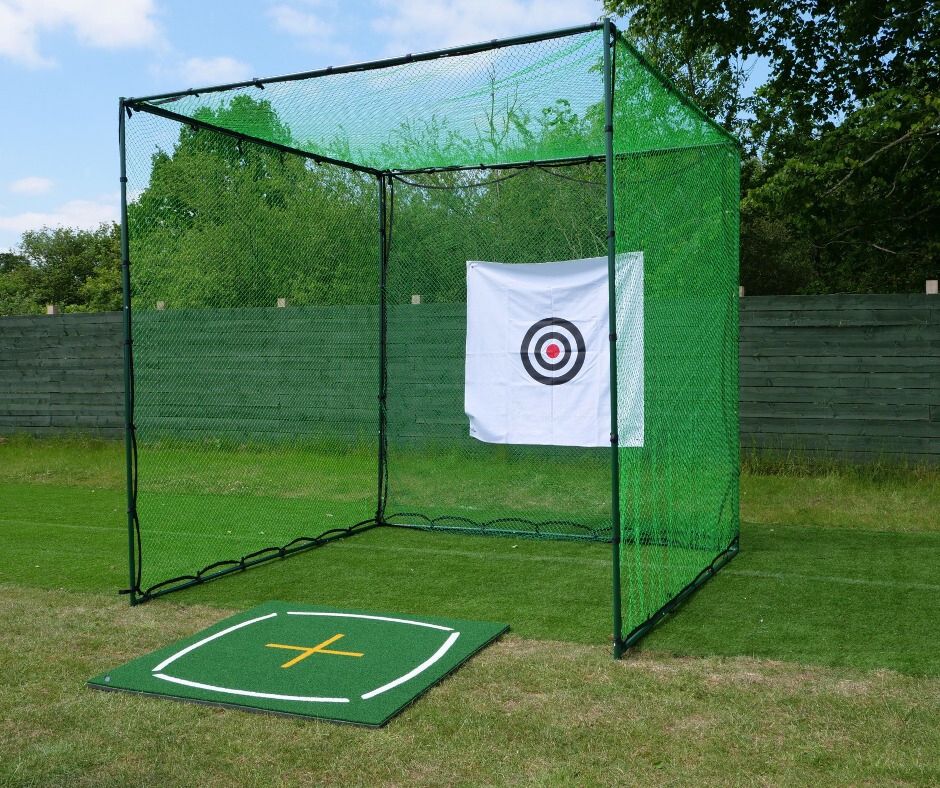
A golf simulator can go outside, but not all of it. The launch monitor, the net and the mat are happy on a British lawn on a dry evening; the projector and the impact screen aren't. Here's what works in the garden, which launch monitors read the ball outdoors, what each setup costs at our prices, and when a garden room is the better answer. Quick summary Outdoors, a golf simulator is a launch monitor, a net or cage and a mat, with the numbers on a phone, a tablet or the unit's own screen, because daylight washes out a projector. Our outdoor garden net with a Tri-Turf mat and a Garmin R10 comes to £530, and a 3m cage bay with a FlightScope Mevo Gen 2 comes to £2,036. Radar units sit behind the ball, 1.8m to 2.4m back for the R10, so a 3m cage and an R10 take 4.8m to 5.4m of lawn, while camera units sit beside the ball. Only 2 of the 5 launch monitors here carry a water rating on their listing, IPX7 for the R10 and IPX3 for the Shot Scope LM1, and even the R10's listing says to avoid heavy rain. At least 1mm of rain falls on about 159 days a year across the UK, so the all-weather step up is a garden room, from £13,299 for our 6.6m × 3.3m cabin. Can you use a golf simulator outside? Yes, the part that measures your golf. A launch monitor built for outdoor use reads the ball on a lawn, and a radar unit, which needs room behind the ball, often fits a garden better than a garage. The part that doesn't travel is the picture: a projector and an impact screen are indoor kit. Part of the simulator Outdoors? Why Launch monitor Yes, in dry weather Radar units watch the ball fly, and camera units read it at impact Net or cage Yes Garden nets and cages are made for the lawn Hitting mat Yes A rubber base with drainage holes keeps it off wet grass Phone, tablet or laptop Yes, in the shade It shows your numbers and the shot on a virtual range Projector No Daylight washes out the picture Impact screen No It's made to hang in an enclosure, for a picture that doesn't work in daylight So an outdoor golf simulator is a garden practice bay with a simulator's brain. Depending on the launch monitor, you still get carry, ball speed and spin, and with the R10, the Mevo Gen 2 or the R50 you can still play a course. What you don't get is Pebble Beach 3m wide in front of you. What do you need for an outdoor golf simulator? 4 things, and you may already own the last one. A net or a cage. In a garden, this is the part you can't skip. It stops the thin one and the shank, and it keeps the ball out of next door's greenhouse. Something to hit off. A hitting mat or a strip saves the lawn from divots and gives you the same flat lie every time. A launch monitor. It turns each shot into numbers. Outdoors, it needs to be one whose listing says it works outside, and it needs to come in when you do. A screen. A phone or tablet on a stand, or the launch monitor's own display, shows the numbers and the ball flight. Your phone is fine to start with. Which net or cage should you use in the garden? It depends whether the bay stays up. A garden net goes up for the evening, a pop-up net packs away in seconds, and a cage stays on the lawn for the summer and catches shots that a net would let past. Outdoor garden net Driving net cage Spornia SPG-7 Size About 3m wide and 2.1m high 3m cube, roof netted About 2m cube, 2.4m high with its roof Putting it up Minutes, no tools Stays up Pops up in seconds Outdoors Weather-resistant Built to be left out all year round Inside or outside Price £69, or £109 with a Tri-Turf mat £399 £359.99 A garden net for the lawn Shop now → Our outdoor golf practice net for the garden is about 3m wide and 2.1m high (10ft by 7ft). It has a steel frame and polyester netting, goes up and comes down in minutes without tools, and costs £69 on its own or £109 with a Tri-Turf mat. It's the cheapest of the 3, and at 3m it's wide enough to forgive a push. The catch: it has no roof, and 2.1m is low enough for a high wedge or a skied driver to clear, so stand close enough that a bad shot still meets the net. A cage that stays up Shop now → A cage nets the roof, the sides and the back, so a mishit has nowhere to go but the netting. Our GolfBays driving net cage is a 3m cube on a 32mm steel frame that's rust and corrosion resistant, with foam-covered tubes, nylon netting and a 1.5m target, and it's built to be left out all year round. It costs £399. At 3m high it also clears the 2.8m we plan on for a full driver swing, so you can stand inside the mouth and swing freely. Add a mat, because the cage comes without one. The catch: 3m by 3m is a lot of lawn to give up for the summer, and the mower has to go round it. A pop-up net you pack away Shop now → The Spornia SPG-7 is made for inside or outside, and it pops up and down in seconds. It's about a 2m cube, 2.4m high with the roof attachment for short irons and wedges, weighs 11kg, and has an automatic ball return, a noise reduction target sheet and a chipping basket, for £359.99. It's the net for a garden that's also a garden: up after tea, down before anyone wants the lawn, and back in the garage for the winter. The catch: at about 2m wide it's the smallest net of the 3, so it suits a golfer who mostly finds the middle. ✓ Do this Aim the net down the length of your own garden, with clear lawn either side and nothing breakable behind it, so a ball that misses the net still stops in your garden. ✕ Not this Face it towards next door's conservatory, the road or a gap in the hedge, where the shot that misses the net becomes somebody else's problem. What should you hit off on grass? Not the grass, if you like your lawn. Pick the mat by how long the bay stays up: a strip for an evening, or a 1.5m mat on a rubber base for the summer. Shop now → The lightest option is the Outdoor Golf Tri-Turf hitting strip: 3 turf surfaces for different lies, about 64cm by 41cm, 3.6kg, and it folds to a third of its size for the shed. It's £39.99. For the summer bay, a 1.5m mat gives you room for both feet on the turf, and on a lawn it needs something under it. Shop now → The GolfBays rubber base is a heavy-duty, non-slip rubber frame 1.56m square with drainage holes, made to hold a 1.5m mat as a well-drained tee area. It's £109. Shop now → Inside it goes a mat made for outdoors as well as in, such as the GolfBays Nylon Winter Insert Tee mat: 1.5m square, dense nylon turf, a heavy-duty foam base, and turf you push a real tee into. It's £329. Whatever you hit off, put it on flat ground. A mat on a slope tilts the ball, and a launch monitor has to sit level to read it. Which launch monitors work outdoors? Radar units, and the camera units made for the range. Radar sits behind the ball and needs room there, which a garden has and a garage often doesn't: it's why radar launch monitors need 5m of depth indoors. Camera units read the ball at impact from beside it, so they need no room behind you, but only some are made to work outside. Launch monitor How it reads the ball Where it sits Water rating on the listing Price Shot Scope LM1 Radar About 1.8m behind the ball IPX3 £194.99 Garmin Approach R10 Radar 1.8m to 2.4m behind the ball IPX7 £421 FlightScope Mevo Gen 2 Radar and camera Behind the ball None stated £1,199 Square Golf Omni 4 cameras Beside the ball None stated £1,599.99 Garmin Approach R50 3 cameras Beside the ball None stated £4,299 Radar tracks the ball with radio waves rather than light, but the R10's listing warns that wind and heavy rain can affect any Doppler radar's readings, so pick a still, dry evening. Camera units read the ball from images, so keep low sun out of their lenses. Shot Scope LM1: the cheapest of the 5 Shop now → The Shot Scope LM1 is a radar unit that sits about 1.8m (6ft) behind the ball, with a 3.5-inch colour screen of its own for your club speed, ball speed, smash factor, carry and total. It's IPX3 rated, comes with a carry case, runs for up to 5 hours on a charge and needs no subscription. It's £194.99. Because the numbers are on the unit, you don't need a phone in the garden at all, which makes it the simplest setup of the 5. The catch: it stops at speed and distance. It tells you how far, not why. Garmin Approach R10: the best value for a garden net Shop now → The R10 is the radar unit we'd put behind most garden nets. Outdoors it goes 1.8m to 2.4m (6ft to 8ft) behind the ball, on level ground with a clear view down the range, and indoors it wants at least 2.4m of ball flight into the net. It runs for up to 10 hours, and the tripod, a phone clip and a carrying case come in the box. It's rated IPX7, which its listing describes as withstanding incidental water exposure. The Garmin Approach R10 is £421. The catch: the courses need a Garmin Golf membership, and its listing still says to avoid heavy rain. FlightScope Mevo Gen 2: the range, the garden and the garage Shop now → The FlightScope Mevo Gen 2 reads each shot with radar and camera images together, and FlightScope made it for 3 places: the driving range, a net in the garden and an indoor simulator. It's £1,199, and the 8 E6 Connect courses that come with it are yours for life. If the same launch monitor has to do the lawn in summer and the garage in winter, this is the one we'd pick. The catch: its listing gives no water rating, so treat it as a dry-weather unit. Square Golf Omni: camera data indoors and out Shop now → Plenty of launch monitors are strictly indoor tools. The Omni is built for an indoor simulator and outdoor practice alike, from a net in the garage to a grass range. Its 4-camera photometric system reads ball speed, launch, spin and spin axis, plus club speed, attack angle, face angle, club path and impact location. It doesn't rely on marked balls or special reflective gear, so it reads the balls you practise with. The Square Golf Omni is £1,599.99, and it isn't tied to a costly subscription. The catch: it's nearly 4 times the price of an R10, for a garden where radar already works well. Garmin Approach R50: the simulator with its own screen Shop now → The Garmin Approach R50 tracks more than 15 ball and club metrics with 3 high-speed cameras, works indoors or outdoors and comes with a carrying case. It has a 10-inch colour touchscreen and runs for up to 4 hours on a charge (Garmin). It's £4,299. That screen is what makes it an outdoor simulator rather than a practice tool: Home Tee Hero runs on the unit itself, with more than 43,000 courses and no tablet in the chain. The catch: £4,299 buys 10 R10s with change to spare, and Home Tee Hero's courses still need a Garmin Golf membership. Not sure what fits your garden? Send us the length and width of the lawn, a photo, and what you want from it, and we'll tell you whether a net, a cage or a garden room suits it, and which launch monitor to put with it. It's free. Book a free consultation How much garden do you need? About 5m of lawn in a straight line for a cage and a radar unit, and the cage's 3m plus room to swing for a camera unit. With radar, hit from the mouth of the cage and the ball has 3m to fly, more than the 2.4m the R10 asks for. The R10 then goes 1.8m to 2.4m behind the ball, so the bay takes 4.8m to 5.4m of lawn, 3m wide. With a camera unit, the launch monitor sits across the ball from you, so nothing goes on the grass behind the ball. The cage and your swing are all the lawn it needs. With a garden net, the radar sums are the same: the ball needs its 2.4m of flight to the net, and the R10 its 1.8m to 2.4m behind the ball, so allow at least 4.2m from the net to the launch monitor. GolfBays tip Before you buy anything, mark out a 3m square on the lawn with the hose, add the radar's 2.4m behind the ball, then stand at the mouth and take a slow swing. You'll find the washing line, the trampoline and the low branch before the cage does. Can you use a projector outside? Not in daylight. A projected picture washes out in the sun, and a projector and an impact screen are made for a room you can darken, not an open lawn. Outdoors, the picture lives on a smaller screen close to you. A phone or tablet on a stand is what most launch monitors send their numbers to, with a virtual range and, on the R10 and the Mevo Gen 2, courses to play. The launch monitor's own screen saves carrying anything else: the LM1 has a 3.5-inch display, and the R50 has a 10-inch touchscreen. A laptop works too, if your software runs on one. Put the tablet beside the mat, out of the swing, at a height you can see without bending, and keep it in the shade, where the screen is easier to read. Can you use a golf simulator in the rain? The net and the mat, yes. The launch monitor only if its listing gives it a water rating, like the LM1's IPX3 ("rain-ready") or the R10's IPX7, and even then not in heavy rain. The weather is the real limit on an outdoor bay. Across the UK, Met Office figures for 1991 to 2020 average about 159 days a year with 1mm of rain or more, from about 11 days in May, the driest month, to about 16 in November (Met Office). Late spring and summer are the outdoor season; from October the evenings get wet and dark. The net and cage are the parts that cope. Our cage is built to be left out all year round, and the garden net is weather-resistant. A mat on the rubber base drains through its holes rather than sitting in a puddle. Watch out: the launch monitor on the lawn The expensive mistake is running inside when a shower starts and leaving the launch monitor on the grass. IPX7 on the R10 covers incidental water, not a downpour, and the Mevo Gen 2, the Omni and the R50 list no water rating at all. When the first drops land, the launch monitor comes in first, then the tablet, and the mat can wait. How do you keep the ball in the garden? Net every direction a bad shot can go, and stand where a bad shot still meets the net. Use a cage if you can. With netting on the roof, the sides and the back, a shank or a skied driver stays inside. A garden net only stops what it's in front of. Stand close enough. The further you stand from a net, the smaller the miss it takes for a slice or a thin wedge to get past it. With radar, keep the ball at least 2.4m from the net for the R10 and no further back than the net can cover. Check the netting every time. A tear or a sagging corner is where the ball goes through. Look before the first shot, not after the neighbour's knock. Keep watchers back. Anyone watching stands well clear of the swing and never beside the net, and children and dogs stay out of the bay. Pick up every ball. A ball left in the grass is a problem for the mower, and for whoever mows. Will the neighbours hear an outdoor golf simulator? Yes, some of it. The loud part is the strike: a club on the ball and the mat, then the ball hitting the net or target. A garden bay can't be soundproofed, so the answer is where you put it and when you use it. Put the net at the end of the garden furthest from the neighbours' windows rather than against the shared fence. A target sheet softens the ball's landing, and the SPG-7's is made to reduce the noise. Then keep sessions to sensible hours, and tell next door before the first one. Noise counts as a statutory nuisance when it can "unreasonably and substantially" interfere with the use or enjoyment of a home, and if the council agrees it is one, it must serve an abatement notice. From 11pm to 7am there are also permitted noise levels (gov.uk). An hour of wedges on a summer evening is a long way from that; a bucket of drivers early on a Sunday morning is closer. What do you pack away after each garden session? Anything with a battery or a screen comes inside. The rest depends on the net. Kit After each session Launch monitor Inside, in its case; the LM1, R10 and R50 come with one Phone, tablet or laptop Inside Hitting strip or mat Into the shed or garage to dry; the strip folds to a third of its size Garden net or SPG-7 Down when the lawn's needed, or up if it isn't Driving net cage Stays up all year round Balls Picked up, every one Charge the launch monitor when it comes in, so it's ready the next time the evening's dry. The R10 runs for up to 10 hours, the LM1 up to 5 and the R50 up to 4, so a full charge outlasts most evenings in the garden. How much does an outdoor golf simulator cost? From about £300 for a net and a launch monitor that shows your numbers, to around £2,400 for a cage bay with camera data. These are GolfBays prices on 30 September 2026. Setup What's in it Total Lawn starter Garden net with Tri-Turf mat, Shot Scope LM1 £303.99 Garden practice Garden net with Tri-Turf mat, Garmin R10 £530 Pack-away net Spornia SPG-7, Tri-Turf strip, Garmin R10 £820.98 Cage bay with radar Driving net cage, rubber base, Nylon Winter Insert Tee mat, Mevo Gen 2 £2,036 Cage bay with cameras Driving net cage, rubber base, Nylon Winter Insert Tee mat, Square Golf Omni £2,436.99 The totals leave out the phone or tablet the numbers show on. The garden practice setup is the one we'd start most golfers with. Garden practice setup GolfBays prices, 30 September 2026 Outdoor golf practice net for the garden, with Tri-Turf mat £109 Garmin Approach R10 £421 Total £530 Your own phone or tablet runs it. Courses on the R10 need a Garmin Golf membership. If the bay is staying up for the summer, the cage changes the sums. The mat and base cost more than the cage, and they're worth it on a lawn you hit off every evening. Cage bay that stays up GolfBays prices, 30 September 2026 GolfBays driving net cage, 3m £399 GolfBays rubber base for a 1.5m mat £109 GolfBays Nylon Winter Insert Tee mat, 1.5m £329 FlightScope Mevo Gen 2 £1,199 Total £2,036 With a Square Golf Omni in place of the Mevo Gen 2, the total is £2,436.99. When is a garden room better than an outdoor golf simulator? When you want to play in November. The same launch monitor can do the lawn in summer and move into a garage golf simulator for the winter, where the door shuts on the weather and the neighbours. If the garage has no room, or the car won't leave it, the step up is a golf simulator garden room: a building sized for a driver swing, with the bay set up and dry all year, and a projector and impact screen back in play. Shop now → Our lowest-priced cabin is the 6.6m × 3.3m golf simulator cabin at £13,299, and its 6.6m length leaves room behind the golfer for a radar unit or a chair. Indoors, the net becomes an enclosure, the picture moves from the tablet to an impact screen, and the room around the bay starts to matter as much as the kit: the lighting, the seating, somewhere for the clubs. Do you need planning permission for an outdoor golf simulator? Usually not. A net or pop-up that comes down after each session is garden kit, and most golf simulator cabins can be built under permitted development if they meet the outbuilding rules. A cage that stays up is worth placing with the same rules in mind. In England, the Planning Portal lists enclosures, tennis courts included, alongside sheds and garden buildings, and a building or enclosure within 2m of a boundary is limited to 2.5m high (Planning Portal). Our cage is 3m high, so stand it more than 2m from the fence. The other outbuilding rules apply too: nothing in front of the house, no more than half the land around it covered by buildings, and permission for anything at a listed building. National parks, Areas of Outstanding Natural Beauty and other designated land have tighter limits, so check with the council if your home is on it. Outdoor golf simulator FAQs Can you do a golf simulator outside? Yes, with a launch monitor, a net or cage and a mat, reading your shots on a phone, a tablet or the unit's own screen. The projector and impact screen stay indoors, because daylight washes out the picture. What is the best golf simulator for outdoor use? For most gardens, a Garmin R10 behind a net or cage: it's £421, rated IPX7 and runs for up to 10 hours. For camera data outdoors, the Square Golf Omni at £1,599.99, and for a full simulator on the unit's own screen, the Garmin R50 at £4,299. How much would it cost to build an outdoor golf simulator? From £303.99 for a garden net, a Tri-Turf mat and a Shot Scope LM1, or £530 with a Garmin R10 instead. A 3m cage bay that stays up for the summer, with a proper mat, a rubber base and a Mevo Gen 2, comes to £2,036. How much does a garden golf simulator cost? A garden bay costs from £303.99 to £2,436.99 at our prices, depending on the net and the launch monitor. A full simulator in a garden room is a different budget: our cabins start at £13,299 before the simulator goes in. Do I need planning permission for a golf simulator in my garden? Usually not. A net you take down is garden kit, and most golf simulator cabins can go up under permitted development if they meet the outbuilding rules. A cage left up all year is best kept more than 2m from the boundary, because within 2m the Planning Portal limits enclosures to 2.5m high. Is a home golf simulator worth it? For a garden bay, it comes down to how many summer evenings you'll spend hitting balls. A £530 garden setup gives you your carry with every club all summer, and the same launch monitor moves into a garage or garden room for the winter, so the expensive part keeps working all year. Can you leave a golf net out all year? Our 3m driving net cage is built to be left out all year round. The garden net is weather-resistant, and the SPG-7 pops down in seconds, so both are easy to put away when the lawn's needed. Can a launch monitor get wet? Some can take a little: the LM1 is rated IPX3, and the R10 is rated IPX7 for incidental water, with a listing that says to avoid heavy rain. The Mevo Gen 2, the Omni and the R50 list no water rating, so bring them in when it starts. Set up your garden bay Nets and cages for the lawn, from a pop-up you pack away after tea to a 3m cage that stays up all summer. See golf practice nets
A home golf simulator in a British garage seen from the back, with the flat ceiling and a strip light above a black enclosure, an impact screen and a hitting mat

October 16, 2026

By Harrison Peck

Golf Simulator Ceiling Height: What You Need (and What to Do With 2.4m)

Short of moving house, the ceiling is the one measurement in a simulator room you can't change. We plan on 2.8m for a full driver swing, and a standard British room sits around 2.4m. Here's what fits under each height, how to test your own room with a slow swing, and what to build when the answer is irons and wedges. Quick summary We plan on 2.8m (9ft 2in) of ceiling for a full driver swing, and 3m (9ft 10in) for every club with headroom to spare. An 8ft ceiling is 2.44m, which suits wedges and short irons but is often too low for a comfortable driver swing. A 9ft ceiling is 2.74m, 6cm under our 2.8m, so the driver fits some golfers and not others, and a slow swing in the room settles it. A 10ft ceiling is 3.05m, which clears every club and suits a ceiling-mounted launch monitor. Camera launch monitors on the floor need no ceiling height of their own, while ceiling units need at least 2.59m for the ProTee VX and 2.7m for Trackman iO. Every SimBox frame stands 2.5m, 2.8m or 3m tall, so under a 2.4m ceiling you hit into a practice net instead. What ceiling height do you need for a golf simulator? About 2.8m, or 9ft 2in, for a full swing with a driver. That's our recommended minimum, and it's the room height we give for a SimBox. 3m, or 9ft 10in, is comfortable, and it's what we'd aim for if you're tall or you swing upright. Below 2.8m a simulator still works, just not with every club. Wedges and short irons need the least height, and the driver needs the most, because it's the longest club in the bag. Height is one of 3 numbers. The full room dimensions we plan a SimBox bay around are 3m wide, 2.8m high and 4.5m deep with a camera unit beside the ball, or 5m deep with a radar unit behind you. The launch monitor you choose changes the depth you need, but nothing you buy lowers the height a driver swing needs, which is why we measure it first. Ceiling heights usually get quoted in feet, so here's what the common ones mean in metres. Ceiling In metres What it usually allows 8ft 2.44m Wedges and short irons; often too low for a comfortable driver swing 8ft 6in 2.59m Irons, and the lowest height ProTee reports the VX working at 9ft 2.74m Most clubs; test the driver with a slow swing first 9ft 2in 2.79m Our 2.8m minimum for a full driver swing 9ft 10in 3.00m Every club with headroom, and the ProTee VX at its best 10ft 3.05m Every club, and Trackman iO's Mid and High versions What fits under each ceiling height? Every 20cm changes what the room can take. The chart draws the 4 common heights to scale, from the 2.4m of a typical British room up to 3m, with what we'd put under each one. A 2.4m (8ft) ceiling This is the standard British room height: 7ft 10in, a touch under 8ft. Plan the room around irons and wedges. 2.4m is often too low for a comfortable driver swing, and a slow swing in the room tells you quickly whether yours fits. It also rules out every SimBox frame, because the shortest one stands 2.5m tall. That leaves a practice net, a hitting mat and a camera launch monitor on the floor beside the ball, with the numbers and the ball flight on a tablet, a laptop or a TV. It's a practice room more than a simulator, which is no hardship when what you're after is your real yardages. Shop now → The TrueStrike TS-5 practice net is made for tight spaces. It stands about 2m tall with its roof extension up, so it fits under a 2.4m ceiling with room to spare, and it sends the ball back to you after every shot, for £229. It takes every club in the bag, so the only limit on what you hit is the ceiling above it. A practice bay under a 2.4m ceiling GolfBays prices, 30 September 2026 Square Golf launch monitor £689 TrueStrike TS-5 practice net £229 Total £918 Add a hitting mat, and a tablet, laptop or TV for the numbers and the ball flight. Nothing in it goes near the ceiling. Nothing gets fixed to the ceiling above the swing at this height. The ProTee VX and Trackman iO both need more than 2.4m, and a projector hung over the hitting area sits right where the club goes. A 2.6m (8ft 6in) ceiling The 2.5m-high SimBox frames go in at this height, which means a proper enclosure with an impact screen and a projected picture, and you hit from behind the frame rather than under it. Irons and wedges are still the plan. The driver is a maybe: 2.6m is 20cm under the 2.8m we plan on, so do the slow swing test before you plan the room around it. 2.6m also takes a ceiling-mounted launch monitor: ProTee calls 8ft 6in, or 2.59m, low but workable for the VX. A 2.8m (9ft 2in) ceiling This is our recommended minimum for a full driver swing, and the room height we give for a SimBox bay, with the projector allowed for. If you're tall or you swing upright, add a little headroom on top, and test it with your own driver rather than trusting the tape measure. The tallest golfer in the house, or the mate with the steepest swing, sets the height the room has to clear. Both ceiling units work here. Trackman iO's Low version covers 2.7m to 2.9m of turf to ceiling, and 2.8m is above every height ProTee lists as low for the VX. A 3m (9ft 10in) ceiling or higher 3m is where the ceiling stops being the thing you plan around. Every club fits with room to spare, taller golfers included, and there's space to hang a short throw projector in front of the golfer, well clear of the swing. Ceiling launch monitors are at home here too: the ProTee VX is at its best at 3m, and 3m sits inside both Trackman iO's Mid and High ranges. The 3m-high SimBox sizes need a room taller than 3m to stand in, so in a room that's exactly 3m, the 2.8m-high frame is the tallest that fits. How do you check if your ceiling is high enough? With a tape measure and a driver. Do it before you buy anything, because it's the test that decides everything else. 1. Find the lowest point above the hitting area. That's rarely the ceiling itself. Look for lights, beams, joists, pipes, a loft hatch and, in a garage, the door runners and the motor. Measure to the lowest of them, above where you'll stand and where the club will swing. 2. Measure from the top of the mat. A hitting mat, and any base or new flooring under it, lifts you off the floor, and every centimetre it adds comes off the ceiling. 3. Make a slow swing with your driver. Stand where the ball will be, take your normal address in the shoes you'll play in, and swing to the top at walking pace. Anything the club brushes on a slow swing, it will hit on a real one. 4. Swing through to the finish. The club climbs again on the way through, so check the finish as well as the top of the backswing. 5. Repeat it for everyone who'll use the bay. A room that suits you may not suit a taller partner, a teenager who's still growing or the mate who swings straight up. If the driver clears with a little to spare on a slow swing, the room works. If it brushes, you're choosing between the fixes below and a taller room. GolfBays tip Prop a phone up on video at the side of the room while you make the slow swing. The recording shows how close the clubhead gets to the ceiling at the top and at the finish, which is almost impossible to judge while you're the one swinging. What can you do with a low ceiling? A low ceiling limits which clubs you hit indoors and where the kit can go, not whether you can have a bay. These are the fixes, from the free ones to a new building at the bottom of the garden. Irons and wedges indoors Plan the bay around the clubs that fit. A room that takes a full swing with your wedges and short irons is a proper practice room for the clubs that do most of the scoring. The launch monitor doesn't care which club you hit. Your carry, launch and spin with a 9-iron are just as real under a 2.4m ceiling as under a 3m one, and the driver can live at the range until the evenings get lighter. A shorter, flatter swing Some golfers fit the driver under a low ceiling with a three-quarter backswing or a flatter swing. It's a compromise: the numbers you get are for that swing, not your full one, so treat driver sessions as practice for a controlled shot rather than a measure of your top speed. A driver cut down for indoor use lowers the arc as well, but it's a different club, so its numbers won't match the driver in your bag. A camera launch monitor on the floor A camera unit sits on the floor beside the ball, reads it at impact, and needs nothing from the ceiling and no room behind you. If you can swing in the room, a camera unit can read the shot, and there's nothing overhead for the club to find. A projector on the floor A ceiling-mounted projector in a low room hangs close to the swing. Put it on the floor instead, where the club can't reach it. Shop now → Our floor mounted projector case is a steel box with a turf-covered ramp on top. It sits beside or in front of the tee area, low shots run up the turf towards the screen, and it takes most short throw projectors, for £159.99. ✓ Do this Put the launch monitor on the floor beside the ball and the projector in a floor case, so nothing hangs into the swing. ✕ Not this Fix a projector or a ceiling launch monitor above the hitting area of a 2.4m room and hope the club always misses it. Lights and fittings out of the swing Pendant lights, a bare bulb on a flex and a loft hatch that opens downwards all take height out of the room. Swap them for flush fittings or move them away from the hitting area, and the room's real height goes back to the ceiling itself. If the club might still touch, a layer of foam over the ceiling above the hitting area protects the plaster, and the club. A garden cabin built to height When no room in the house is tall enough, build one that is. A garden room built to the height a driver needs gets you the ceiling a house can't, with the simulator set up for good and the noise at the bottom of the garden rather than through the lounge ceiling. Our golf simulator cabins start at £13,299. In England most golf simulator cabins can go up under permitted development if they meet the outbuilding rules, and height is the rule to check: 2.5m at the eaves, 4m overall with a dual-pitched roof or 3m with any other, and 2.5m overall within 2m of a boundary (Planning Portal). Not sure your ceiling's high enough? Send us your room's height, width and depth, and we'll tell you which clubs will fit, which launch monitor suits it and which SimBox size to buy. It's free. Book a free consultation Which launch monitors need ceiling height? Only the ones that mount on the ceiling. Camera and ceiling-mounted launch monitors sit at opposite ends of the question: a camera unit on the floor needs nothing from the ceiling, and a ceiling unit needs the ceiling within a set range. Launch monitor Where it sits Ceiling it needs Price Square Golf On the floor, beside the ball None of its own £689 SkyTrak ST MAX On the floor, beside the ball None of its own £1,695 ProTee VX On the ceiling From 2.59m, best at 3m £6,240 Trackman iO Home On the ceiling 2.7m to 3.2m, by version £12,594 Ceiling heights are measured from the hitting surface to the ceiling, as each maker specifies. Camera units beside the ball For a low ceiling, this is the type to buy. The cameras sit in a unit on the floor across the ball from you and read the ball, and on some models the club, at the moment of impact. Shop now → Under a low ceiling, the SkyTrak ST MAX is the unit we'd reach for first. It reads the shot from the floor beside the ball, so nothing hangs overhead and nothing stands behind you, and it's £1,695 with a year of SkyTrak Core, which plays more than 30 courses. The catch: once that first year is up, the courses need a paid SkyTrak membership. Shop now → The Square Golf launch monitor does the same job from the floor for £689. Its cameras take in the clubhead as well as the ball, so you see how you delivered the club as well as where the ball went, and there's a putting mode for the end of the session. The catch: it sits across the ball from the golfer, so it changes sides whenever a left-hander steps in. Radar units behind the ball Radar units don't need the ceiling either, but they need depth. They sit on the floor behind you and watch the ball fly, so we plan on 5m of room depth for one. In a room that's low and short, a camera unit is the better buy. Radar comes into its own in a deep garage, or out in the garden with no ceiling at all and all the room it wants behind the ball. Ceiling-mounted units A ceiling unit looks down on the hitting area, so there's nothing on the floor to trip over or catch with the club. The price of that is height: each one works within a range of ceiling heights, and its maker sets the range. Shop now → Trackman iO Home is £12,594 and works entirely from above the mat, pairing radar with infrared and high-speed imaging, and the spin and spin axis it reports are measured in 3D. Trackman makes it in 3 versions for different ceilings, each measured from the turf to the ceiling: Low for 2.7m to 2.9m, Mid for 2.85m to 3.05m and High for 3m to 3.2m (Trackman). The catch: nothing goes below 2.7m, so a 2.6m room is out whichever version you choose. Shop now → The ProTee VX costs £6,240, about half the Trackman figure, and GSPro comes with it in our bundle. Its 2 high-speed cameras watch from overhead, and it reads the balls you already play, with no stickers. ProTee puts its best height at 3m from the hitting surface to the ceiling. In its own tests 8ft 6in, or 2.59m, was low but workable, with a ball like the TP5 for correct spin on high-speed shots, while 8ft 4in, or 2.54m, was too low, partly because a wedge on the way up could hit the unit (ProTee). The catch: in a room under 2.8m the VX works but your driver may not, so do the slow swing before you drill the ceiling. With the VX on the ceiling, golf simulator room layouts that a floor unit makes awkward open up, with the mat in the middle of the bay and nothing to move for a left-hander. We also stock overhead units from Uneekor, Foresight and NVISAGE, and each has its own mounting height, so check the maker's figure against your ceiling before you order. GolfBays tip Fit a ceiling unit last. It's mounted in relation to where the ball sits, so settle the mat, the enclosure and the hitting position first. Moving the mat after the mount goes up means moving the mount, and filling holes in the ceiling. How tall is a golf simulator enclosure? Our SimBox frames stand 2.5m, 2.8m or 3m tall, depending on the size. Most are 2.5m, the 3.8m-wide size is 2.8m, and the 2 deepest sizes are 3m tall. Shop now → The SimBox enclosure is an aluminium frame that goes up without tools, in 7 sizes, with a LITE, a PRO+ or, on most sizes, a Close-Knit Baffle impact screen. Custom sizes are available on request. Width Height Depth Price with LITE screen 2.6m 2.5m 1.5m £1,161 3m 2.5m 1.5m £1,214 3.6m 2.5m 1.5m £1,259 4m 2.5m 1.5m £1,304 3.8m 2.8m 1.5m £1,358 3m 3m 3m £1,439 4m 3m 3m £1,529 The frame's height and the room's height are 2 different numbers. On the 1.5m-deep sizes you hit from behind the frame, at least 2.5m from the screen, so the frame only has to stand under the ceiling while your swing needs the full 2.8m. Even around a 2.5m frame, the room needs 2.8m for a full driver swing and the projector. A 2.5m frame in a 2.6m garage still gives you the screen, the surround and the projected picture, and the ceiling decides which clubs you hit in front of it. A SimBox bay under a 2.6m ceiling GolfBays prices, 30 September 2026 SimBox enclosure, 3m wide and 2.5m high, LITE screen £1,214 SkyTrak ST MAX, with a year of SkyTrak Core £1,695 Floor mounted projector case £159.99 Total £3,068.99 Add a short throw projector that fits the case, a hitting mat, and a laptop or tablet to run the software. Plan it for irons and wedges, and count on the driver only once it passes the slow swing. Which rooms have the height for a golf simulator? The garage A garage usually has more height than a spare room, but the joists, lights and door gear hang lower than the ceiling itself. A garage with a 2.4m ceiling is an irons and wedges room like any other, so measure the lowest point above the hitting area, not the highest point of the roof. The garage still wins on almost everything else: more width and depth than most spare rooms, a concrete base for the mat and no living space given up. If the height is borderline, a camera unit and a floor projector case get the most out of it. Watch out: the garage door An up-and-over door swings up into the garage and hangs below the ceiling when it's open, and a roller door keeps its drum and motor at the top of the opening. If the door has to open while you play, measure the height under the door gear, not under the ceiling. The spare room A spare room comes heated, dry and full of sockets, but a standard British room sits around 2.4m high. That's often too low for a comfortable driver swing, so plan it as an irons and wedges room: a net, a mat and a camera unit, with a TV or a tablet for the ball flight. Think about who's on the other side of the floor and the walls, too. Strikes on the mat carry to the room below, and in a semi the neighbours can hear them through the party wall. The loft A loft conversion can have plenty of height in the middle and very little at the sides. Measure under the spot where you'd stand, and remember that the club travels behind you and over your shoulder, so the slope has to clear the club all the way round, not just the top of your head. Carry the kit up the stairs in your head before you order it, too. A SimBox arrives in parts and clicks together in the room, which suits a loft better than anything that arrives in one piece. A garden room you already have An existing garden room, summer house or home office at the bottom of the garden looks tall from outside and often isn't inside. Roof structure, insulation and floor build-up can take 20cm to 30cm of height between them, so measure inside, from the floor you'll stand on to the lowest point of the ceiling. If it comes up short, treat it like any other low room: irons and wedges, a camera unit on the floor and nothing hanging above the swing. Golf simulator ceiling height FAQs What happens if my ceiling is too low for a golf simulator? The club hits the ceiling, usually at the top of the backswing or in the follow-through, which can damage the club, the ceiling and anything fixed to it. If the room's too low for a full swing, hit irons and wedges indoors, use a camera unit on the floor and keep anything mounted off the ceiling above the hitting area. Is an 8ft ceiling enough for a golf simulator? It's enough for wedges and short irons, but often too low for a comfortable driver swing. 8ft is 2.44m, 36cm under the 2.8m we plan on for a full driver swing, so an 8ft room suits a net, a mat and a camera launch monitor on the floor. Is a 9ft ceiling tall enough for a golf simulator? Nearly. 9ft is 2.74m, 6cm under our 2.8m minimum, so most clubs fit and the driver fits some golfers. It's also tall enough for Trackman iO's Low version and the ProTee VX. Can you swing a driver with a 9ft ceiling? Some golfers can and some can't. At 2.74m you're just under the height we plan on, so a golfer with a flatter swing may clear it and a tall golfer with an upright swing probably won't. Make a slow swing with your driver in the room before you decide. Is 10ft high enough for a golf simulator? Yes. 10ft is 3.05m, above the 3m we'd call comfortable, so every club fits with headroom. It's within 5cm of ProTee's best height for the VX, and it sits inside Trackman iO's Mid and High ranges. What is the minimum ceiling height for a golf simulator? 2.8m for a full driver swing, which is our recommended minimum. A simulator works lower down for irons and wedges, but no SimBox frame stands under 2.5m, and neither ceiling unit here goes below 2.59m on its maker's figures. Can you put a golf simulator in a room with a low ceiling? Yes, if you build it for the clubs that fit. A 2.4m room takes a practice net, a mat and a camera launch monitor on the floor, and a 2.6m room takes a 2.5m-high SimBox with a projector in a floor case. Can you use a ceiling-mounted launch monitor with a low ceiling? Only down to its maker's lowest height: 2.59m for the ProTee VX and 2.7m for Trackman iO, measured from the hitting surface. Below that, put a camera unit on the floor beside the ball instead. What should go on the ceiling above a golf simulator? As little as possible above the hitting area. Use flush lights rather than pendants, hang a projector only where the ceiling is high enough to keep it clear of the swing, and mount a ceiling launch monitor only within its maker's height range. In a low room, keep all of it off the ceiling above the swing. Find a bay that fits your ceiling SimBox frames come in 2.5m, 2.8m and 3m heights and 7 sizes, from a single garage to a dedicated golf room. See golf simulator enclosures
A home golf simulator seen from behind the hitting area, with a launch monitor beside a teed ball, a ceiling projector lighting the screen and a laptop showing shot data

October 16, 2026

By Harrison Peck

How Does a Golf Simulator Work? Every Part, From the Ball to the Screen

A golf simulator works by measuring your shot as you hit it and drawing the rest of its flight on a screen in front of you. You hit a real ball, a launch monitor reads it, software works out where it would have gone, and a projector shows it landing. Here's what each part does, how putting and a full round work, and what a home setup costs in the UK. Quick summary A golf simulator is 4 pieces of kit (a launch monitor, an impact screen in an enclosure, a projector and a hitting mat) plus software and a computer, tablet or phone to run it. You hit a real ball with your own clubs, and the launch monitor reads it on its way into the impact screen, which stops the ball and drops it to the floor. Camera launch monitors sit beside the ball and work in a room 4.5m deep, radar units sit behind you and want 5m, and a ceiling unit such as Trackman iO sets no distance at all in front of or behind the ball. The launch monitor measures the start of the shot and the software models the rest: on the Garmin R10, ball speed and launch are measured while carry, total distance and apex height are modelled. A full driver swing needs about 2.8m of ceiling height and a room 3m wide, so measure the height before you buy anything. At GolfBays prices, a Garmin R10 with a net and a mat is £905, the cheapest complete simulator package is £1,649, and a SkyTrak ST+ SimBox package with an £899 projector comes to £3,389. What is a golf simulator? A golf simulator is a launch monitor, software and a screen working together, so you can hit real shots indoors and see where they would have gone. The launch monitor does the measuring. Everything else turns those measurements into something you can play. A launch monitor on its own gives you numbers on a phone or tablet. Add something to hit into, a projector, and software with courses on it, and you've got a simulator. It's the difference between a speedometer and a driving game. Most home setups sit somewhere on this ladder: A launch monitor and a net. Your numbers on a phone or tablet, for practice. A launch monitor, an enclosure and an impact screen. The same numbers, plus the shot on a life-size screen once you add a projector. A full bay. Enclosure, screen, projector, a PC and course software, built into a garage, spare room or garden room. How does a golf simulator work, step by step? Every shot runs through the same 5 steps, from the ball on the mat to the picture on the screen. 1. You hit a real ball. Your own clubs, off a hitting mat, into an impact screen in front of you. Nothing about the swing changes because you're indoors, apart from the view. 2. The launch monitor reads it. Depending on the model, it photographs the ball as it leaves the clubface or tracks it with radar as it flies. Either way it comes away with ball speed, launch angle, launch direction and spin, and most units read the club as well. 3. The numbers go to the computer. The launch monitor passes them to a PC, laptop, tablet or phone over a USB cable, Ethernet, Bluetooth or Wi-Fi, depending on the model. 4. The software models the flight. It runs the numbers through a model of how a golf ball flies, works out how high it goes, how far it carries, which way it curves and where it finishes, then draws that on a range or a course. 5. The projector puts it on the screen. The picture goes to the projector over an HDMI cable and lands life-size on the impact screen. The screen stops the real ball, it drops to the floor, and the software moves you on to your next shot. The only job the software can't do is fetch the ball. What are the parts of a golf simulator? 4 pieces of kit, plus the software and a computer, tablet or phone to run it, which you may already own. Prices are GolfBays prices on 30 September 2026. Part What it does Example at GolfBays Launch monitor Measures the ball and, on most models, the club Garmin Approach R10, £421 Enclosure and impact screen Stops the ball, catches mishits and shows the picture SimBox, from £1,161 Projector Puts the software's picture on the screen Optoma GT2200HDR, £899 Software Models the flight and draws the range or course Maker's app included; GSPro £250 a year Hitting mat What you stand on and hit from GolfBays Standard, £199 Computer, tablet or phone Runs the software Often a laptop or tablet you own; HD Spec PC £1,790 Launch monitor Every other part works from the numbers the launch monitor sends, and it can sit beside the ball, behind you or on the ceiling. Where it sits decides how deep the room has to be, which makes choosing a camera or radar launch monitor the first decision on this list, before the enclosure, the projector or the software. Enclosure and impact screen The impact screen is the sheet you hit into, and it's also what the projector shines onto, so it has to take a beating and still show a clean picture. The enclosure is the frame and black surround that holds the screen. It catches the shots that miss the screen and keeps stray light off the picture, which counts in a garage with a window. Shop now → The SimBox enclosure is our own: an aluminium frame you assemble by hand, with no tools, in under an hour, a black velvet surround, and your pick of 3 screens: LITE, Close-Knit Baffle or PRO+. It comes in 7 sizes, from £1,161 at 2.6m wide, or £1,376 at 3m wide with the PRO+ screen. Projector The projector takes the picture from the computer and throws it onto the impact screen. Simulator projectors are usually short throw, so they make a big picture from close to the screen. That lets the projector hang ahead of you on the ceiling, out of your backswing, with your shadow off the picture. Shop now → The Optoma GT2200HDR costs £899 and shows how short a short throw is: from a little over a metre, its 3,300 lumens make a 100-inch full HD picture. In most garages, brightness and the distance from the lens to the screen matter more than resolution, and those 2 numbers decide which simulator projector will suit the room. Simulator software Software is the part that turns numbers into golf. It takes the launch monitor's readings, models the flight, and draws the shot on a driving range, a practice game or a real course. Every launch monitor comes with its maker's own app, and plenty of golfers never need more for practice and yardages. Third-party simulator software adds more courses, better graphics and online play with your mates, and the launch monitor you own decides which of it you can run. Shop now → GSPro is course software for a bay built around a Windows PC, and its community has built more than 2,500 courses for it. It's £250 a year at GolfBays, and SkyTrak doesn't currently support it. Hitting mat The mat is what you stand on and hit from, and it takes every shot you'll ever play in the simulator. A good one has a turf top that lets the club slide through like a fairway and a shock layer underneath, because most garages have a concrete floor and your wrists will remember it. For a full swing the mat wants to be 1.5m × 1.5m so your feet are on it as well, and the right hitting mat comes down to how often you'll use it and what's underneath. Shop now → The GolfBays Standard Hitting Mat is 1.5m × 1.5m for £199, and it's the mat that comes in our SkyTrak ST+ SimBox package. Computer, tablet or phone Something has to run the software, and what that is depends on the launch monitor. Plenty of launch monitor apps run on a phone or tablet you already own. GSPro is the demanding one: its own requirements for full HD are Windows 10 or 11, at least a 3060-class graphics card and 16GB of memory. So a phone or tablet is out for GSPro, and so is a laptop below that spec. Shop now → The GolfBays Golf Simulator Gaming PC HD Spec is built for the job, with an Intel Core i7-12700KF, an NVIDIA RTX 5060 Ti graphics card, 16GB of RAM and a 1TB SSD, for £1,790. How do launch monitors read the ball? In 3 ways: with cameras beside the ball, with radar from behind you, or from the ceiling. Type Where it sits How it reads the ball Room depth Example Camera Beside the ball High-speed pictures at impact 4.5m SkyTrak ST MAX Radar Behind the golfer Tracks the ball in flight 5m FlightScope Mevo Gen 2, Garmin R10 Ceiling Above the hitting area Looks down from overhead No set distance in front or behind Trackman iO Home Camera units beside the ball A camera unit sits on the floor opposite you, with the ball in between, and takes a burst of high-speed pictures as the ball leaves the clubface. From how the ball moves and turns between frames, it works out speed, launch and spin, and most camera units read the club too. It only needs the start of the flight, so it's happy in a short room. We plan camera bays at 4.5m deep, and camera units read the ball you already play. The catch with any floor unit beside the ball is the swap: when a left-hander steps up, the unit goes round to their side of the mat. Shop now → The SkyTrak ST MAX is the camera unit we'd put in most garages. SkyTrak built it on the ST+ (the launch monitor in our ST+ SimBox package), which reads from beside the ball with photometric cameras and dual Doppler radar, and added dual USB connectivity. It's £1,695 with a year of SkyTrak Core. GolfBays tip Tee the ball in exactly the spot your launch monitor asks for, every time. Camera units read a set area of the mat, and a ball teed outside it is a shot they can't read properly, which turns up on screen as a miss you never hit. Radar units behind the golfer A radar unit sits behind you and watches the ball fly, measuring it from the radar signal that bounces back off it. It has to see some of the flight to do that, so it wants room behind the ball and in front of it. We plan radar bays at 5m deep. Shop now → The Garmin Approach R10 shows what radar asks of a room. It sits 1.8m to 2.4m behind the ball and needs at least 2.4m between the ball and the net or screen, for £421. Shop now → The FlightScope Mevo Gen 2 backs its 3D Doppler radar with camera images, and it goes to the driving range as readily as the garage. It's £1,199 with 8 E6 Connect courses to keep. Radar units need a little help indoors. They read spin more reliably from a ball with an RCT mark or a metallic dot, so keep a few of those just for the simulator. Ceiling units overhead A ceiling unit reads the shot from directly overhead. Trackman iO does it with radar, infrared and high-speed imaging together, measures spin and spin axis in 3D, and sets no minimum distance in front of or behind the ball. With nothing on the floor, there's nothing to trip over or knock out of line. Shop now → Bought on its own, Trackman iO Home is £12,594. Once it's bolted to the ceiling it stays there, so it belongs in a dedicated golf room rather than a garage the car shares. ✓ Do this Measure the room depth first, then choose the launch monitor: a camera unit beside the ball in 4.5m, radar only if you've got 5m. ✕ Not this Buy a radar unit for a 4.5m garage and stand closer to the screen to make it fit, then wonder why the numbers wander. Not sure which launch monitor your room can take? Send us your measurements and we'll tell you which launch monitor, enclosure and projector will fit, and what it all costs. It's free. Book a free consultation How does the software turn your numbers into a ball flight? It runs them through a model of how a golf ball flies. The launch monitor hands over a handful of numbers from the start of the shot, and the software works out the rest of the flight from them. Each number has a job: Ball speed sets most of the distance. More speed, more carry. Launch angle sets how steeply the ball climbs. Backspin gives the ball lift and helps it stop. Too little and it drops out of the sky early; too much and it balloons. Spin axis tilts that lift left or right, and that's what curves the ball. For a right-hander, tilted left is a draw and tilted right is a fade. Launch direction sets the line the ball starts on. From those, the software works out the height, the carry and which way the ball bends. Then the course takes over: the software checks whether the ball has landed on fairway, rough, green or sand, reads the slope under it, and works out the bounce and the roll. What's measured and what's worked out depends on the launch monitor. Garmin sorts the R10's numbers into 3 kinds: measured ones come straight from the radar, derived ones are calculated from what the radar saw, and modelled ones come from the flight model. Number How the Garmin R10 gets it Ball speed Measured by radar Launch angle Measured by radar Launch direction Measured by radar Club head speed Measured by radar Spin rate and spin axis Derived Club path, face angle and attack angle Derived from radar Carry and total distance Modelled Apex height and deviation Modelled Indoors, every simulator models the carry, not just the R10. The ball hits the screen long before it would have landed, so the carry on screen is the software's answer to the numbers it was given, whichever launch monitor you own. That makes good numbers at impact the most important thing in the chain. The software doesn't care how the swing looked; it only sees the numbers. How does putting work on a golf simulator? The same way as every other shot, with a catch: a putt stays on the ground and doesn't travel far, so the launch monitor has less to read. Camera units handle it better than radar, because they read the ball as it leaves the putter face, just as they read a drive. Radar units need to see the ball move to measure it, and a short putt gives them very little. Some systems take putting out of your hands altogether: in Garmin's Home Tee Hero, the R10 has no live putting and counts your putts from where the approach finished, while third-party software deals with the green in its own way. Simulator software such as GSPro lets you choose how the green works: Putt everything out, the proper way, and the slowest. Gimmes inside a distance you set, so the tap-ins don't eat the evening. Auto-putt, where the software takes the putts for you. On the green, GSPro shows the slope with a heat map and lets you set the green speed. Good simulator putting also needs a flat, flush surface: a mat edge that steps down to the floor knocks the ball off line before a radar unit has had a proper look at it. What stops the ball in a golf simulator? The impact screen. You hit a normal golf ball with your own clubs, and it flies straight into a screen built to absorb it and let it drop to the floor. The screen and the enclosure around it split the work: The impact screen takes the hit. It's a layered, woven fabric that deadens the ball rather than firing it back at you. Some screens are made to be quieter on impact, which is worth paying for when the neighbours are on the other side of the wall. The enclosure catches the thin ones and the shanks. Its sides stop a mishit from finding the walls, the lights or the car. A net does the stopping part for less money, and with a launch monitor and a tablet it makes a good practice setup. You watch the numbers rather than the shot, though, and that's the gap a screen and a projector fill. Watch out: a wall, a bedsheet or a tight net A golf ball at full speed bounces hard off a wall and goes through a bedsheet, and a net pulled drum-tight throws it straight back at you. An impact screen hangs with some give, so it soaks up the ball instead. How does a round on a golf simulator work? Much like a round outside, minus the walk between shots and the queue on the 1st tee. You pick a course in the software, set up the players and the tees, and hit your tee shot. The software shows where it finished, puts you there, and you play the next shot from the same mat, whatever the lie on screen. Chips and bunker shots come off the mat too. On the green you putt, take a gimme or let the software putt, depending on how you've set it up, and it keeps the scorecard as you go. You can play on your own or with your mates. GSPro plays up to 8 players in the room or online, in stroke play, scrambles, stableford, match play, best ball and alternate shot. How long a round takes depends mostly on how many of you there are. Woolley Park Golf Club, which runs a Trackman simulator, tells players to allow about 1 hour per player for 18 holes, so a 4-ball playing 9 holes is looking at about 2 hours. Gimmes and auto-putt bring that down. GolfBays tip Agree the gimme distance before the 1st tee, not on the 3rd green. It saves time, and it saves an argument. How much room does a golf simulator need? About 3m wide, 2.8m high and 4.5m deep with a camera launch monitor beside the ball, or 5m deep with radar behind you. Those are the numbers for a full driver swing, and height is the one to measure first. Your setup Ceiling height Room width Room depth Camera unit beside the ball 2.8m 3m 4.5m Radar unit behind you 2.8m 3m 5m Left and right-handers sharing the mat 2.8m 4m 4.5m to 5m A 2.4m ceiling, common in British garages, leaves most adults 40cm short of the 2.8m a driver swing needs. If no room in the house is tall enough, a garden room can be built around the swing. A ceiling unit keeps the floor clear, but your swing still needs the height. How much does a home golf simulator cost? The Garmin R10 net and mat bundle is £905, complete simulator packages start at £1,649, and a ceiling-mounted Trackman iO package starts at £14,050. These are GolfBays prices on 30 September 2026. Setup What you get Price Practice setup Garmin R10, Spornia SPG-7 net and a hitting mat £905 Cheapest complete package Square Golf EasySim: camera launch monitor, enclosure and screen £1,649 SimBox package SkyTrak ST+ SimBox: launch monitor, enclosure, PRO+ screen and mat £2,490–£2,890 Add a projector Optoma GT2200HDR, full HD short throw £899 Add a gaming PC GolfBays Gaming PC HD Spec £1,790 Ceiling-mounted bay Trackman iO Home SimBox £14,050–£14,450 The cheapest way in is the practice setup: a launch monitor, a net and a mat, with your phone running the app. You get the numbers, just not the picture. Shop now → The Spornia SPG-7 and Garmin R10 bundle is £905 for the R10, a pop-up practice net with a target sheet, a roof attachment and a chipping basket, and a hitting mat. A complete simulator adds the enclosure and the screen, and the projector turns the numbers into a shot you can watch. Shop now → The Square Golf EasySim package is our cheapest complete simulator package at £1,649, with a Square Golf camera launch monitor and an enclosure that stands 2.5m tall, spans 3.3m and takes just 1m of depth. With a hitting mat it's £1,849. Shop now → The SkyTrak ST+ SimBox package puts the ST+ launch monitor, a SimBox enclosure, our PRO+ impact screen and the Standard hitting mat together, with a year of SkyTrak Core, from £2,490. Add the £899 projector and you've got a complete garage simulator for £3,389. Across our complete home golf simulators, the launch monitor makes most of the difference in price. Worked example: a camera bay, part by part GolfBays prices, 30 September 2026 SkyTrak ST MAX launch monitor £1,695 SimBox enclosure, 3m wide, PRO+ screen £1,376 GolfBays Standard Hitting Mat £199 Optoma GT2200HDR projector £899 Total £4,169 SkyTrak Core is included for the first year, and the SkyTrak app runs on a laptop, tablet or phone you already own. Shop now → Bought together, the launch monitor and the enclosure come as our SkyTrak ST MAX SimBox package, from £2,980, or £3,030 at 3m wide, with the same year of SkyTrak Core. With the ST+ in place of the MAX, the ST+ SimBox package is £2,540 at 3m wide, mat included. With either SkyTrak, the courses become a yearly membership from year 2, so budget for software as well. Shop now → At the top end, the Trackman iO Home SimBox package pairs Trackman iO with a SimBox enclosure, from £14,050, for a bay with a clear floor. Golf simulator FAQs What is needed for a golf simulator? A launch monitor, software, a computer, tablet or phone to run it, a mat to hit from and something to hit into. For the full picture add an impact screen in an enclosure and a projector, and a room about 3m wide, 2.8m high and 4.5m to 5m deep. Do you hit a real ball in a golf simulator? Yes. You hit a normal golf ball with your own clubs into an impact screen, which absorbs it and lets it drop to the floor. The launch monitor reads the shot on its way into the screen, and the software shows where it would have gone. How do you play golf on a golf simulator? You pick a course in the software and hit your tee shot into the screen, and the software shows where it finished and sets you up for the next shot. You play every shot from the mat, then putt, take gimmes or let the software putt, and it keeps the score, for up to 8 players in GSPro. How long do 9 holes of golf take on a simulator? About 30 minutes per player. Woolley Park Golf Club tells players on its Trackman simulator to allow about 1 hour per player for 18 holes, so 9 holes for a 4-ball takes around 2 hours. Gimmes and auto-putt make it quicker. Is it worth getting a golf simulator? Yes, if it gets used. A bay in the garage means practice with your numbers on every shot on a dark January evening, and a round with your mates with no tee time to book. It's a harder sell if the room can't take a full driver swing, or if the bay has to come down every time the car goes back in. How much does it cost to play on a golf simulator? At home, nothing per round once it's set up, apart from any software membership, such as GSPro at £250 a year. At a golf club or an indoor golf venue you usually book a simulator by the hour. Ready to build your own? Launch monitors, enclosures and complete home golf simulators, from a £421 Garmin R10 to Trackman iO. See all home golf simulators
A budget golf simulator in a British spare bedroom, with a black enclosure and impact screen, a hitting mat, a launch monitor beside the ball and a projector on a stand

October 16, 2026

By Harrison Peck

Cheap Golf Simulators UK: 3 Budget Builds and What Each One Costs

A golf simulator doesn't have to cost five figures. Just under £3,000 buys a complete bay with a launch monitor, an enclosure and a projected picture, and £913 buys a practice setup that tells you your real yardages. Here are 3 budget builds at our prices, what each one costs to the penny, and what each one gives up. Quick summary The cheapest indoor setup worth buying is a launch monitor, a net and a mat: the original SkyTrak, a TrueStrike TS-5 net and a GolfBays Basic mat come to £913. The cheapest complete simulator we sell is the Square Golf EasySim package at £1,649, or £1,849 with a hitting mat. Add a short throw projector, a mount and a cable, and a complete EasySim bay comes to £2,817.98. A 3m-wide SkyTrak SimBox with the same projector comes to £2,977.98, and its frame takes a better launch monitor later. Don't save on the mat or the screen: a thin mat is hard on your joints, and the screen is what stops the ball coming back at you. Software is the cost people miss: SkyTrak's courses are £249.99 a year after the first year, while FlightScope's courses are yours to keep. How much does a cheap golf simulator cost? About £1,650 for the cheapest complete package, and just under £3,000 once you add a projector to a bigger bay. A practice setup without a projected picture starts under £1,000 indoors, or from £303.99 in the garden. Build What's in it Room it needs Total Garden practice Garmin R10, garden net and Tri-Turf mat A garden £530 Build 1: indoor practice Original SkyTrak, TrueStrike TS-5 net, GolfBays Basic mat A 1.7m net plus room for your swing £913 Build 2: EasySim simulator Square Golf EasySim with mat, short throw projector, mount, cable 3.3m wide, 2.8m high, 4.5m deep £2,817.98 Build 3: SimBox simulator SkyTrak SimBox 3m wide, short throw projector, mount, cable 3m wide, 2.8m high, 4.5m deep £2,977.98 All prices are GolfBays prices on 30 September 2026, and every build assumes you'll run it from a phone, tablet or laptop you already own. What does a budget golf simulator get you? Enough to learn your yardages and play full rounds at home. Under £3,000 gets you: Your real yardages: a launch monitor that reads ball speed, launch and spin, so you learn how far every club carries. Courses to play: included for the first year, or yours to keep, depending on the launch monitor. A safe bay: an enclosure with an impact screen, or a net that stops the ball. A big picture: full HD on a screen more than 3m wide, once you add a short throw projector. It doesn't get you: A clear floor: ceiling-mounted launch monitors start at £6,240 with the ProTee VX. Nothing to move for left-handers in a short room: a camera unit beside the ball has to swap sides of the mat. A 4K picture: budget bays run full HD, which is plenty on a 3.3m screen. What do you need for a golf simulator? 5 parts make a golf simulator work, and a budget build is about choosing the cheapest version of each one that still does its job. A launch monitor. It reads the ball and turns every shot into numbers and a ball flight. It's the one part you can't make up for later, so it's where the budget should go. Something to hit into. A practice net catches the ball. An enclosure with an impact screen catches it too, and gives you something to project the picture onto. Indoor-friendly nets start at £229, and our EasySim enclosure with its Lite impact screen is £999. A hitting mat. You'll hit hundreds of shots a week off it, so it matters more than it looks. A 1.5m square mat starts at £189. A picture. A phone, tablet or TV shows the ball flight on a practice setup. A projector puts it on the impact screen in front of you, and a short throw model sits close enough to the screen to stay out of your swing. Software. Every launch monitor comes with an app for practice, and some include courses for the first year. After that, courses are either yours to keep or a yearly membership, which is worth knowing before you choose. A laptop or tablet you already own will run most launch monitor apps. A gaming PC only matters if you want GSPro, which needs Windows and a proper graphics card. Build 1: a launch monitor, a net and a mat for £913 Shop now → This is the cheapest setup we'd put in a garage or a spare room. It won't give you a big picture, but it tells you exactly how far you hit every club, which is what most golfers want from their first launch monitor. Shop now → The original SkyTrak reads the ball with high-speed cameras from beside the mat, so it needs no room behind you, and it sends each shot to your phone or tablet over Wi-Fi, where the app puts it on a virtual practice range. At £495 it comes with a year of SkyTrak Core, so you can play courses from day one. Shop now → It hits into a TrueStrike TS-5, a compact 1.7m cube with a 0.3m roof extension, an automatic ball return and a target designed to soften the noise of each strike, for £229. Shop now → Underneath goes a GolfBays Basic hitting mat, 1.5m square, for £189. Budget build 1: an indoor practice bay GolfBays prices, 30 September 2026 Original SkyTrak, with a year of SkyTrak Core £495 TrueStrike TS-5 practice net £229 GolfBays Basic hitting mat, 1.5m × 1.5m £189 Total £913 Runs from the phone or tablet you already own. What you give up: the big picture. The ball flight lives on a phone or tablet, and the net stops the ball rather than showing you where it went. It's a practice tool first and a simulator on a small screen second. Build 1 suits you if: It's your first launch monitor, and you want your yardages before you spend on a bay. The garage still has to take the car, because the TS-5 weighs about 7.3kg and moves out of the way. You mostly practise, and a round on a tablet screen is a bonus. Shop now → For the garden, our outdoor golf practice net is about 3m wide and 2.1m high (10ft by 7ft) and comes with a Tri-Turf mat for £109. Add a Garmin R10 at £421 and the setup comes to £530, with plenty of room behind the ball for the radar. Build 2: a complete EasySim simulator for about £2,800 Shop now → The Square Golf EasySim package is the cheapest complete simulator we sell: the Square Golf launch monitor and our EasySim enclosure with its Lite impact screen, for £1,649, or £1,849 with a hitting mat. Its footprint is 3.3m across, 2.5m tall and 1m from front to back, and the 4:3 screen makes the projector an easy choice. The poles, the black fabric surround and the screen all come in the box, with aluminium click-together fittings. Square Golf's cameras sit beside the ball and read the club as well as the ball, with swing path, face angle, dynamic loft and angle of attack. The Lite screen keeps the picture clean and the thud of each strike quiet, which suits a semi-detached garage with neighbours on the other side of the wall. The same enclosure comes with 4 launch monitors under £1,800, so you can build the EasySim around whichever suits your room. EasySim package Launch monitor Where it sits Price Square Golf EasySim Square Golf Beside the ball £1,649 Garmin R10 EasySim Garmin Approach R10 1.8m behind the ball £1,657 Rapsodo MLM2PRO EasySim Rapsodo MLM2PRO Behind the ball £1,700 SkyTrak EasySim Original SkyTrak, with a year of Core Beside the ball £1,790 The EasySim golf simulator packages all share the same enclosure and Lite screen, so the only real choice is the launch monitor, and in a short garage that means one that sits beside the ball. Shop now → Then add the picture. The Optoma GT2200HDR puts a 100-inch full HD picture on the screen from a little over a metre away, at 3,300 lumens, for £899. Budget build 2: a complete EasySim simulator GolfBays prices, 30 September 2026 Square Golf EasySim package, with hitting mat £1,849 Optoma GT2200HDR short throw projector £899 GolfBays universal projector mount £39.99 10m HDMI 2.1 cable £29.99 Total £2,817.98 Add a laptop or tablet to run the software if you don't already have one. What you give up: size, and room to grow. There's only one EasySim size, and with just 1m of enclosure depth the screen sits nearer the ball than in a 1.5m-deep SimBox. Build 2 suits you if: The room is short, because the enclosure takes only 1m of depth. You share a wall with next door, because the Lite screen keeps the impact quiet. You want club data on a budget, because Square Golf reads path, face, loft and attack angle. Build 3: a SimBox simulator for under £3,000 Shop now → The SkyTrak SimBox package puts the original SkyTrak in our SimBox enclosure, the same frame our bigger packages are built on. It comes in 7 sizes, from £1,959 at 2.6m wide to £2,359 for the largest, and includes a protective case for the launch monitor and a year of SkyTrak Core. We'd take the 3m width at £2,009 if the room allows. The aluminium frame goes up without tools in less than an hour, and it works with every major launch monitor, so when you're ready for a SkyTrak+ or a Mevo Gen 2, you swap the monitor and keep the bay. Like every SimBox, it wants a room at least 3m wide, 2.8m high and 4.5m deep. Budget build 3: a SkyTrak SimBox simulator GolfBays prices, 30 September 2026 SkyTrak SimBox package, 3m wide £2,009 Optoma GT2200HDR short throw projector £899 GolfBays universal projector mount £39.99 10m HDMI 2.1 cable £29.99 Total £2,977.98 A year of SkyTrak Core is included. After that it's £249.99 a year, or £129.99 a year for SkyTrak Essential, which keeps the practice range and skills tools without the courses. What you give up: data. The newer SkyTrak+ adds dual Doppler radar and machine learning to the camera for club speed, face angle and shot shape, and as a SimBox package it costs £531 more. Build 3 suits you if: You want to grow into it, swapping the launch monitor later and keeping the frame. The room is at least 3m wide and 4.5m deep, the size every SimBox is designed around. You want to play courses from day one, with a year of SkyTrak Core in the box. Want a budget bay sized to your room? Send us your room's measurements and your budget, and we'll tell you which of these builds fits, or what gets closest. It's free. Book a free consultation Which launch monitor should a budget simulator use? The one that suits your room. A cheap launch monitor in the wrong room gives you bad numbers for your money, so start with the depth and pick from there. Launch monitor Price How it reads the ball Where it sits Courses Garmin Approach R10 £421 Radar 1.8m behind the ball 43,000+ with a Garmin Golf membership Original SkyTrak £495 High-speed cameras Beside the ball A year of SkyTrak Core included Rapsodo MLM2PRO £549 2 cameras and radar Behind the ball 30,000, with a free premium trial Square Golf £689 High-speed cameras Beside the ball 3D courses in its own software FlightScope Mevo+ £1,050 Radar with Fusion Tracking Behind the ball 12 E6 Connect courses to keep FlightScope Mevo Gen 2 £1,199 Radar and camera Behind the ball 8 E6 Connect courses to keep For a garage or a spare room, choose a camera unit beside the ball. The original SkyTrak at £495 and the Square Golf at £689 need no room behind you. Shop now → The Square Golf launch monitor reads the club as well as the ball, with swing path, face angle, dynamic loft and angle of attack, and it has putting practice with adjustable green speeds, for £689. For the garden or a deep garage, radar works well, because it has room to watch the ball fly. Shop now → The Garmin Approach R10 sits about 1.8m behind the ball and tracks spin, club path and attack angle for £421. With a Garmin Golf membership it plays more than 43,000 courses in Home Tee Hero (Garmin). If you'd rather pay once for software, look at FlightScope, whose courses are yours to keep. Shop now → The FlightScope Mevo+ is £1,050 with 12 E6 Connect courses you own outright, including Pebble Beach and the Old Course at St Andrews, and no subscription to keep playing them. Whichever you pick, the launch monitor is where the money in a budget simulator should go, and choosing a launch monitor starts with the depth of your room, not the spec sheet. What does the software cost over 3 years? The launch monitor's price is only the start. This is what 4 of the budget options cost over 3 years, counting the software you'd need to keep playing courses. Launch monitor Price Software after year 1 3-year total Original SkyTrak, with Core £495 SkyTrak Core at £249.99 a year £994.98 Original SkyTrak, with Essential £495 SkyTrak Essential at £129.99 a year, no courses £754.98 FlightScope Mevo+ £1,050 None: 12 courses to keep £1,050 FlightScope Mevo Gen 2 £1,199 None: 8 courses to keep £1,199 Over 3 years the gap between the original SkyTrak with courses and a Mevo+ shrinks to about £55, and the Mevo+ courses are still yours in year 4, as long as the room is deep enough for radar. If you'll mostly practise rather than play rounds, SkyTrak Essential keeps the original SkyTrak the cheapest option by a distance. Where shouldn't you cut corners? The mat. You'll hit off it hundreds of times a week, and a thin mat over a concrete garage floor jars your wrists and elbows on every heavy shot. Buy the best mat the budget allows, and replace a worn one before it starts to hurt. The screen or net. It's the only thing between a golf ball leaving the club at well over 100mph and your garage door. A proper impact screen or net stops the ball safely and quietly; a sheet from a DIY shop doesn't. The launch monitor for the room. A radar unit in a short garage gives you bad numbers on every shot. If the room is under 5m deep, buy a camera unit that sits beside the ball, even if it means a smaller enclosure. Watch out: the ceiling We plan on 2.8m of height for a full driver swing, and plenty of British garages have 2.4m. Measure the ceiling before you buy anything, because it's the one part of a garage you can't change, and no launch monitor or enclosure makes up for a club that hits the joists. Where can you save money? Start without a projector. A net or an enclosure with the numbers on a tablet is a complete practice setup, and the projector can come later. Rapsodo's app mirrors from a phone or tablet to a smart TV (Rapsodo), and any laptop running simulator software can feed a TV over HDMI. Use the software that comes in the box. The original SkyTrak includes a year of Core, FlightScope's Mevo+ and Mevo Gen 2 come with E6 Connect courses you keep, and Rapsodo includes a free premium trial. After that, golf simulator software runs from free practice apps to yearly memberships such as GSPro at £250. Use the laptop or tablet you already own. Most launch monitor apps run on a phone, tablet or laptop. You only need a gaming PC for GSPro. Buy the projector for the room, not the spec sheet. On a 3.3m screen, throw distance and brightness matter more than 4K, so a full HD short throw projector is enough for most budget bays. ✓ Do this Put the money into a launch monitor that suits the room and a decent mat, and add the projector later if you have to. ✕ Not this Buy the biggest screen and the brightest projector, then run them from a launch monitor that can't read the ball properly in your garage. Can you build a golf simulator yourself? Yes, and plenty of golfers do. The parts are the same 5 as any simulator; the difference is whether you buy them matched in a package or one at a time. One at a time makes sense when you already own some of them. If you have a launch monitor, our golf simulator enclosures are sold on their own: the EasySim at £999 with its Lite screen, and the SimBox from £1,161 in 7 sizes, with a choice of Lite, Close-Knit Baffle or PRO+ screen. If you're building your own frame, our Lite impact screen starts at £199.99. The DIY route has 2 traps. The first is the screen: bed sheets and tarpaulins aren't made to stop a golf ball, and a ball that hits a tight sheet comes back at you fast. The second is the frame, which has to hold the screen with enough slack to take the strike and stay square to the projector. A package takes both traps away, because the screen, the frame and the launch monitor are chosen to work together. That's why we'd start from one unless you already own the launch monitor. Where should a cheap golf simulator go? The garage is the usual answer: the most floor, often the most depth, and nobody minds the noise. Check the height with the door open, though, because an up-and-over door hangs below the ceiling when it's up, and it's often the lowest point in the room. A spare room is warmer and cleaner, but a ceiling around 2.4m usually means irons only, and on carpet the mat needs to sit flat and stay put. The garden costs least: a net, a mat and a radar unit with all the room it needs behind the ball. It's also the one that stops in the rain and the dark, which in Britain is most of the winter. When the house has no room tall enough, the answer is often outside. A golf simulator cabin is built to the height a driver needs, although at garden-room prices rather than budget ones. How much room does a cheap golf simulator need? Height first: about 2.8m for a full driver swing. Then depth: 4.5m with a camera unit beside the ball, 5m with radar behind you. Then width: 3m for a SimBox, 3.3m for the EasySim. Setup Width Height Depth EasySim with a camera unit 3.3m 2.8m 4.5m SimBox with a camera unit 3m 2.8m 4.5m Any bay with a radar unit 3m 2.8m 5m A net setup is more forgiving, because the TS-5 is only 1.7m deep and the ball doesn't have to fly far. The height rule still applies, though: the swing needs the same room whatever you're hitting into. A 2.4m ceiling, which is 8ft, is the common problem. Irons and wedges often fit under it, depending on your height and swing, but a full driver swing usually doesn't. GolfBays tip Measure the room as it'll really be used. A 5m garage with a chest freezer and 2 bikes along the back wall is a 4m garage, and the launch monitor has to fit the 4m one. What do golf simulator extras cost? None of these is essential on day one, except the mount and the cable once a projector arrives. These are GolfBays prices on 30 September 2026. Extra What it's for Price Universal projector mount Holds the projector steady and square to the screen £39.99 10m HDMI 2.1 cable Carries the picture from the laptop to the projector £29.99 Rubber base for a 1.5m mat Sits under the hitting mat £109 Acoustic wall tiles, 50cm square Soak up the echo in a garage £74.99 a pack Mobile projector and laptop stand Holds both on one stand you can move £199.99 Spornia side net extensions Widen a Spornia practice net £59 The one worth budgeting for early in a garage is sound. A golf ball hitting a screen is loud, and a pack of acoustic tiles on the wall behind you makes a bigger difference to the neighbours than most people expect. What should you buy first, and what can wait? If the budget won't stretch to a complete simulator at once, buy it in this order. Each step works on its own, and nothing gets thrown away later. 1. The launch monitor. Buy the one that suits your room, even if it means hitting into a net for a while. It's the part that decides whether the numbers are any good. 2. A proper mat. Your wrists will thank you, and a flat mat keeps the ball level with a camera unit beside it. 3. The enclosure and screen. This is the step that turns practice into a simulator bay. A SimBox takes every major launch monitor, so it won't need replacing when the monitor does. 4. The projector. Until then, the ball flight lives on a tablet or a TV beside you. 5. The software. Use what's included for the first year, then decide whether a membership is worth it once you know how often you play rounds rather than practise. After that, the upgrades that change the most are a better launch monitor and a better screen. A PRO+ screen for the SimBox is £399 to £469, and it's a straight swap in the same frame. Is a cheap golf simulator worth it? Yes, if you'll use it. A £913 practice bay tells you your real carry with every club, and a £2,800 simulator turns a wet February evening into a round of golf. The test is how often you'd hit balls if they were 20 steps from the kitchen. It's a harder sell if the room is too short for any launch monitor, if the bay has to be packed away every night, or if what you really want is tour-grade data. Spending more mostly buys a better launch monitor: the home simulators we'd pick for most garages start at £2,490 for a SkyTrak ST+ SimBox before the projector, and above £3,000 the cost of a golf simulator climbs with the monitor, to £5,499 for a Garmin R50 SimBox. Cheap golf simulator FAQs What is the best golf simulator on a budget? The Square Golf EasySim package, at £1,649, or £1,849 with a mat: a camera launch monitor that reads the ball and club, in an enclosure only 1m deep. For a bay you can upgrade later, the SkyTrak SimBox package starts at £1,959. How cheaply can you build a golf simulator? A garden practice setup starts at £303.99 with a Shot Scope LM1, a net and a Tri-Turf mat, or about £530 with a Garmin R10. Indoors, £913 buys the original SkyTrak, a TrueStrike TS-5 net and a hitting mat, with the ball flight on your tablet. How much should a golf simulator cost? About £2,800 to £3,000 for a complete budget simulator with a projector, around £3,500 for a mid-range SkyTrak ST+ setup, and over £6,000 for a Garmin R50 SimBox with a projector. Most of the difference is the launch monitor. Is an 8ft ceiling enough for a golf simulator? For irons and wedges, often; for a full driver swing, usually not. 8ft is 2.4m, and we plan on 2.8m for most adults to swing a driver freely, so measure yours and try a slow swing to the top before you buy. Do you need a projector for a golf simulator? Not to start with. A launch monitor with a net and a tablet is a complete practice setup, and some apps mirror to a TV. A projector is what turns it into a simulator, with the shot on the screen in front of you. Can you use a TV instead of a projector? Yes, beside a net rather than behind it. You can't hit into a TV, so it sits to one side showing the ball flight while you hit into the net. For the picture on the screen you're hitting at, you need a projector. Can you fit a golf simulator in a spare bedroom? Sometimes, but the ceiling usually decides it. Most spare bedrooms are about 2.4m high, which is fine for wedges and short irons but tight for a driver, so a bedroom bay tends to be a practice room for irons rather than a full simulator. Are cheap golf simulators accurate? Accurate enough to learn your yardages, if the launch monitor suits the room. Camera units beside the ball read launch and spin at impact, and radar units need room behind the ball and, for spin, the right balls. Most bad numbers at home come from the setup rather than the price. Is a golf simulator good for beginners? Yes. A beginner gets the most from real carry distances and instant feedback on every shot, and a £913 practice bay gives you both without committing to a full simulator. Do you need a subscription for a golf simulator? Not always. FlightScope's Mevo+ and Mevo Gen 2 come with E6 Connect courses you keep, while SkyTrak, Garmin and Rapsodo put courses behind a membership after any included year or trial. Your numbers and a practice range are usually free in each maker's app. What's the cheapest launch monitor that works indoors? For a simulator, the Garmin R10 at £421, as long as the room is deep enough for radar behind the ball. In a shorter room, the original SkyTrak at £495 sits beside the ball and needs nothing behind you. How long does a budget golf simulator take to set up? The SimBox frame clicks together without tools in under an hour, and a TrueStrike TS-5 net is quicker still. Allow longer for the fiddly part, which is hanging the screen, laying the mat and lining the projector up with the screen. Can you use real golf balls in a cheap simulator? Yes, and you should. Launch monitors are built to read real golf balls, and the TS-5 net and every impact screen we sell are made to take them. Radar units read spin best from the balls their makers recommend, so keep a few of those for the bay. How loud is a golf simulator? Loud enough to plan for. Every strike is a club on a mat and a ball hitting a screen, which carries through a shared wall. The Lite screen in the EasySim is designed for a quieter impact, and acoustic tiles on the walls take the edge off the echo. Should you buy a package or build your own simulator? A package if you're starting from nothing, because the launch monitor, enclosure and screen are matched. If you already own a launch monitor, buy the enclosure on its own: the EasySim is £999 and the SimBox starts at £1,161. Can you upgrade a budget golf simulator later? Yes, if the frame allows it. The SimBox works with every major launch monitor, so you can start with the original SkyTrak and move up to a SkyTrak+ or Mevo Gen 2 without changing the bay. The EasySim comes in one size, so it can't grow wider. Build your budget bay Every package pairs the launch monitor with an enclosure and impact screen that suit it. See golf simulator packages
A ceiling-mounted projector throwing its beam onto the impact screen of a dark home golf simulator bay, with a fairway on the screen

October 16, 2026

By Harrison Peck

Best Golf Simulator Projectors UK: Short Throw, 4K and How Many Lumens

The projector is the part of a golf simulator you look at on every shot, and the part most often bought wrong. Where it sits, how far it throws and how bright it is decide whether the picture fills the screen without your shadow in it. These are the 8 projectors we'd put in a UK home bay, and how to choose between them. Quick summary Our pick for most home bays is the BenQ AK700ST at £2,374: 4K, 4,000 lumens, Golf Mode and a screen fill for every common screen shape. The best budget projector is the Optoma GT2200HDR at £899, a full HD short throw that fills 100 inches from just over a metre. A short throw projector sits close to the screen, out of your swing and your shadow: at 0.5:1 it fills a 3m-wide picture from about 1.5m. Aim for 3,000 lumens or more in a garage you can darken, and 4,000 or more if the lights stay on. Full HD is plenty on most home screens; 4K pays off on big screens, with a PC that can run the software in 4K. Match the picture to the screen: BenQ's golf projectors fill 16:9, 16:10, 4:3 and 1:1 screens. Best golf simulator projectors at a glance Prices are GolfBays prices on 30 September 2026. After our top 2, the list runs from the cheapest to the dearest. Projector Resolution Brightness Throw ratio Best for Price BenQ AK700ST 4K 4,000 lumens 0.69–0.83 Most home bays £2,374 Optoma GT2200HDR Full HD 3,300 lumens Short throw A first simulator £899 Optoma LH351ST Full HD 3,300 lumens 0.46:1 Tight bays £1,099 ViewSonic LS711HD Full HD 4,200 lumens 0.49:1 Lights on £1,575 BenQ AH500ST Full HD 4,000 lumens 0.499:1 Small bays with Golf Mode £1,780 BenQ LK830ST 4K 4,000 lumens 0.496:1 4K in a short room £1,878 BenQ AK800ST 4K 5,000 lumens 0.69–0.83 Light coming in £3,399 BenQ AK900ST 4K 6,000 lumens 0.81–0.89 Curved screens, bright rooms £4,929 How we chose these projectors Short throw first, because a projector behind you puts your shadow on the screen. Then brightness for a British garage, resolution matched to the screen and the PC, whether it can fill the shape of a golf screen, and a laser or LED light source, so there's no lamp to replace. Every projector here passes all 5. 1. BenQ AK700ST: best overall Shop now → The AK700ST is one of BenQ's 4K golf projectors, a 4,000-lumen laser (BenQ), and it's the one we'd put in most home bays. It shows 4K UHD with HDR10 and HLG, and its Golf Mode was tuned with course designers, so fairways, rough, bunkers and water look the colour they should. It's built for awkward rooms. The throw ratio runs from 0.69 to 0.83 with a 1.2x optical zoom, and a 102.5% offset lets it sit behind the hitting zone without the picture sliding off the screen. Auto Screen Fit and Quick Focus square and sharpen the picture, keystone corrects vertically, horizontally and in rotation up to 30°, and the screen fill handles 16:9, 16:10, 4:3 and 1:1 screens. The BenQ AK700ST is £2,374, with a 3,000,000:1 contrast ratio. The catch: it throws longer than the 0.5:1 projectors here, so a 3m-wide picture wants it about 2.1m or more from the screen. 2. Optoma GT2200HDR: best budget Shop now → The GT2200HDR is where we'd start on a budget. It's a full HD short throw projector that fills a 100-inch picture from just over a metre away, and at 3,300 lumens it's bright enough for a garage you can darken. It uses a 4LED light source rated for up to 30,000 hours, so there's no lamp to replace, and its low-latency mode keeps the picture in step with the shot. The Optoma GT2200HDR is £899. The catch: it's built for home cinema and gaming rather than golf, so you square the picture up by hand rather than with an automatic screen fit. 3. Optoma LH351ST: best for tight bays Shop now → The LH351ST has the shortest throw here, 0.46:1, and fills a 3m-wide picture from 1.38m. That puts it close to the screen rather than out over your swing, which keeps shadows and your club clear of the beam. It's full HD with 3,300 lumens and a 4LED light source good for 30,000 hours. It runs in any orientation on a 24/7 duty cycle, has 2 HDMI 2.0 inputs, and corrects keystone by up to 30° in both directions. The Optoma LH351ST is £1,099. The catch: at 3,300 lumens it wants a room you can darken, and it costs £200 more than the GT2200HDR for the shorter throw. 4. ViewSonic LS711HD: best bright full HD Shop now → The LS711HD is the brightest full HD projector here: 4,200 lumens from a third-generation laser phosphor light source, rated for up to 30,000 hours. Its 0.49:1 throw puts it close to the screen, and horizontal and vertical keystone, 360° projection and a portrait mode help with installs that don't go to plan. The ViewSonic LS711HD is £1,575. The catch: it's an installation projector rather than a golf one, so fitting the picture to the screen is done by hand with the keystone. 5. BenQ AH500ST: best full HD golf projector Shop now → The AH500ST is one of BenQ's full HD golf projectors, made for small spaces. Its 0.499:1 throw fills big screens from close range, and it has the same Golf Mode as the AK700ST, so the colours look natural. It's a 4,000-lumen laser projector with HDR10 and HLG, rated for 20,000 hours, in a sealed, dust-resistant body. Screen Fill handles 16:9, 16:10, 4:3 and 1:1, keystone corrects up to 30° both ways, and input lag is 16.7ms at 1080p and 120Hz, or 33.4ms at 60Hz. The BenQ AH500ST is £1,780. The catch: it's full HD, so if you're buying a 4K-capable PC anyway, the LK830ST gives you 4K at almost the same throw for £98 more. Shop now → The BenQ AH700ST is the same brightness at £1,759 and sets itself up: Auto Screen Fit detects your impact screen's shape and adjusts the picture at the press of a button. 6. BenQ LK830ST: best 4K for short rooms Shop now → The LK830ST puts native 4K into a short room. Its 0.496:1 throw matches the short throw full HD projectors here, so it can sit close to the screen and still fill it. It has 4,000 lumens, a 3,000,000:1 contrast ratio and a laser light source rated for up to 20,000 hours, which suits garages and commercial bays where some light gets in. The BenQ LK830ST is £1,878, the cheapest 4K projector on this list. The catch: 4K only pays off with a PC that can drive it, and at 4K GSPro asks for an RTX 3080-class graphics card and 32GB of memory (GSPro). 7. BenQ AK800ST: best bright 4K Shop now → The AK800ST takes the AK700ST's throw, 0.69 to 0.83, and adds brightness: native 4K at 5,000 lumens, enough for bays where daylight or room lights spill onto the screen. The zoom is motorised, 1.2x, and a dedicated Fast mode keeps the picture responsive. An IP5X sealed engine keeps dust out, and the laser is rated for 30,000 hours in Eco mode. The BenQ AK800ST is £3,399. The catch: it's £1,025 more than the AK700ST for the extra 1,000 lumens, which only matters if you can't darken the room. 8. BenQ AK900ST: best premium Shop now → The AK900ST is BenQ's flagship golf projector, launched with AI Sim Sense, which tunes the picture and simplifies setup (BenQ). Auto Screen Fit 2.0 lines it up with a curved or a flat screen at the touch of a button. With 6,000 lumens of 4K laser light it stays bright in lit rooms. Optical lens shift, up to 60% vertically and 23% horizontally, with a 1.1x motorised zoom and autofocus, lets you place it without leaning on digital keystone, which keeps the picture sharp. Fast Mode keeps latency low, and picture-in-picture, HDR and 24p True Cinema make it a home cinema when the golf's finished. The BenQ AK900ST is £4,929. The catch: its throw ratio, 0.81 to 0.89, is the longest here, so a 3m-wide picture needs about 2.4m to 2.7m from lens to screen. Not sure which projector suits your bay? Send us the screen size and where you can mount the projector, and we'll work out the throw distance and the model that fits. It's free. Book a free consultation How far from the screen does a golf simulator projector need to be? Multiply the throw ratio by the width of the picture. At 0.5:1, a 3m-wide picture needs 1.5m from the lens to the screen; at 0.8:1 it needs 2.4m. Projector Throw ratio Lens to screen for a 3m-wide picture Optoma LH351ST 0.46:1 1.38m ViewSonic LS711HD 0.49:1 1.47m BenQ LK830ST 0.496:1 1.49m BenQ AH500ST 0.499:1 1.50m BenQ AK700ST and AK800ST 0.69–0.83 2.07m to 2.49m BenQ AK900ST 0.81–0.89 2.43m to 2.67m The Optoma GT2200HDR fills a 100-inch picture, about 2.2m wide, from just over a metre, which puts it in the same short throw group. Short throw projectors, at around 0.5:1, sit close enough to the screen to mount on the ceiling in front of the golfer, where your head and club never cross the beam. Longer throw models sit further back, above or behind the hitting area, which is where offset and lens shift earn their keep. In a purpose-built golf cabin, the ceiling is designed around the swing, so there's height for the projector to hang exactly where its throw ratio wants it. ✓ Do this Measure from where the projector can hang to the screen, then choose a throw ratio that fills the screen from there. ✕ Not this Buy the brightest 4K projector you can afford and find out on install day that it needs to hang exactly where your head goes. Where does the projector go with our enclosures? The enclosure sets the width of the picture, and the throw ratio does the rest. These are distances from the screen, for a picture that fills it. Enclosure Picture Short throw at 0.5:1 BenQ AK700ST EasySim, 1m deep 4:3, about 3.3m wide About 1.65m About 2.3m to 2.7m SimBox 3m wide, 1.5m deep About 3m wide About 1.5m About 2.1m to 2.5m So in an EasySim, a short throw projector hangs about 65cm out from the enclosure's opening, towards the tee, and in a 3m SimBox it hangs roughly level with the front edge. A longer throw like the AK700ST hangs further back, over or behind the hitting area, which is what its 102.5% offset is for. Shop now → The SimBox enclosure on its own is £1,214 at 3m wide with a Lite screen, and comes in 7 sizes from £1,161. How many lumens does a golf simulator projector need? 3,000 or more in a garage you can darken, 4,000 or more if the lights stay on or daylight gets in, and 5,000 to 6,000 for bright rooms and commercial bays. Brightness is spread across the picture, so a bigger screen needs more of it to look the same. Room Lumens On this list A garage or cabin you can darken 3,000 or more Optoma GT2200HDR, Optoma LH351ST Lights on, or a little daylight 4,000 or more BenQ AK700ST, AH500ST and LK830ST, ViewSonic LS711HD Bright rooms and commercial bays 5,000 to 6,000 BenQ AK800ST and AK900ST Watch out: daylight A window, or a garage door with a gap under it, lets in more light than a projector can beat. Black the room out first or buy the lumens to fight it, because a washed-out picture makes the ball flight hard to follow. Is 4K worth it for a golf simulator projector? On a big screen with a PC to match, yes. On a 3m screen fed a full HD picture, not really, because the projector can only show what the PC sends it. Full HD is plenty for most home bays; 4K pays off on wide screens and with software running at 4K. 4K also costs more further down the chain. GSPro wants a 3080-class graphics card and 32GB of memory at 4K, against a 3060-class card and 16GB at full HD, so the projector, the PC and the simulator software have to be chosen together. Input lag matters as much as pixels. The AH500ST's is 16.7ms at 1080p and 120Hz, and the GT2200HDR, AK800ST and AK900ST all have a low-latency or fast mode to keep the picture in step with the shot. What screen shape does your projector need to fill? Impact screens come in different shapes, and a projector that can't match yours leaves the picture spilling onto the frame or short at the sides. Shape What it suits 16:9 The TV shape, for wide screens 16:10 Slightly taller than a TV, for wide bays 4:3 Squarer screens, like the one in our EasySim 1:1 Square screens Fill the screen from top to bottom first, then let the width follow. This is how tall a picture 3m wide is in each shape: Shape Height of a 3m-wide picture 16:9 1.69m 16:10 1.88m 4:3 2.25m 1:1 3m Golf screens are usually squarer than a TV, so a TV-shaped picture either leaves the top of the screen empty or spills off the sides once it's tall enough. That's why the shape a projector can fill matters more in a golf bay than in a living room. BenQ's golf projectors fill all 4 shapes, and the AK700ST, AH700ST and AK900ST detect the screen and fit to it automatically. On other projectors, set the software to the screen's shape and finish with the zoom and keystone. Where should a golf simulator projector go? On the ceiling, in front of the golfer. This is the usual place for a short throw projector: close to the screen, above the ball flight, and out of your line and your shadow. Shop now → Our universal projector mount fits flat or angled ceilings and walls, with angle and tilt adjustment for when the screen is offset from the mount, for £39.99. On the ceiling, behind the golfer. Longer throw models like the AK700ST can sit behind the hitting zone, and its 102.5% offset keeps the picture on the screen from there. On the floor, in a case. When the ceiling can't take a mount, a floor case protects the projector in the bay, with a turf top. Shop now → The Optoma ZH350ST with a floor case pairs a 3,500-lumen full HD laser projector, rated for up to 30,000 hours, with the case, for £1,100. Keystone or lens shift? Keystone squares the picture by reshaping it digitally, which softens it slightly. Lens shift moves the lens itself, so every pixel stays sharp; of the projectors here, the AK900ST has it, up to 60% vertically. With a keystone-only projector, mount it as square to the screen as you can and use as little correction as possible. Worked example: a full HD laser picture for a 3m bay GolfBays prices, 30 September 2026 BenQ AH500ST projector £1,780 GolfBays universal projector mount £39.99 10m HDMI 2.1 cable £29.99 Total £1,849.98 The AH500ST also comes with a floor case instead of a mount, for £1,849. GolfBays tip Before you drill, stand the projector on a stepladder at the mounting height and project onto the screen. 5 minutes of moving a ladder saves filling 4 holes in the ceiling. What are the common golf simulator projector mistakes? Mounting before measuring. The throw ratio fixes where the projector has to go. Work it out from the screen width before you drill, not after. Buying a standard throw projector. It has to sit far back, usually behind the golfer, and your shadow ends up on the screen at the moment you're watching the ball. Trusting a big number on a cheap projector. Look for ANSI lumens, the standard measure. Unbranded projectors often quote a much bigger figure that isn't ANSI, and they look far dimmer in a garage than the box suggests. Forgetting the cable. The PC usually sits beside or behind the golfer and the projector hangs near the screen, so measure the run before you buy. Our 10m HDMI 2.1 cable is £29.99 and carries a 4K signal. Ignoring the light. Buying on resolution and forgetting the window is how a 4K picture ends up washed out. What's the difference between laser, LED and lamp projectors? Laser and LED light sources last for tens of thousands of hours, 20,000 to 30,000 on the projectors here, and hold their brightness without a bulb to change. Lamp projectors cost less up front but need replacement lamps as they dim. Every projector on this list uses a laser or LED light source. In a simulator that gets used every week, we'd pay a little more to avoid a lamp. Is a projector better than a TV for a golf simulator? For a simulator, yes: you hit into an impact screen, and only a projector can put the picture on it. A TV works beside a practice net, showing the ball flight while you hit into the net, and a starter golf simulator can begin that way and add the projector later. Which golf simulator projector should you buy? Start from the room, then the budget. A garage you can darken, on a budget: the Optoma GT2200HDR. A tight bay where the projector must sit close: the Optoma LH351ST. Full HD with the lights on: the ViewSonic LS711HD or the BenQ AH500ST. 4K in a short room: the BenQ LK830ST. Most home bays: the BenQ AK700ST. Bright rooms or curved screens: the BenQ AK800ST or AK900ST. If you're buying a complete bay, most of the home golf simulators we'd recommend leave the projector for you to choose, so you can match it to the room. Golf simulator projector FAQs What projector do I need for my golf simulator? A short throw projector with 3,000 lumens or more, full HD at least, and a way to fill your screen's shape. The Optoma GT2200HDR at £899 covers all 3 on a budget, and the BenQ AK700ST at £2,374 is our pick for most bays. How many lumens should a golf simulator projector be? 3,000 or more for a room you can darken, 4,000 or more with the lights on, and 5,000 to 6,000 for bright rooms and commercial bays. How far away does a projector need to be for a golf simulator? Multiply the throw ratio by the picture width. A 0.5:1 short throw needs about 1.5m for a 3m-wide picture, and a 0.8:1 model about 2.4m. Can any projector be used for a golf simulator? It'll show a picture, but a standard throw projector has to sit far back, usually behind the golfer, where your body casts a shadow on the screen. A short throw projector avoids that, which is why every pick here is one. How high should the projector be for a golf simulator? Usually on the ceiling, above and in front of the hitting area, so the ball and your club pass under the beam. The exact position depends on the projector's offset, which sets how far above or below the lens the picture lands. How much does a golf simulator projector cost? On this list, from £899 for a full HD short throw to £4,929 for BenQ's 6,000-lumen 4K AK900ST, plus about £70 for a mount and a 10m HDMI cable. What are the downsides of a projector? Shadows, if it sits in the wrong place, and washed-out colours if light gets in. A short throw mounted in front of the golfer solves the first, and blackout or more lumens solves the second. Laser and LED light sources have removed the old downside of changing lamps. Can you use a regular projector screen for a golf simulator? No. A projector screen isn't made to take a golf ball. An impact screen is, and in a simulator it's what the projector shines onto. Can a golf simulator projector double as a home cinema? Yes. The AK900ST has picture-in-picture, HDR and 24p True Cinema for films, and the GT2200HDR was built for home cinema and gaming in the first place. What throw ratio do I need for a golf simulator? Around 0.5:1 for most home bays, which puts the projector about 1.5m from a 3m-wide screen and clear of your swing. Longer ratios work when the projector has the offset or lens shift to sit over or behind the hitting area. How long do golf simulator projectors last? The laser and LED projectors here are rated for 20,000 to 30,000 hours. At 10 hours a week, 20,000 hours is more than 38 years of golf. Do I need a 4K projector for a golf simulator? No. Full HD is plenty for most home screens. 4K pays off on big screens, with a PC and software that run at 4K. Find the projector for your bay Short throw, full HD and 4K laser projectors, with the mounts and cables to fit them. See golf simulator projectors
A home golf simulator bay with black curtains and two ceiling track spotlights aimed at the hitting mat, while the impact screen stays bright and clear

October 16, 2026

By Harrison Peck

Golf Simulator Lighting: How to Light the Room Without Washing Out the Screen

A golf simulator wants two things from its lights, and they pull in opposite directions. The screen wants the room dark, so the projected picture stays bright and sharp. You want to see the ball, the mat and the putting line, and a camera launch monitor wants light on the ball too. Here's where each light goes, which launch monitors need one, and how to keep the picture crisp while you do it. Quick summary Light the mat and the ball, never the screen, because every light that reaches the screen competes with the projector and turns the blacks grey. A camera launch monitor beside the ball wants a steady light over the hitting area, and our simulator light is an LED spotlight on a 1m powered track for £175, or £195 for the Trackman version. Some launch monitors bring their own light: the Trackman iO listing says it needs no additional lighting, and ProTee says the same of the VX, which lights the play area with built-in infrared. Hang the lights above the hitting area or behind it, out of the swing and the ball flight, and aim them down at the mat rather than forwards. If the lights stay on while you play, the projector has to work harder: plan on 4,000 lumens or more for a lit bay, against 3,000 for a garage you can black out. A blackout layer behind the impact screen stops light shining through it, from £199, and blackout blinds do the same job for the windows. Why does lighting matter in a golf simulator? Because the screen and the golfer want opposite things. A projector makes its picture by shining light onto a white screen, and the darkest part of that picture can only be as dark as the screen looks with the projector showing black. Any other light that lands on the screen lifts those blacks to grey, flattens the colours and makes the fairway look like it's been left out in the sun. The golfer needs light. You have to see the ball on the tee, the edge of the mat and the club at address, and in a pitch-black garage you're hitting by the glow of the screen. That's fine for a driver and hopeless for a short putt. The launch monitor has a say as well. Camera units that sit beside the ball take pictures of it at impact, and a picture needs light. Camera systems are more sensitive to lighting quality than radar, which is why the hitting area is the one place in a simulator room that needs a proper light of its own. Then there's the room itself. A dark room is a room where someone trips over the launch monitor on the way to the fridge, so the doorway and the seats need some light too, as long as none of it reaches the screen. So a simulator room gets lit in 3 parts: a light on the ball and the mat, enough light at the back of the room to move around, and none at all on the screen. What type of lighting is best for a golf simulator? A directional LED spotlight over the hitting area, aimed down at the mat, plus dimmable lamps around the rest of the room that point away from the screen. The spotlight does the work. Everything else sets the mood and stops people walking into things. Light Where it goes Its job Verdict Spotlight on a track Ceiling, above the line of the shot, level with the ball or just behind it Lights the ball and the mat for you and the launch monitor The main light in the bay Recessed downlights Ceiling at the back of the room General light for the seats and the way in Fine on a dimmer, never at the screen end LED strip Behind the enclosure frame, along the floor, under shelves Soft background light and a path to the door Good for atmosphere, in a channel where a ball can't reach it Pendant or bare bulb Hangs from the middle of the ceiling Whatever it did before the simulator arrived Take it down: it's in the swing and the ball flight Fluorescent tube or LED batten Across a garage ceiling Floods the room from end to end Too much light in too many directions for a projector Shop now → This is the light we sell for the hitting area. The GolfBays golf simulator light is a kit of 1 LED spotlight and a 1m powered mounting track, and its job is to light the ball well enough for the launch monitor to capture each shot. It's listed for SkyTrak, Uneekor and ProTee at £175, and there's a Trackman version of the light at £195. Both come in black or white, so the fitting can disappear into a dark ceiling or match a white one. Why use LED lights? LEDs run cool, come on at full brightness straight away, even in a cold garage in January, and last far longer than the bulbs they replace. They also come as small, directional spots, which is exactly what a hitting area needs. Steady light for camera launch monitors A camera launch monitor takes a rapid burst of pictures as the club meets the ball. If the light flickers, the brightness changes from one picture to the next, so a steady light over the ball matters more than a bright one. Good LED fittings give a steady light. Tired fluorescent tubes and cheap LED drivers are where flicker comes from, and a high-speed camera sees flicker that your eyes never notice. Light colour A neutral white over the hitting area shows the ball, the mat and the putting line as they are. Warmer, softer light suits the back of the room, where nobody's trying to read a ball. Where should lights go in a golf simulator? Above the hitting area and behind it, aimed down at the mat. Never over the screen end, and never anywhere a ball can reach. Hitting area light The main light goes on the ceiling above the line of the shot, level with the ball or a little behind it, with the head tilted down so the pool of light lands on the tee and the mat around it. From there it lights the ball from above, the angle that throws the least shadow, and the beam never gets near the screen. A track makes this easy, because the spot can be moved and angled once it's up, so you aim it with a ball on the tee rather than guessing where to drill before the bay is built. Back of the room Lights further back, over where the next player waits and the seats behind, fill in the room. Aimed down, or up at the ceiling, they light the back of the bay without throwing anything forwards onto the screen. These are the lights that go on a dimmer. Screen end The ceiling between the ball and the screen is where a light does the most damage. A downlight there spills straight onto the screen, and even one aimed straight down lights the floor in front of it, which a pale floor bounces back up onto the picture. If the room already has fittings there, take them out or have them disconnected. The same goes for a lamp or a window behind the screen, which shines straight through the fabric and greys out the picture from behind. Ball flight zone A thinned iron or a wedge that pops straight up goes wherever it likes, and a light fitting between the mat and the screen is a target. Keep that stretch of ceiling clear of anything breakable, and put the spot above or behind the ball, out of the path the ball takes to the screen. ✓ Do this A spot on the ceiling above the line of the shot, level with the ball or just behind it, aimed down so the pool of light sits on the tee and the mat. ✕ Not this A downlight over the screen end, or a spot behind you aimed forwards, lighting the ball and the bottom of the screen at the same time. How do you stop shadows on the ball? Light the ball from above and along the line of the shot, not from the side you stand on. A light on your side of the ball has to shine past you to reach it, and at address your head and shoulders are right in the way, so the ball sits in your shadow at the exact moment you're looking at it. From above the ball, or a little behind it on the line of the shot, nothing comes between the light and the ball. The ball throws a small shadow forwards onto the mat, towards the screen, which is where you want it: in front of the ball and away from you. If a single spot leaves a hard shadow, add a second spot a little further along the line of the shot. Lit from 2 slightly different angles, the shadows soften each other and the ball sits in an even pool of light. Watch the mat as well. A shiny mat or a glossy floor around it bounces the light back up, and a bright reflection beside the ball can throw a camera unit off. Matt turf and a spot aimed at the ball, rather than the floor around it, keep the glare down. GolfBays tip Before you fix the track, tee up a ball, switch the projector on and stand at address. If you can see your own shadow on the ball, or the pool of light touches the bottom of the screen, move the spot. It's a job for a stepladder and a helper, and it saves drilling the ceiling twice. Which launch monitors need extra lighting? Camera units that sit beside the ball do best with a light over the hitting area. Ceiling units with their own infrared don't need one for their readings, and radar-only units don't read the ball with light at all. This is what the makers and our listings say. Launch monitor How it reads the ball Lighting it needs Original SkyTrak High-speed cameras beside the ball Keep direct sun out of the lens; our simulator light is listed for it Uneekor camera units High-speed cameras Our simulator light is listed for Uneekor ProTee VX Ceiling-mounted cameras with built-in infrared None for its readings: it lights the play area itself Trackman iO Ceiling-mounted radar, infrared and high-speed imaging None: its listing says no additional lighting is needed Radar-only units behind the ball Radar tracks the ball in flight None for the radar, which reads the ball without light Camera units beside the ball Camera units sit beside the ball and photograph it at impact with high-speed cameras, then work out the flight from those pictures. They suit a garage, because they need no room behind you, and they're the ones that care most about light. SkyTrak's own setup tips warn that direct sun into the unit's lens can upset shot capture. Indoors, treat a spotlight the same way: light the ball from above and keep every bulb out of the camera's line of sight. Shop now → The original SkyTrak is £495 with a year of SkyTrak Core, and it's a camera unit through and through: it photographs the ball from its spot beside the mat. Our simulator light is listed for SkyTrak, so it's the light we'd hang over this one's hitting area. Ceiling units with built-in infrared Trackman iO and ProTee VX look down on the ball from above the hitting area and bring their own light: infrared, which the golfer can't see and which doesn't show up in the projected picture. Shop now → The Trackman iO Home reads the shot from the ceiling, using radar alongside infrared and high-speed imaging, and its listing says it needs no additional lighting. It's £12,594, and it leaves the floor clear. Shop now → The ProTee VX is the same idea for £6,240: ceiling-mounted, with dual high-speed cameras. ProTee's support centre says it needs no additional lighting, because it lights the play area with its own built-in infrared. That doesn't mean the room can go pitch black. The launch monitor sees the ball in the dark, and you don't. With a ceiling unit, the hitting-area light is for your eyes, your putting and your guests. It still hangs above the line of the shot, beside the launch monitor rather than in front of its view of the ball. Radar units behind the ball Radar units sit behind you and track the ball in flight with radio waves, so the room's light doesn't come into their readings. What they need is depth: about 5m of room, so the radar gets enough flight to read before the ball reaches the screen. Some units pair the radar with a camera, and those want the same care as any camera: nothing bright shining into the lens. Not sure where the lights should go? Tell us the room's measurements and your launch monitor on a video call, and we'll plan where the light, the projector and the screen should go. It's free. Book a free consultation What washes out a golf simulator screen? Any light that lands on the screen and isn't the projector's. In a home bay, these are the 4 places to look. A light over the screen end: downlights, battens or a pendant between the ball and the screen light it directly, and it's usually the ceiling light the room came with. Daylight: a window beside the screen, a glazed door or the gap round a garage door puts daylight across the picture, and it changes with the weather, so the picture looks different every afternoon. Light behind the screen: an impact screen is fabric, and light behind it shines through. Some of the projector's own light goes the other way, through the screen to the wall behind, where it does nothing for the picture. Pale walls and ceiling: light from the projector that misses the screen hits the surrounding walls, and a white wall bounces it back onto the picture. The first 3 are about where light comes from. The last is about what it lands on, which is why the screen end of a simulator room is dark and matt: black, charcoal, dark grey or navy, on the walls and the ceiling above it. Shop now → For the back of the screen, the fix is a layer that light can't get through. Our enclosure blackout screen is an opaque sheet that hooks on behind the impact screen by its eyelets, so the projector's light stays on the picture instead of lighting the wall. It comes in 7 sizes, from 2.6m x 2.5m at £199 to 4m x 3m at £319. How do you black out a golf simulator room? Start with the daylight, because it's the light you can't switch off: the windows first, then the doors, then the sides of the bay. Windows A window beside or behind the hitting area needs a blackout blind or blackout-lined curtains. Buy blackout rather than room-darkening, which still lets light through. A blind that runs in side channels, or curtains on a ceiling-fixed track that overlap the frame, stops the bright line round the edges. If you only ever play after dark, a window on the side wall behind you can stay as it is. A window anywhere near the screen can't. Garage doors An up-and-over door leaks light round every edge, and a roller door lets it in along its sides. A curtain across the inside of the door takes care of both, and it draws back on the day the car has to go back in. Glazed doors Garden rooms often have their biggest window in the door, and where the door sits matters. A glazed door behind the golfer puts daylight straight down the room and onto the screen, so it needs blinds made for the door, or a curtain across it on a ceiling-fixed track. The sides of the bay If the room is wider than the enclosure, the space either side is where stray light and clutter get in. Black curtains down the sides close the bay off, soak up light rather than reflecting it, and hide the shelves. Shop now → Our heavy duty golf simulator curtains come in black or grey and are made to your chosen size, with drops between 2.3m and 3.2m and widths between 1.3m and 3.8m, from £239.20. They take 5 to 7 days to arrive. Watch out: sun on a camera unit Low winter sun through a garage door or a window can shine straight across the mat into a camera unit's lens, and SkyTrak says direct sun into the lens upsets shot capture. If the readings go strange at the same time every afternoon, suspect the sun before the launch monitor: close the blind and hit a few more before you blame the software. Do you need dimmers in a golf simulator? Yes, for everything except the light over the ball. A simulator room gets used for different things, and each one wants a different amount of light. Playing: the hitting-area spot on, the back of the room turned low, nothing at the screen end. Hosting: the back of the room up enough to find a drink and a seat, and the spot still on for whoever's up. Setting up: everything on full, so you can see the cables, the screen and the projector alignment. The dimmer has to match the lamps. Not every LED lamp dims, and a dimmer made for old filament bulbs can make LEDs flicker or buzz, so buy lamps marked dimmable and a dimmer rated for LEDs. Smart bulbs and switches do the same job from your phone, and they let you save each setting and call it up with one tap, which beats fiddling with dials between shots. GolfBays tip Put the hitting-area light on its own switch, separate from the rest of the room. Then the room can go dark for a round without the ball going dark with it, and nobody has to remember which dial does what. Ambient lighting for the rest of the room The screen end stays dark and the hitting area gets its spot. Behind the golfer, the lounge end can take whatever lighting suits the seats, the bar and the rest of the room, as long as none of it points forwards at the screen. LED strip is the easy way to do it. A strip on the back of the enclosure frame, facing the wall, gives the bay a soft glow round its edge without any of it reaching the front of the screen. Strip along the skirting lights the way to the door, and strip under a shelf or a counter at the back lights the drinks. Strip in a simulator comes with 2 rules. Mount it in an aluminium channel anywhere a ball could reach it, because a ball that finds a bare strip wins. And keep coloured light away from the screen end, where any that reaches the screen tints the picture. Light the doorway too. The launch monitor, the edge of the mat and the bucket of balls are all trip hazards in a dim room, and a low light by the door costs a lot less than a new launch monitor. Wall lights at the back of the room work well aimed up at the ceiling. The ceiling spreads the light softly over the seats, and nothing points at the screen. What should you put on the ceiling of a golf simulator? Dark matt paint over the screen end, flush fittings everywhere else, and nothing that hangs into the swing or the ball flight. Paint. A white ceiling above the screen end reflects spilled projector light back onto the picture. Paint it the same dark matt colour as the walls around the screen, from the screen back to about where the ball sits. Matt matters as much as dark, because a satin or gloss finish reflects the projector like a mirror. Fittings. Pendants, bare bulbs on a flex and hanging battens come down. Every centimetre a fitting hangs below the ceiling comes off the height you swing in, and with about 2.8m needed for a full driver swing, a low ceiling has none to spare. The spot, over the ball rather than over you. Hang it above the line of the shot, not above where you stand. At the top of the backswing and in the finish, the club is up above you, not above the ball, so a spot on the ball's side stays out of its way, and its light reaches the ball without passing you. The projector. It goes on the ceiling above the ball flight, far enough forward that your shadow can't reach the picture, or in a floor case where the ceiling is too low to hang it. A ceiling launch monitor. Trackman iO and ProTee VX mount above the hitting area, so plan the spot around them, beside the unit rather than in front of it. Watch out: fittings in the ball flight Move or remove any light between the mat and the screen before the enclosure goes up. Once the frame and the screen are in, that fitting is inside the bay, harder to reach with a ladder, and first in line for a skied wedge. How bright should the projector be if the lights stay on? Brighter than you'd think, because every other light in the room competes with it. How bright depends on how dark you can make the room, and choosing a golf simulator projector for a garage with the lights on is a different job from choosing one for a blacked-out bay. Your room Brightness to aim for Blacked out while you play 3,000 lumens or more Lights on while you play, or some daylight 4,000 lumens or more A bright room, or a commercial bay 5,000 to 6,000 lumens Brightness only goes so far. A brighter projector lifts the picture over the room light, but it can't make a lit screen look as good as a dark one, so the lighting plan and the projector are one decision, not two. Shop now → For a room you can darken, the Optoma GT2200HDR is our £899 full HD short throw, at 3,300 lumens, and its listing says the picture stays clear and easy to read even with the room lights on. It needs only a little over a metre to throw a 100-inch picture. Shop now → For a bay where the lights stay up, the BenQ AK700ST is a 4K projector BenQ built for golf simulators, with 4,000 lumens from a laser light source, and its listing says it's built for vivid visuals in ambient light or low-light hitting bays. It's £2,374. Garage, spare room, garden room and loft lighting The rules are the same in every room. What changes is what the room starts with. Garage Turning a garage into a golf simulator usually starts with the light already on the ceiling: a batten or a fluorescent tube down the middle, right over where the ball flight goes. Take it out, or move it back over the lounge end, and put the spot over the mat. The rest of a garage is daylight round the door and bare, pale walls. A curtain inside the door deals with the first, and dark paint or black acoustic tiles round the screen end deal with the second. Spare room A spare room comes with a central ceiling light, usually a pendant, usually right where the swing goes. Replace it with a flush fitting towards the back of the room and add the spot over the mat. The window is the other job. Blackout-lined curtains are the easy fix if the room still has to work as a bedroom when the in-laws stay. Garden room or cabin A garden room usually has plenty of glass, with glazed doors and often more windows besides. Plan the blinds with the building rather than after it, and put the screen on a solid wall, so there's no glass behind it. Because a garden room is wired from new, it's also a chance to get the lighting right first time, with the spot over the mat and the room lights on separate switches from day one. Loft A loft has sloping ceilings and roof windows, and both change the plan. Roof windows let light in from above, straight down onto the screen or the mat, so they need blackout blinds made for them. The slope decides where the spot can hang: under the highest part of the ceiling, over the mat, which is where the bay has to go anyway if you want to swing a driver. Do you need an electrician to fit simulator lights? For a new lighting circuit, a registered electrician is the best route, because that work has to be certified. A lamp that plugs into an existing socket needs no electrician at all. Any electrical work in your home, garage or garden building in England and Wales has to meet the building regulations, and some of it is notifiable. The Planning Portal lists a complete new circuit, such as a new lighting circuit, and a new consumer unit as notifiable jobs. Adding a light to an existing circuit isn't notifiable unless it's in a special location. In England, that means the space around a bath or shower, and in Wales, special locations include kitchens and outdoors. Notifiable work has to be done by an electrician who belongs to a competent person scheme and can certify the work, or be notified before it starts to building control, or in England to a registered third-party certifier, who then inspects and certifies it. All of it, notifiable or not, should follow the wiring regulations, BS 7671. In practice, a garden room wired from new means a new circuit, so it's notifiable. In England, a spot added to the garage's existing lighting circuit isn't, because the only special locations there are the spaces around baths and showers. What does golf simulator lighting cost? Much less than the rest of the bay. For a 3m-wide bay with a camera unit, the 2 parts we'd buy first are the light and a blackout layer for the screen. Lighting a 3m-wide simulator bay GolfBays prices, 30 September 2026 GolfBays golf simulator light (SkyTrak, Uneekor, ProTee) £175 Enclosure blackout screen, 3m x 2.5m £219 Total £394 With the Trackman version of the light at £195, the total is £414. Dimmable lamps, a dimmer and blinds for the rest of the room are standard household parts from your electrician or a DIY shop. If the walls round the screen need to go dark, a tin of dark matt paint does the job. How do you set up golf simulator lighting? In this order, because each step changes what the next one needs. 1. Black out the daylight. Blinds, curtains and the garage door come first, because you can't judge any light while the sun's still on the screen. 2. Clear the screen end. Take down or disconnect any light between the hitting area and the screen, and paint the walls and the ceiling round the screen dark and matt. 3. Hang the blackout layer. It goes behind the impact screen on its eyelets, so nothing shines through from behind. 4. Fit the spot over the hitting area. Check the position from address first, then fix the track above the line of the shot, level with the ball or just behind it, clear of the swing and the ball flight. 5. Aim it with the projector on. Angle the head until the ball sits in an even pool of light with no shadow on it, and none of the light reaches the screen. 6. Test the launch monitor. Hit a few shots with every club and watch for misreads. If your launch monitor has a calibration step, run it with the lights set the way you'll play. 7. Add the rest of the room. Dimmable lamps at the back, strip behind the frame and a light by the door. Common golf simulator lighting mistakes Keeping the light the room came with: it's usually in the middle of the ceiling, which puts it over the ball flight and too close to the screen. Lighting the screen to see the ball: a spot aimed forwards from behind you reaches the ball and the screen, and the picture pays for it. One big light instead of the right small one: brightness everywhere is the problem, not the fix. A bare LED strip where a ball can reach it: put it in a channel or on the back of the frame. Blaming the launch monitor for the sun: misreads that come and go with the time of day are worth checking against the light before anything else. Forgetting the doorway: a dark room with a launch monitor on the floor is a trip waiting to happen. Golf simulator lighting FAQs What is the best pin spot light for a golf simulator? An LED spot on a track, mounted above the line of the shot and aimed down at the ball. Ours is an LED spotlight on a 1m powered track at £175, or £195 for the Trackman version. Where the light lands matters more than how bright it is, because the aim is a pool of light on the tee, not a lit room. Should a golf simulator room be completely dark? No. The screen end should be as dark as you can make it, but you need light on the ball and the mat, and enough at the back of the room to move around safely. Dark where the picture is, lit where you are. Does lighting affect launch monitor accuracy? It can, with a camera unit. Units that photograph the ball want a steady light on it and nothing bright shining into their lenses, and SkyTrak warns about direct sun on the lens. Ceiling units with their own infrared, like Trackman iO and ProTee VX, need no extra light, and radar-only units read the ball without it. Is a projector better than a TV for a golf simulator? For hitting into, yes, because you can't hit a ball at a TV. A projector puts the picture on the impact screen in front of you. A TV works beside a net in a practice setup, and it copes with room light better than a projected picture does, which suits a room you can't darken. Do you need a 4K projector for a golf simulator? Not for the lighting's sake. In a room with the lights on, brightness matters more than resolution, so a brighter full HD projector beats a dimmer 4K one in a room that can't go dark. 4K earns its price on a big screen with a PC that can drive it. Is there a cheaper alternative to Trackman? Yes, at every price. The ProTee VX is a ceiling unit with its own infrared lighting for £6,240, against £12,594 for the Trackman iO Home. A camera unit beside the ball costs less again: the original SkyTrak is £495, although that one wants a light over the hitting area. Can you use LED strip lights in a golf simulator? Yes: behind the enclosure frame facing the wall, along the floor and at the lounge end. Keep strip off the front of the frame, where it would light the screen, and in aluminium channels anywhere a ball could hit it. What colour should a golf simulator room be? Dark and matt around the screen: black, charcoal, dark grey or navy on the walls and on the ceiling above the screen end. Pale colours bounce projector light back onto the picture. The lounge end can be any colour you like. How many lights does a golf simulator need? One spot over the hitting area to start with, plus whatever the back of the room needs to be usable. Add a second spot if the ball shows a hard shadow, and a light by the door. Anything beyond that is about the look of the room rather than the golf. Can you play a golf simulator in daylight? Yes, if the daylight stays off the screen and out of the launch monitor's lens. Black out the windows and doors that face the screen or the mat, and choose a brighter projector if you can't. Daylight that shifts through the afternoon is harder to live with than a room light you control. Light the ball, not the screen Our simulator lights, the enclosure blackout screen and our simulator curtains are all in the enclosure upgrades range. See enclosure upgrades
GolfBays

Solides Netz, stark genug zum Üben des Drivers und aller anderen Schläger im Bag. Die Rücklaufneigung ist sehr praktisch, da sie das Einsammeln der Bälle erspart – sie rollen direkt zurück zu deinen Füßen. Empfehlenswert ist außerdem der Kauf schwerer Bodenanker oder Heringe, um es im Garten zu befestigen.

Liam

Ich hatte bereits ein großes Fitnessstudio in meinem Haus, wollte aber auch zu Hause Golf üben und fitter werden. Ich wollte keine fest eingebaute Lösung, daher war die Simbox-Umhausung die perfekte Lösung. Sie ermöglichte es mir, sie überall im Raum zu platzieren, was ein Vorteil war, da ich sie nicht an eine Wand stellen konnte. Die Qualität der Simbox ist unübertroffen. Ich habe mich für den Close Knit Baffle-Screen entschieden, da ich den robustesten Bildschirm für die Menge an Training wollte, die ich mache; außerdem ist er sehr leise, was ein zusätzlicher Pluspunkt ist. Dem Team von Golfbays kann ich nicht genug danken — alle Mitarbeiter sind sehr kompetent, man merkt, dass sie alle einen Golfhintergrund haben. Ich würde sie auf jeden Fall empfehlen.

H.P.

Fantastische Qualität, einfach zu installieren und schnelle Lieferung. Mehr kann man sich nicht wünschen. Wir haben außerdem einen Projektor und ein Schutzgehäuse gekauft, die großartig sind. Schafft ein sehr professionell aussehendes Setup.

Luke M.

Wetter ist kein Problem mehr für mich, ich kann gleichzeitig in meiner Garage sein und am 7. in Augusta!

B Edwards

Die Box wurde sehr schnell geliefert, inklusive Zollabfertigung, perfekt. Die SimBox hat meine Erwartungen übertroffen, schwarzer Kugelschutz sehr schalldämmend, Impact Screen Pro+ sehr gut für Full HD. Dank des Video-Tutorials lässt sie sich auch alleine aufbauen, aber zu zweit deutlich entspannter. Einfach perfekt, sehr empfehlenswert, dank der 6 Größen findet sich immer ein Platz zu Hause, solange die Raumhöhe passt. Sehr überzeugende Qualität. Kurz: brillant für den Heim-Simulator

Markus K.

Großartige Qualität, leicht zusammenzubauen – innerhalb von Stunden nach der Lieferung (die innerhalb von 48 Stunden erfolgte) konnte ich Bälle schlagen. Benötigt ein paar weitere Artikel, um den perfekten Raum zu vervollständigen. Werde es wieder verwenden.

Mark W

Einfach und schnell einzurichten. Einige kleinere Probleme mit der Software, die sich jedoch leicht mit einem kurzen Anruf beim Team von golfbays lösen ließen. Ich empfehle TGC2019 für das Spiel. Die eigenen Kurse von Skytrak habe ich nicht ausprobiert, glaube aber, dass sie gut sind.

Peter H

Zufrieden mit der Qualität des Rasens und würde ihn anderen wärmstens empfehlen.

Scott W

Dies ist eine außergewöhnliche Maschine mit schneller Lieferung und hervorragendem Kundenservice von Golf Bays. Es ist mein zweiter Kauf bei Golf Bays, sie liefern jedes Mal Spitzenleistungen und ich würde sie wärmstens empfehlen!

Jonathan

Ich habe gerade dieses neue Pro+-Display in meinem gewerblichen Golfsimulator installiert. Der Unterschied zum alten ist erstaunlich. Es ist nicht nur deutlich leiser, sondern die Bildprojektion ist auch viel klarer. Es ist sehr straff mit den Bungee-Bällen montiert, zeigt aber kein nennenswertes Zurückfedern. Ich empfehle den Pro+ Impact Screen uneingeschränkt.

Adam S.

Das Golfteam übt gerne mit der Puttout-Trainingsmatte. Mehr Übung bedeutet besseres Putten auf dem Platz. Die Produktqualität ist ausgezeichnet.

Boliver

ENTDECKEN SIE UNSERE BESTSELLER