








A golf simulator doesn't have to cost five figures. Just under £3,000 buys a complete bay with a launch monitor, an enclosure and a projected picture, and £913 buys a practice setup that tells you your real yardages. Here are 3 budget builds at our prices, what each one costs to the penny, and what each one gives up.
Quick summary
- The cheapest indoor setup worth buying is a launch monitor, a net and a mat: the original SkyTrak, a TrueStrike TS-5 net and a GolfBays Basic mat come to £913.
- The cheapest complete simulator we sell is the Square Golf EasySim package at £1,649, or £1,849 with a hitting mat.
- Add a short throw projector, a mount and a cable, and a complete EasySim bay comes to £2,817.98.
- A 3m-wide SkyTrak SimBox with the same projector comes to £2,977.98, and its frame takes a better launch monitor later.
- Don't save on the mat or the screen: a thin mat is hard on your joints, and the screen is what stops the ball coming back at you.
- Software is the cost people miss: SkyTrak's courses are £249.99 a year after the first year, while FlightScope's courses are yours to keep.
How much does a cheap golf simulator cost?
About £1,650 for the cheapest complete package, and just under £3,000 once you add a projector to a bigger bay. A practice setup without a projected picture starts under £1,000 indoors, or from £303.99 in the garden.
| Build | What's in it | Room it needs | Total |
|---|---|---|---|
| Garden practice | Garmin R10, garden net and Tri-Turf mat | A garden | £530 |
| Build 1: indoor practice | Original SkyTrak, TrueStrike TS-5 net, GolfBays Basic mat | A 1.7m net plus room for your swing | £913 |
| Build 2: EasySim simulator | Square Golf EasySim with mat, short throw projector, mount, cable | 3.3m wide, 2.8m high, 4.5m deep | £2,817.98 |
| Build 3: SimBox simulator | SkyTrak SimBox 3m wide, short throw projector, mount, cable | 3m wide, 2.8m high, 4.5m deep | £2,977.98 |
All prices are GolfBays prices on 30 September 2026, and every build assumes you'll run it from a phone, tablet or laptop you already own.
What does a budget golf simulator get you?
Enough to learn your yardages and play full rounds at home. Under £3,000 gets you:
- Your real yardages: a launch monitor that reads ball speed, launch and spin, so you learn how far every club carries.
- Courses to play: included for the first year, or yours to keep, depending on the launch monitor.
- A safe bay: an enclosure with an impact screen, or a net that stops the ball.
- A big picture: full HD on a screen more than 3m wide, once you add a short throw projector.
It doesn't get you:
- A clear floor: ceiling-mounted launch monitors start at £6,240 with the ProTee VX.
- Nothing to move for left-handers in a short room: a camera unit beside the ball has to swap sides of the mat.
- A 4K picture: budget bays run full HD, which is plenty on a 3.3m screen.
What do you need for a golf simulator?
5 parts make a golf simulator work, and a budget build is about choosing the cheapest version of each one that still does its job.
A launch monitor. It reads the ball and turns every shot into numbers and a ball flight. It's the one part you can't make up for later, so it's where the budget should go.
Something to hit into. A practice net catches the ball. An enclosure with an impact screen catches it too, and gives you something to project the picture onto. Indoor-friendly nets start at £229, and our EasySim enclosure with its Lite impact screen is £999.
A hitting mat. You'll hit hundreds of shots a week off it, so it matters more than it looks. A 1.5m square mat starts at £189.
A picture. A phone, tablet or TV shows the ball flight on a practice setup. A projector puts it on the impact screen in front of you, and a short throw model sits close enough to the screen to stay out of your swing.
Software. Every launch monitor comes with an app for practice, and some include courses for the first year. After that, courses are either yours to keep or a yearly membership, which is worth knowing before you choose.
A laptop or tablet you already own will run most launch monitor apps. A gaming PC only matters if you want GSPro, which needs Windows and a proper graphics card.
Build 1: a launch monitor, a net and a mat for £913

This is the cheapest setup we'd put in a garage or a spare room. It won't give you a big picture, but it tells you exactly how far you hit every club, which is what most golfers want from their first launch monitor.

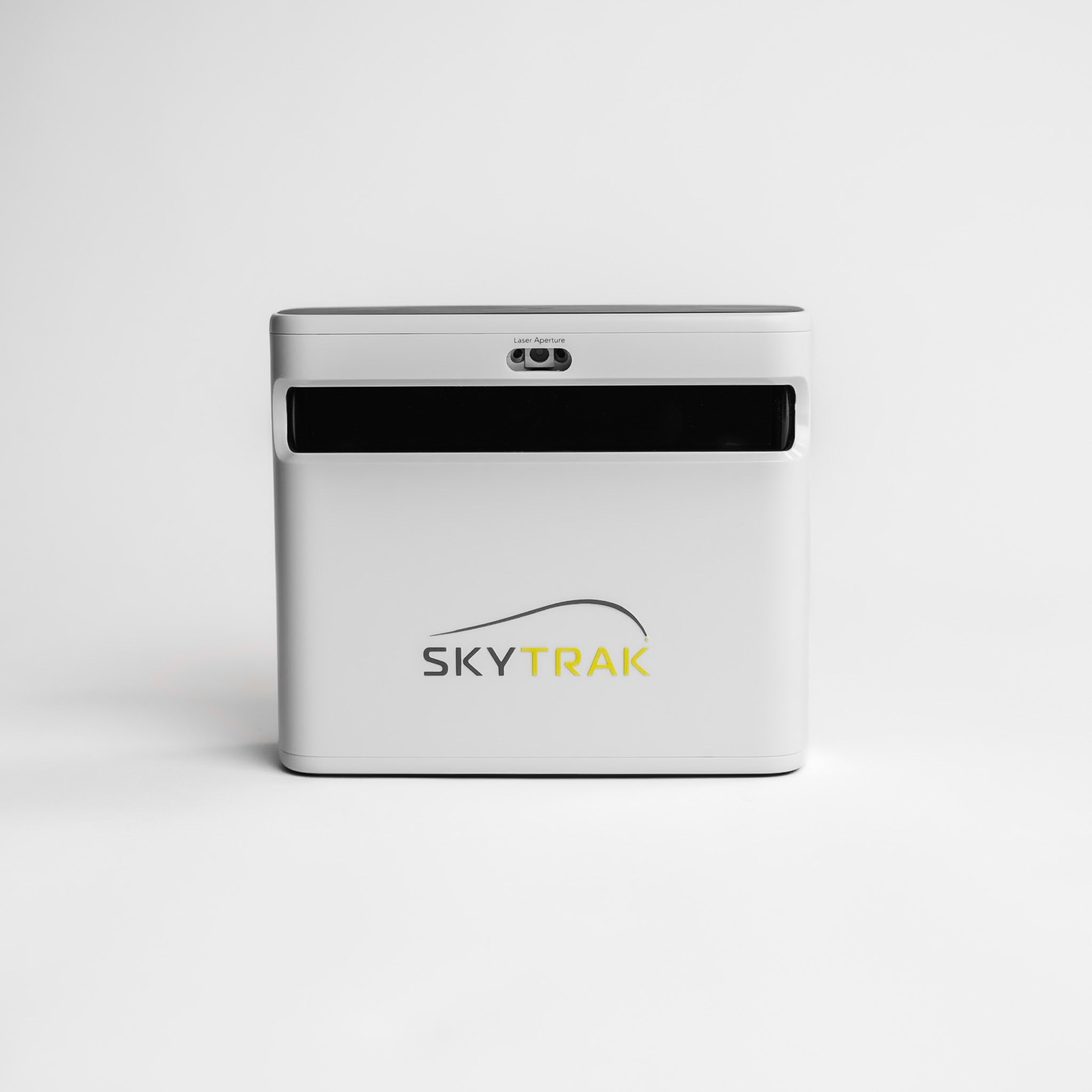
The original SkyTrak reads the ball with high-speed cameras from beside the mat, so it needs no room behind you, and it sends each shot to your phone or tablet over Wi-Fi, where the app puts it on a virtual practice range. At £495 it comes with a year of SkyTrak Core, so you can play courses from day one.

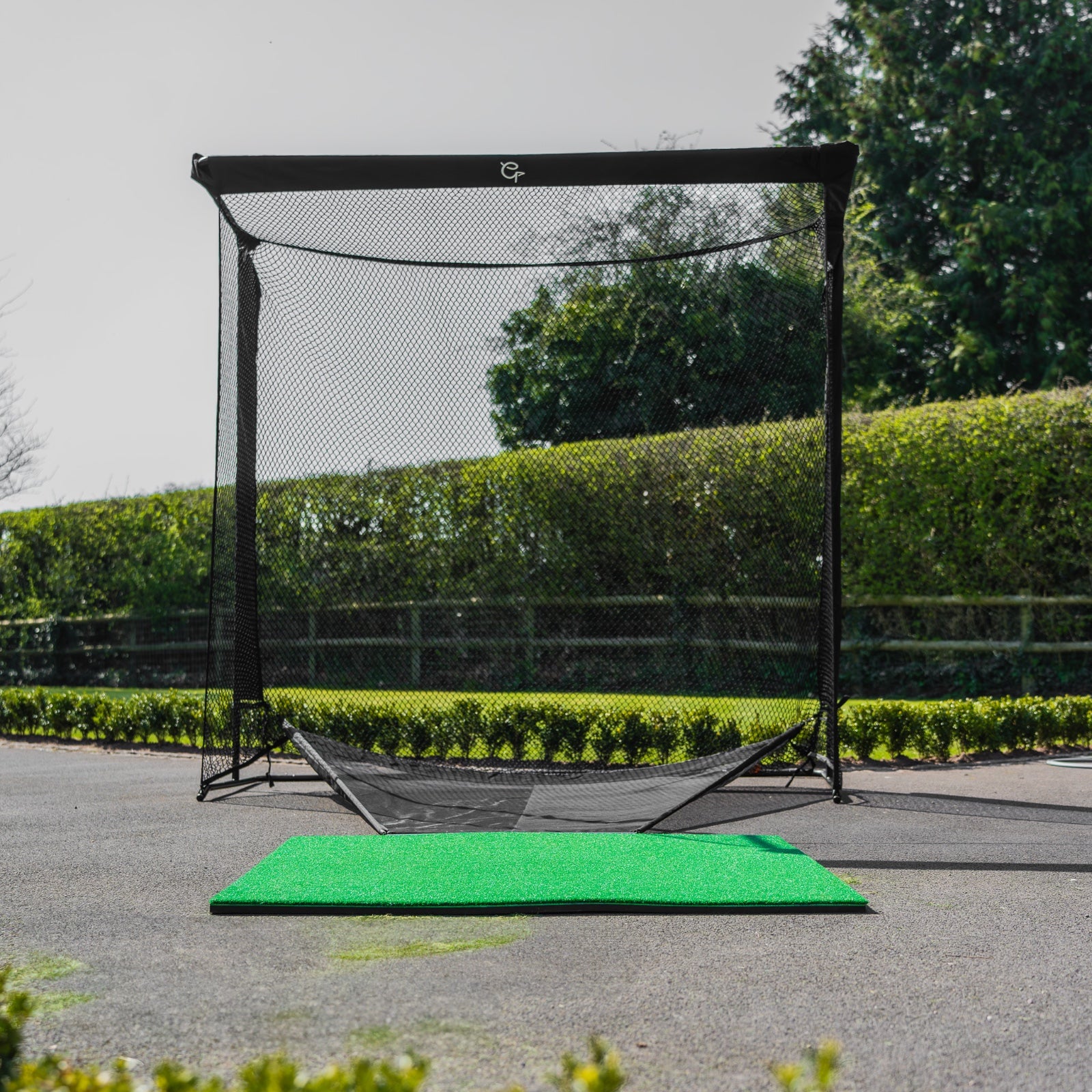
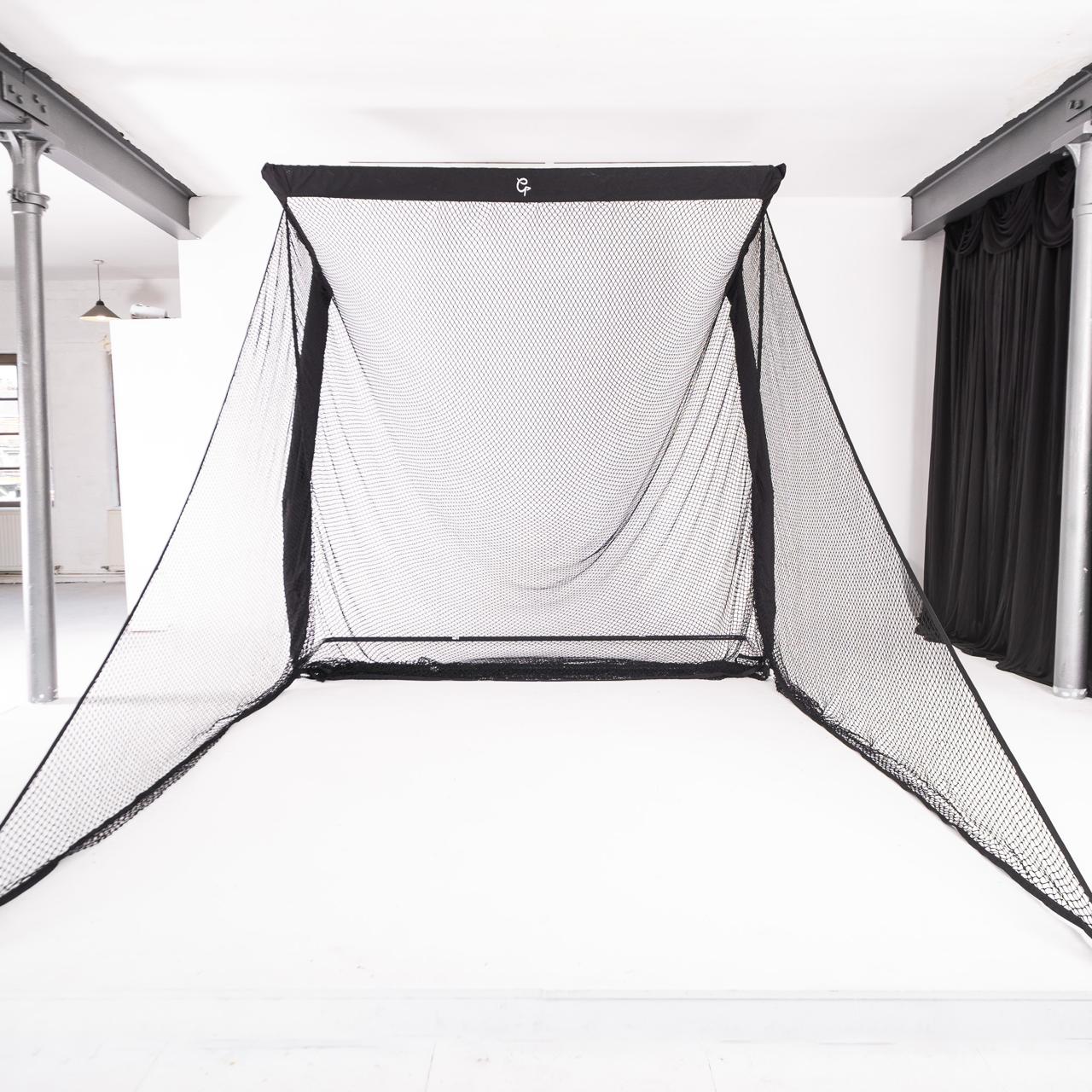
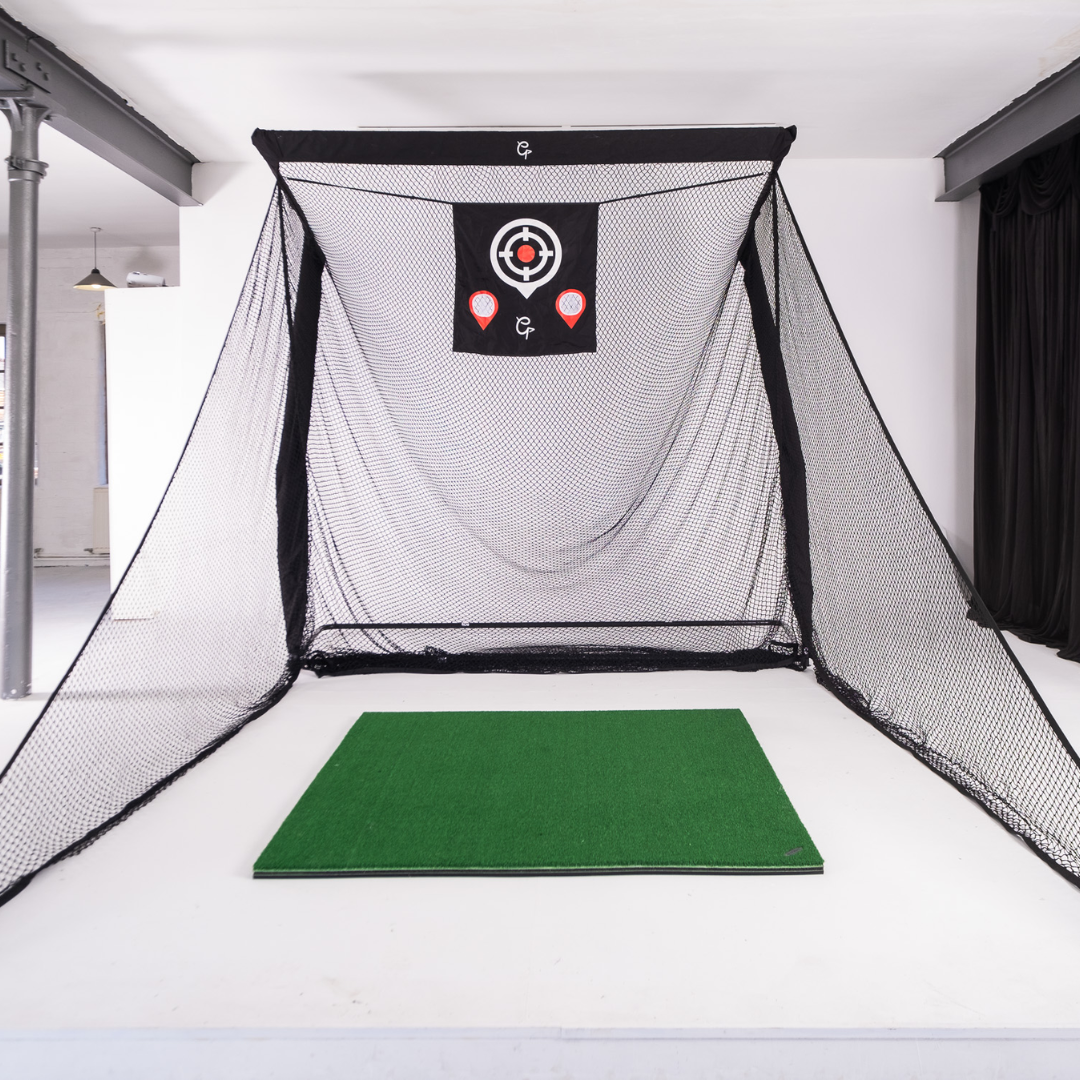
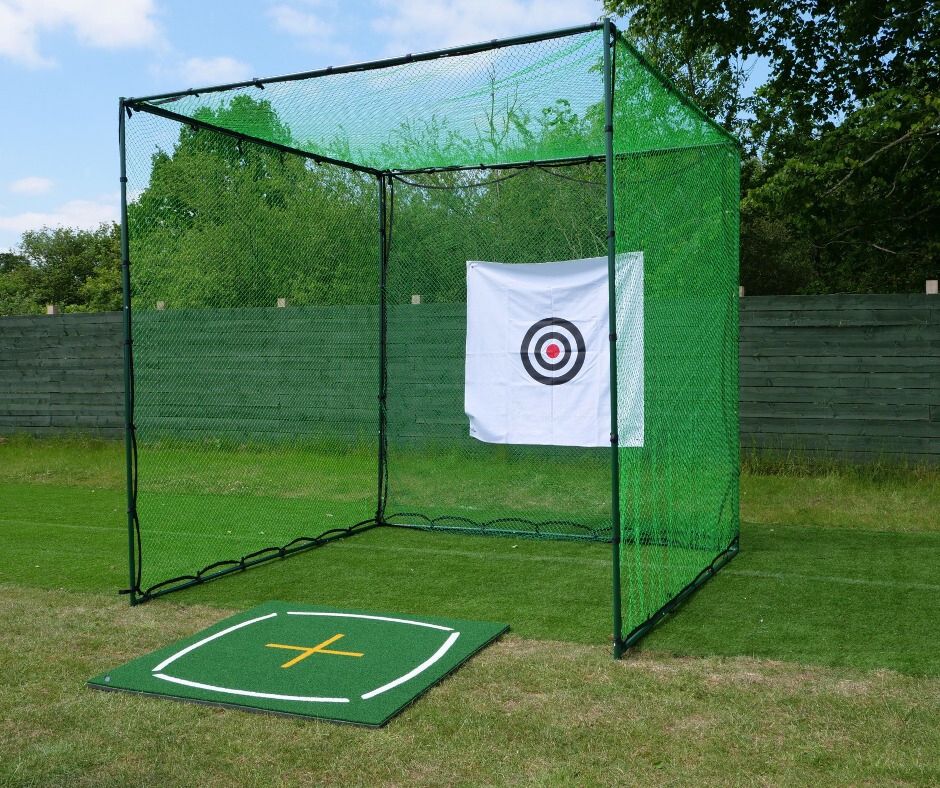
It hits into a TrueStrike TS-5, a compact 1.7m cube with a 0.3m roof extension, an automatic ball return and a target designed to soften the noise of each strike, for £229.

Underneath goes a GolfBays Basic hitting mat, 1.5m square, for £189.
What you give up: the big picture. The ball flight lives on a phone or tablet, and the net stops the ball rather than showing you where it went. It's a practice tool first and a simulator on a small screen second.
Build 1 suits you if:
- It's your first launch monitor, and you want your yardages before you spend on a bay.
- The garage still has to take the car, because the TS-5 weighs about 7.3kg and moves out of the way.
- You mostly practise, and a round on a tablet screen is a bonus.

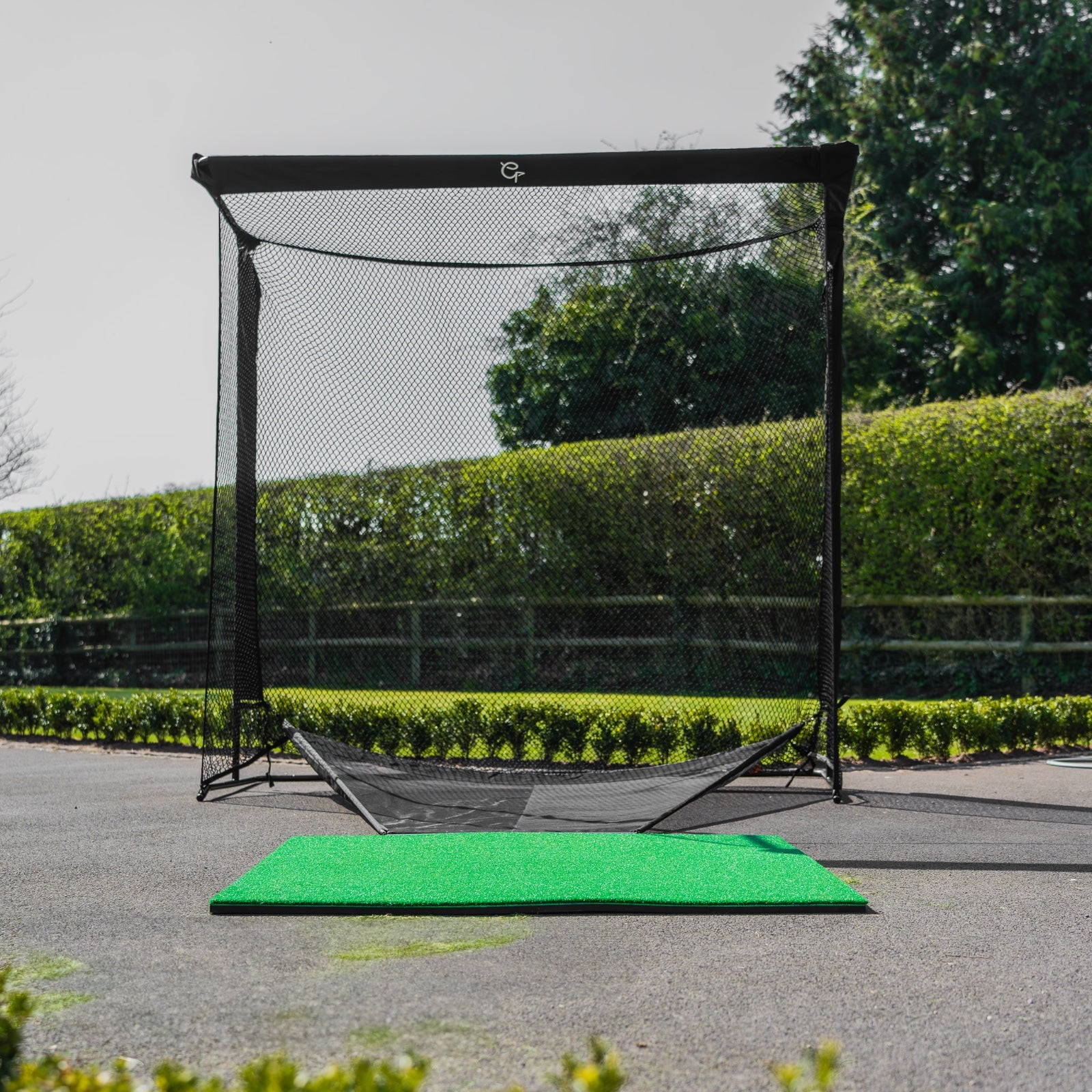
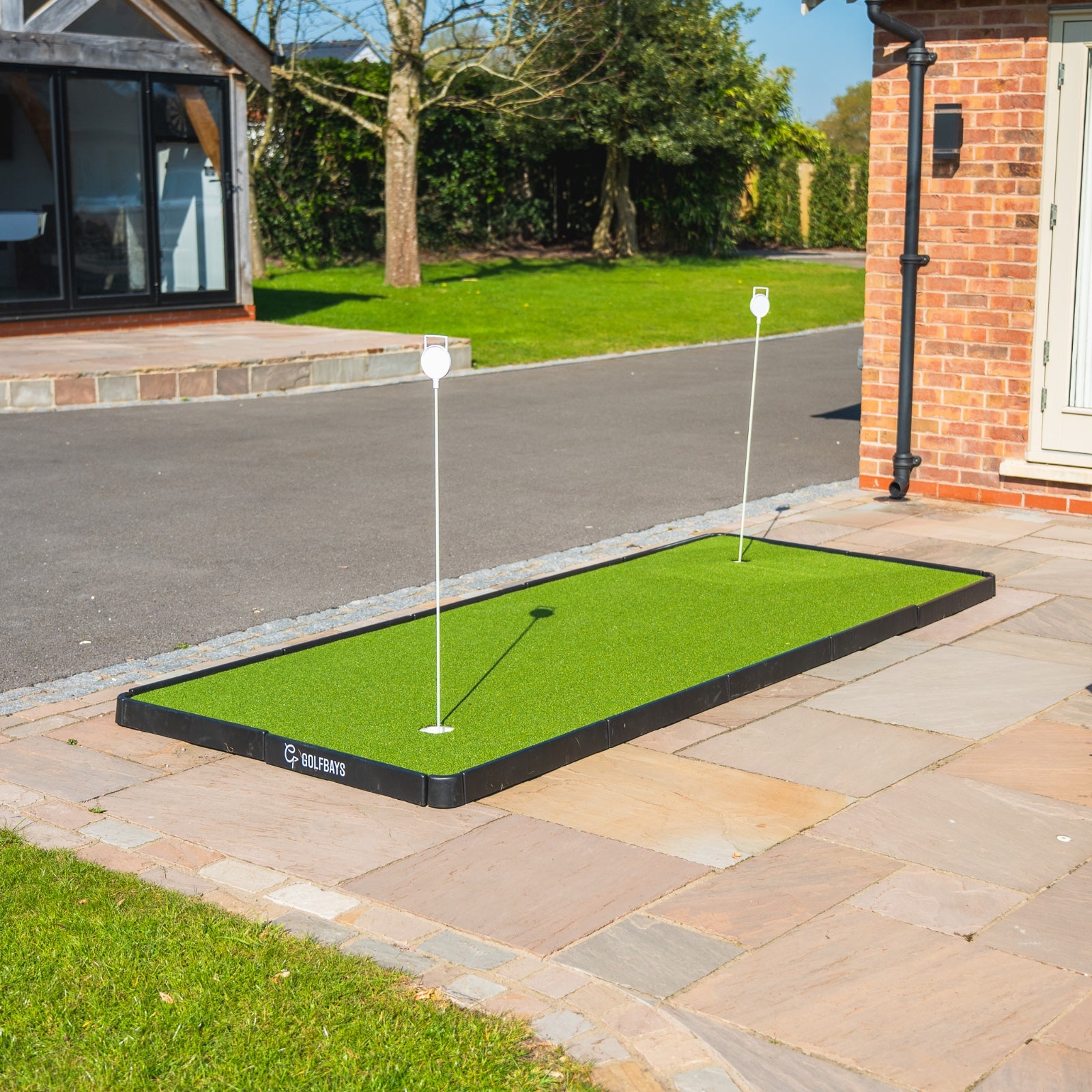
For the garden, our outdoor golf practice net is about 3m wide and 2.1m high (10ft by 7ft) and comes with a Tri-Turf mat for £109. Add a Garmin R10 at £421 and the setup comes to £530, with plenty of room behind the ball for the radar.
Build 2: a complete EasySim simulator for about £2,800

The Square Golf EasySim package is the cheapest complete simulator we sell: the Square Golf launch monitor and our EasySim enclosure with its Lite impact screen, for £1,649, or £1,849 with a hitting mat. Its footprint is 3.3m across, 2.5m tall and 1m from front to back, and the 4:3 screen makes the projector an easy choice. The poles, the black fabric surround and the screen all come in the box, with aluminium click-together fittings.
Square Golf's cameras sit beside the ball and read the club as well as the ball, with swing path, face angle, dynamic loft and angle of attack. The Lite screen keeps the picture clean and the thud of each strike quiet, which suits a semi-detached garage with neighbours on the other side of the wall.
The same enclosure comes with 4 launch monitors under £1,800, so you can build the EasySim around whichever suits your room.
| EasySim package | Launch monitor | Where it sits | Price |
|---|---|---|---|
| Square Golf EasySim | Square Golf | Beside the ball | £1,649 |
| Garmin R10 EasySim | Garmin Approach R10 | 1.8m behind the ball | £1,657 |
| Rapsodo MLM2PRO EasySim | Rapsodo MLM2PRO | Behind the ball | £1,700 |
| SkyTrak EasySim | Original SkyTrak, with a year of Core | Beside the ball | £1,790 |
The EasySim golf simulator packages all share the same enclosure and Lite screen, so the only real choice is the launch monitor, and in a short garage that means one that sits beside the ball.

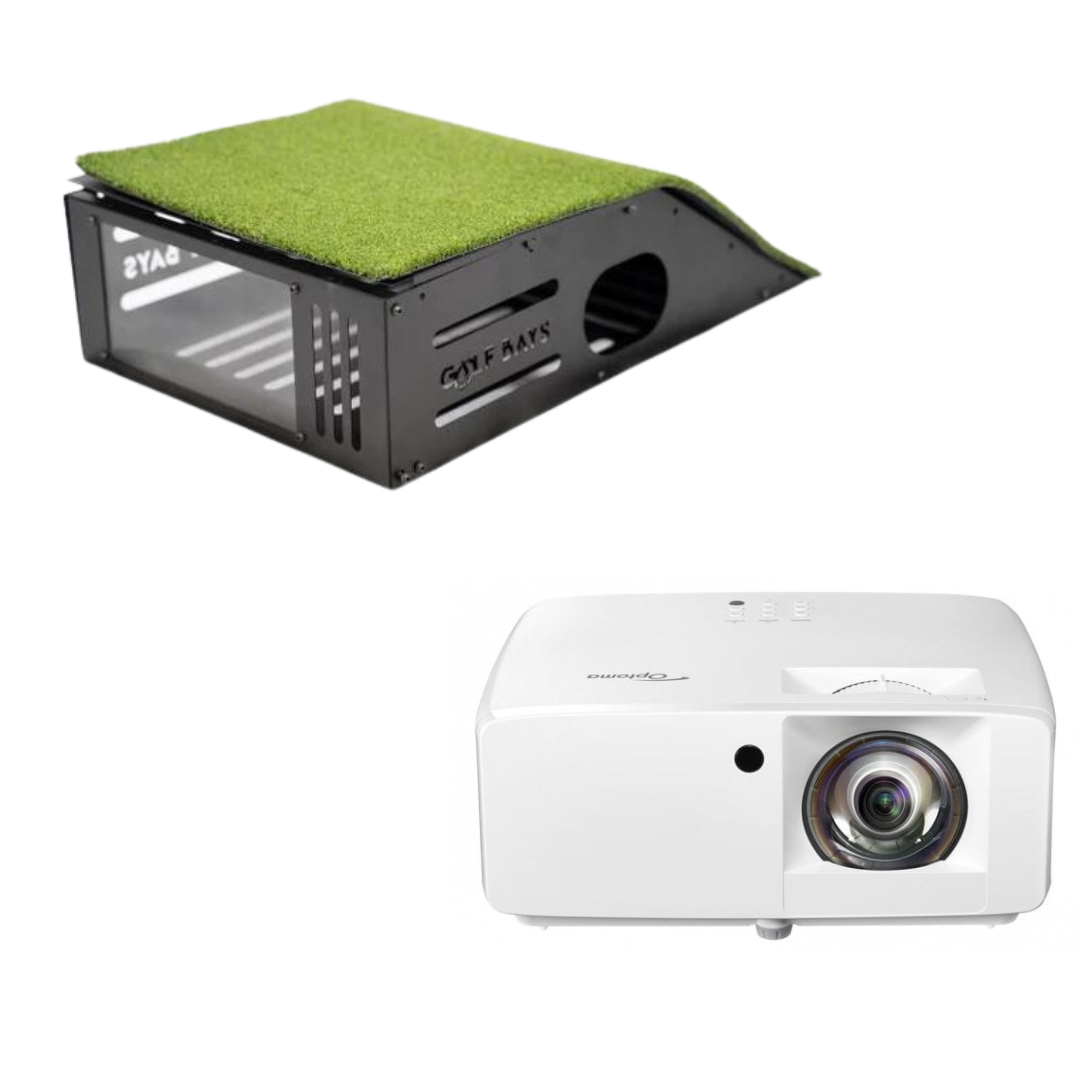
Then add the picture. The Optoma GT2200HDR puts a 100-inch full HD picture on the screen from a little over a metre away, at 3,300 lumens, for £899.
What you give up: size, and room to grow. There's only one EasySim size, and with just 1m of enclosure depth the screen sits nearer the ball than in a 1.5m-deep SimBox.
Build 2 suits you if:
- The room is short, because the enclosure takes only 1m of depth.
- You share a wall with next door, because the Lite screen keeps the impact quiet.
- You want club data on a budget, because Square Golf reads path, face, loft and attack angle.
Build 3: a SimBox simulator for under £3,000

The SkyTrak SimBox package puts the original SkyTrak in our SimBox enclosure, the same frame our bigger packages are built on. It comes in 7 sizes, from £1,959 at 2.6m wide to £2,359 for the largest, and includes a protective case for the launch monitor and a year of SkyTrak Core.
We'd take the 3m width at £2,009 if the room allows. The aluminium frame goes up without tools in less than an hour, and it works with every major launch monitor, so when you're ready for a SkyTrak+ or a Mevo Gen 2, you swap the monitor and keep the bay.
Like every SimBox, it wants a room at least 3m wide, 2.8m high and 4.5m deep.
What you give up: data. The newer SkyTrak+ adds dual Doppler radar and machine learning to the camera for club speed, face angle and shot shape, and as a SimBox package it costs £531 more.
Build 3 suits you if:
- You want to grow into it, swapping the launch monitor later and keeping the frame.
- The room is at least 3m wide and 4.5m deep, the size every SimBox is designed around.
- You want to play courses from day one, with a year of SkyTrak Core in the box.
Want a budget bay sized to your room?
Send us your room's measurements and your budget, and we'll tell you which of these builds fits, or what gets closest. It's free.
Book a free consultationWhich launch monitor should a budget simulator use?
The one that suits your room. A cheap launch monitor in the wrong room gives you bad numbers for your money, so start with the depth and pick from there.
| Launch monitor | Price | How it reads the ball | Where it sits | Courses |
|---|---|---|---|---|
| Garmin Approach R10 | £421 | Radar | 1.8m behind the ball | 43,000+ with a Garmin Golf membership |
| Original SkyTrak | £495 | High-speed cameras | Beside the ball | A year of SkyTrak Core included |
| Rapsodo MLM2PRO | £549 | 2 cameras and radar | Behind the ball | 30,000, with a free premium trial |
| Square Golf | £689 | High-speed cameras | Beside the ball | 3D courses in its own software |
| FlightScope Mevo+ | £1,050 | Radar with Fusion Tracking | Behind the ball | 12 E6 Connect courses to keep |
| FlightScope Mevo Gen 2 | £1,199 | Radar and camera | Behind the ball | 8 E6 Connect courses to keep |
For a garage or a spare room, choose a camera unit beside the ball. The original SkyTrak at £495 and the Square Golf at £689 need no room behind you.

The Square Golf launch monitor reads the club as well as the ball, with swing path, face angle, dynamic loft and angle of attack, and it has putting practice with adjustable green speeds, for £689.
For the garden or a deep garage, radar works well, because it has room to watch the ball fly.

The Garmin Approach R10 sits about 1.8m behind the ball and tracks spin, club path and attack angle for £421. With a Garmin Golf membership it plays more than 43,000 courses in Home Tee Hero (Garmin).
If you'd rather pay once for software, look at FlightScope, whose courses are yours to keep.

The FlightScope Mevo+ is £1,050 with 12 E6 Connect courses you own outright, including Pebble Beach and the Old Course at St Andrews, and no subscription to keep playing them.
Whichever you pick, the launch monitor is where the money in a budget simulator should go, and choosing a launch monitor starts with the depth of your room, not the spec sheet.
What does the software cost over 3 years?
The launch monitor's price is only the start. This is what 4 of the budget options cost over 3 years, counting the software you'd need to keep playing courses.
| Launch monitor | Price | Software after year 1 | 3-year total |
|---|---|---|---|
| Original SkyTrak, with Core | £495 | SkyTrak Core at £249.99 a year | £994.98 |
| Original SkyTrak, with Essential | £495 | SkyTrak Essential at £129.99 a year, no courses | £754.98 |
| FlightScope Mevo+ | £1,050 | None: 12 courses to keep | £1,050 |
| FlightScope Mevo Gen 2 | £1,199 | None: 8 courses to keep | £1,199 |
Over 3 years the gap between the original SkyTrak with courses and a Mevo+ shrinks to about £55, and the Mevo+ courses are still yours in year 4, as long as the room is deep enough for radar. If you'll mostly practise rather than play rounds, SkyTrak Essential keeps the original SkyTrak the cheapest option by a distance.
Where shouldn't you cut corners?
The mat. You'll hit off it hundreds of times a week, and a thin mat over a concrete garage floor jars your wrists and elbows on every heavy shot. Buy the best mat the budget allows, and replace a worn one before it starts to hurt.
The screen or net. It's the only thing between a golf ball leaving the club at well over 100mph and your garage door. A proper impact screen or net stops the ball safely and quietly; a sheet from a DIY shop doesn't.
The launch monitor for the room. A radar unit in a short garage gives you bad numbers on every shot. If the room is under 5m deep, buy a camera unit that sits beside the ball, even if it means a smaller enclosure.
Watch out: the ceiling
We plan on 2.8m of height for a full driver swing, and plenty of British garages have 2.4m. Measure the ceiling before you buy anything, because it's the one part of a garage you can't change, and no launch monitor or enclosure makes up for a club that hits the joists.
Where can you save money?
Start without a projector. A net or an enclosure with the numbers on a tablet is a complete practice setup, and the projector can come later. Rapsodo's app mirrors from a phone or tablet to a smart TV (Rapsodo), and any laptop running simulator software can feed a TV over HDMI.
Use the software that comes in the box. The original SkyTrak includes a year of Core, FlightScope's Mevo+ and Mevo Gen 2 come with E6 Connect courses you keep, and Rapsodo includes a free premium trial. After that, golf simulator software runs from free practice apps to yearly memberships such as GSPro at £250.
Use the laptop or tablet you already own. Most launch monitor apps run on a phone, tablet or laptop. You only need a gaming PC for GSPro.
Buy the projector for the room, not the spec sheet. On a 3.3m screen, throw distance and brightness matter more than 4K, so a full HD short throw projector is enough for most budget bays.
✓ Do this
Put the money into a launch monitor that suits the room and a decent mat, and add the projector later if you have to.
✕ Not this
Buy the biggest screen and the brightest projector, then run them from a launch monitor that can't read the ball properly in your garage.
Can you build a golf simulator yourself?
Yes, and plenty of golfers do. The parts are the same 5 as any simulator; the difference is whether you buy them matched in a package or one at a time.
One at a time makes sense when you already own some of them. If you have a launch monitor, our golf simulator enclosures are sold on their own: the EasySim at £999 with its Lite screen, and the SimBox from £1,161 in 7 sizes, with a choice of Lite, Close-Knit Baffle or PRO+ screen. If you're building your own frame, our Lite impact screen starts at £199.99.
The DIY route has 2 traps. The first is the screen: bed sheets and tarpaulins aren't made to stop a golf ball, and a ball that hits a tight sheet comes back at you fast. The second is the frame, which has to hold the screen with enough slack to take the strike and stay square to the projector.
A package takes both traps away, because the screen, the frame and the launch monitor are chosen to work together. That's why we'd start from one unless you already own the launch monitor.
Where should a cheap golf simulator go?
The garage is the usual answer: the most floor, often the most depth, and nobody minds the noise. Check the height with the door open, though, because an up-and-over door hangs below the ceiling when it's up, and it's often the lowest point in the room.
A spare room is warmer and cleaner, but a ceiling around 2.4m usually means irons only, and on carpet the mat needs to sit flat and stay put.
The garden costs least: a net, a mat and a radar unit with all the room it needs behind the ball. It's also the one that stops in the rain and the dark, which in Britain is most of the winter.
When the house has no room tall enough, the answer is often outside. A golf simulator cabin is built to the height a driver needs, although at garden-room prices rather than budget ones.
How much room does a cheap golf simulator need?
Height first: about 2.8m for a full driver swing. Then depth: 4.5m with a camera unit beside the ball, 5m with radar behind you. Then width: 3m for a SimBox, 3.3m for the EasySim.
| Setup | Width | Height | Depth |
|---|---|---|---|
| EasySim with a camera unit | 3.3m | 2.8m | 4.5m |
| SimBox with a camera unit | 3m | 2.8m | 4.5m |
| Any bay with a radar unit | 3m | 2.8m | 5m |
A net setup is more forgiving, because the TS-5 is only 1.7m deep and the ball doesn't have to fly far. The height rule still applies, though: the swing needs the same room whatever you're hitting into.
A 2.4m ceiling, which is 8ft, is the common problem. Irons and wedges often fit under it, depending on your height and swing, but a full driver swing usually doesn't.
GolfBays tip
Measure the room as it'll really be used. A 5m garage with a chest freezer and 2 bikes along the back wall is a 4m garage, and the launch monitor has to fit the 4m one.
What do golf simulator extras cost?
None of these is essential on day one, except the mount and the cable once a projector arrives. These are GolfBays prices on 30 September 2026.
| Extra | What it's for | Price |
|---|---|---|
| Universal projector mount | Holds the projector steady and square to the screen | £39.99 |
| 10m HDMI 2.1 cable | Carries the picture from the laptop to the projector | £29.99 |
| Rubber base for a 1.5m mat | Sits under the hitting mat | £109 |
| Acoustic wall tiles, 50cm square | Soak up the echo in a garage | £74.99 a pack |
| Mobile projector and laptop stand | Holds both on one stand you can move | £199.99 |
| Spornia side net extensions | Widen a Spornia practice net | £59 |
The one worth budgeting for early in a garage is sound. A golf ball hitting a screen is loud, and a pack of acoustic tiles on the wall behind you makes a bigger difference to the neighbours than most people expect.
What should you buy first, and what can wait?
If the budget won't stretch to a complete simulator at once, buy it in this order. Each step works on its own, and nothing gets thrown away later.
1. The launch monitor. Buy the one that suits your room, even if it means hitting into a net for a while. It's the part that decides whether the numbers are any good.
2. A proper mat. Your wrists will thank you, and a flat mat keeps the ball level with a camera unit beside it.
3. The enclosure and screen. This is the step that turns practice into a simulator bay. A SimBox takes every major launch monitor, so it won't need replacing when the monitor does.
4. The projector. Until then, the ball flight lives on a tablet or a TV beside you.
5. The software. Use what's included for the first year, then decide whether a membership is worth it once you know how often you play rounds rather than practise.
After that, the upgrades that change the most are a better launch monitor and a better screen. A PRO+ screen for the SimBox is £399 to £469, and it's a straight swap in the same frame.
Is a cheap golf simulator worth it?
Yes, if you'll use it. A £913 practice bay tells you your real carry with every club, and a £2,800 simulator turns a wet February evening into a round of golf. The test is how often you'd hit balls if they were 20 steps from the kitchen.
It's a harder sell if the room is too short for any launch monitor, if the bay has to be packed away every night, or if what you really want is tour-grade data. Spending more mostly buys a better launch monitor: the home simulators we'd pick for most garages start at £2,490 for a SkyTrak ST+ SimBox before the projector, and above £3,000 the cost of a golf simulator climbs with the monitor, to £5,499 for a Garmin R50 SimBox.
Cheap golf simulator FAQs
What is the best golf simulator on a budget?
The Square Golf EasySim package, at £1,649, or £1,849 with a mat: a camera launch monitor that reads the ball and club, in an enclosure only 1m deep. For a bay you can upgrade later, the SkyTrak SimBox package starts at £1,959.
How cheaply can you build a golf simulator?
A garden practice setup starts at £303.99 with a Shot Scope LM1, a net and a Tri-Turf mat, or about £530 with a Garmin R10. Indoors, £913 buys the original SkyTrak, a TrueStrike TS-5 net and a hitting mat, with the ball flight on your tablet.
How much should a golf simulator cost?
About £2,800 to £3,000 for a complete budget simulator with a projector, around £3,500 for a mid-range SkyTrak ST+ setup, and over £6,000 for a Garmin R50 SimBox with a projector. Most of the difference is the launch monitor.
Is an 8ft ceiling enough for a golf simulator?
For irons and wedges, often; for a full driver swing, usually not. 8ft is 2.4m, and we plan on 2.8m for most adults to swing a driver freely, so measure yours and try a slow swing to the top before you buy.
Do you need a projector for a golf simulator?
Not to start with. A launch monitor with a net and a tablet is a complete practice setup, and some apps mirror to a TV. A projector is what turns it into a simulator, with the shot on the screen in front of you.
Can you use a TV instead of a projector?
Yes, beside a net rather than behind it. You can't hit into a TV, so it sits to one side showing the ball flight while you hit into the net. For the picture on the screen you're hitting at, you need a projector.
Can you fit a golf simulator in a spare bedroom?
Sometimes, but the ceiling usually decides it. Most spare bedrooms are about 2.4m high, which is fine for wedges and short irons but tight for a driver, so a bedroom bay tends to be a practice room for irons rather than a full simulator.
Are cheap golf simulators accurate?
Accurate enough to learn your yardages, if the launch monitor suits the room. Camera units beside the ball read launch and spin at impact, and radar units need room behind the ball and, for spin, the right balls. Most bad numbers at home come from the setup rather than the price.
Is a golf simulator good for beginners?
Yes. A beginner gets the most from real carry distances and instant feedback on every shot, and a £913 practice bay gives you both without committing to a full simulator.
Do you need a subscription for a golf simulator?
Not always. FlightScope's Mevo+ and Mevo Gen 2 come with E6 Connect courses you keep, while SkyTrak, Garmin and Rapsodo put courses behind a membership after any included year or trial. Your numbers and a practice range are usually free in each maker's app.
What's the cheapest launch monitor that works indoors?
For a simulator, the Garmin R10 at £421, as long as the room is deep enough for radar behind the ball. In a shorter room, the original SkyTrak at £495 sits beside the ball and needs nothing behind you.
How long does a budget golf simulator take to set up?
The SimBox frame clicks together without tools in under an hour, and a TrueStrike TS-5 net is quicker still. Allow longer for the fiddly part, which is hanging the screen, laying the mat and lining the projector up with the screen.
Can you use real golf balls in a cheap simulator?
Yes, and you should. Launch monitors are built to read real golf balls, and the TS-5 net and every impact screen we sell are made to take them. Radar units read spin best from the balls their makers recommend, so keep a few of those for the bay.
How loud is a golf simulator?
Loud enough to plan for. Every strike is a club on a mat and a ball hitting a screen, which carries through a shared wall. The Lite screen in the EasySim is designed for a quieter impact, and acoustic tiles on the walls take the edge off the echo.
Should you buy a package or build your own simulator?
A package if you're starting from nothing, because the launch monitor, enclosure and screen are matched. If you already own a launch monitor, buy the enclosure on its own: the EasySim is £999 and the SimBox starts at £1,161.
Can you upgrade a budget golf simulator later?
Yes, if the frame allows it. The SimBox works with every major launch monitor, so you can start with the original SkyTrak and move up to a SkyTrak+ or Mevo Gen 2 without changing the bay. The EasySim comes in one size, so it can't grow wider.
Build your budget bay
Every package pairs the launch monitor with an enclosure and impact screen that suit it.
See golf simulator packages